Landis > Attendant Console for Microsoft Teams > AC Features
Landis Attendant Console Features
Landis Attendant Console Overview video
Core Call Handling Features
Advanced Call Management
Unified Call Window
Handle multiple calls from a single, organized interface.
Call Transfer Options
Music on Hold
Contact Management & Search
Contact Search
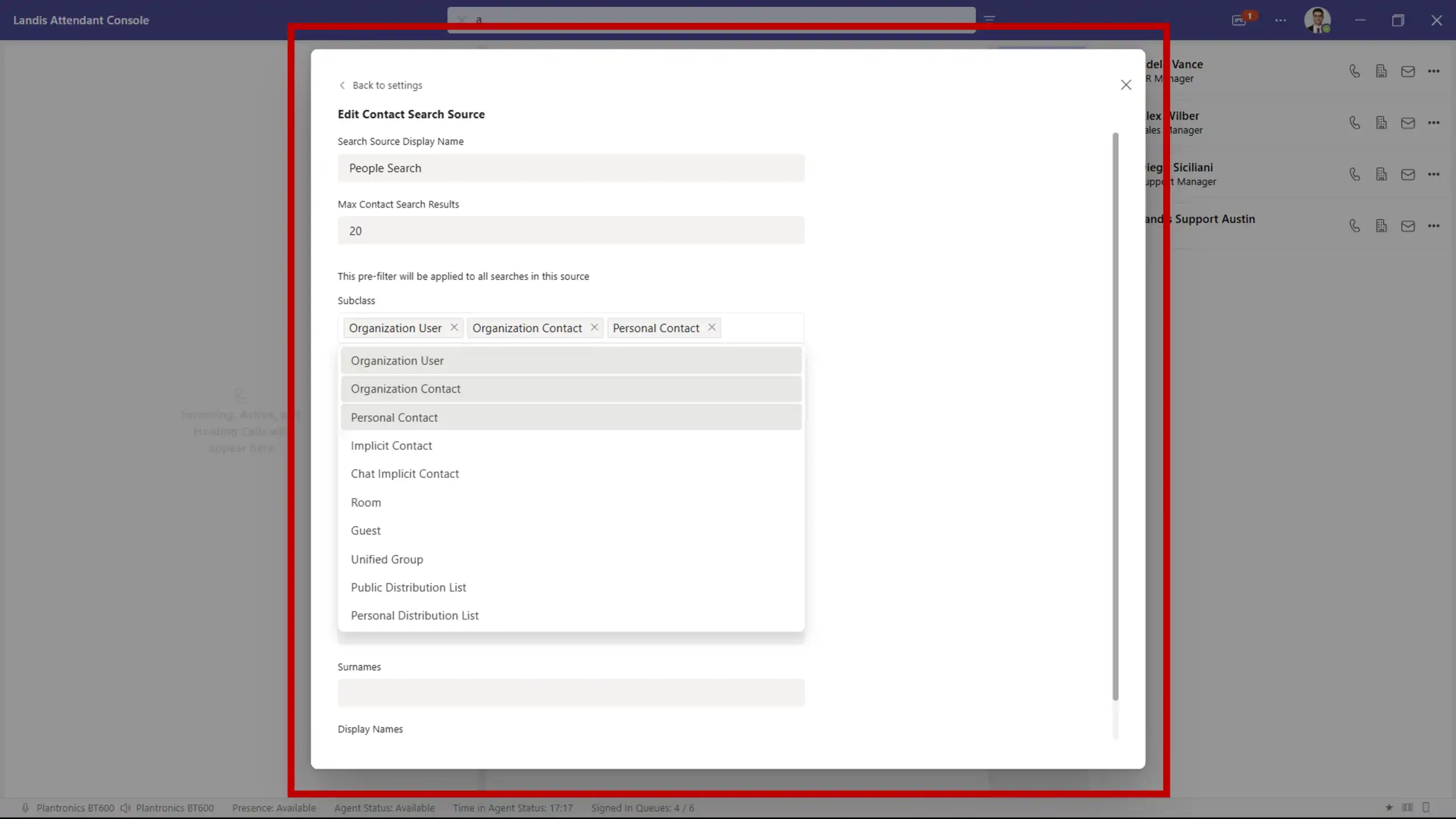
Search Pre-filter
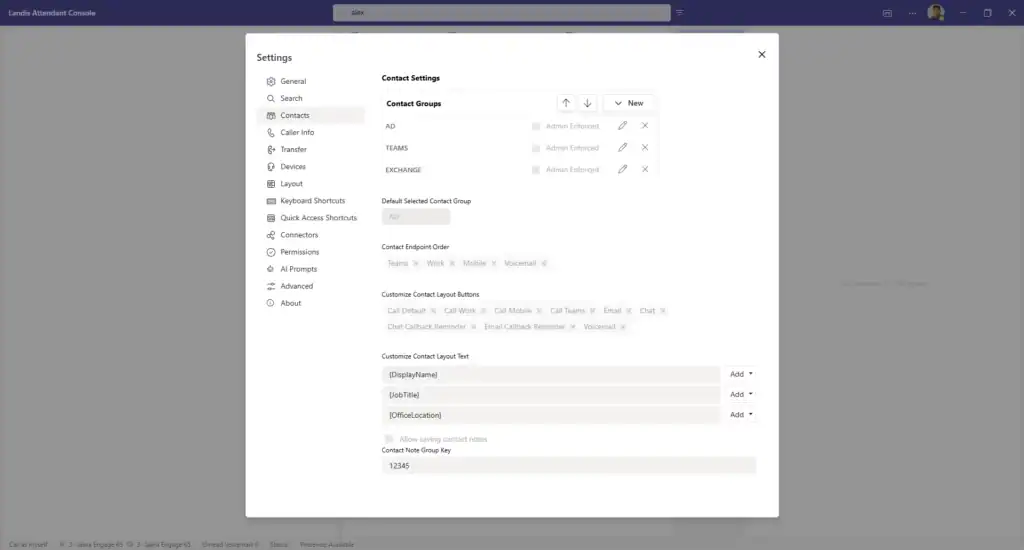
Costomizable Contact Layout
Click-to-Dial
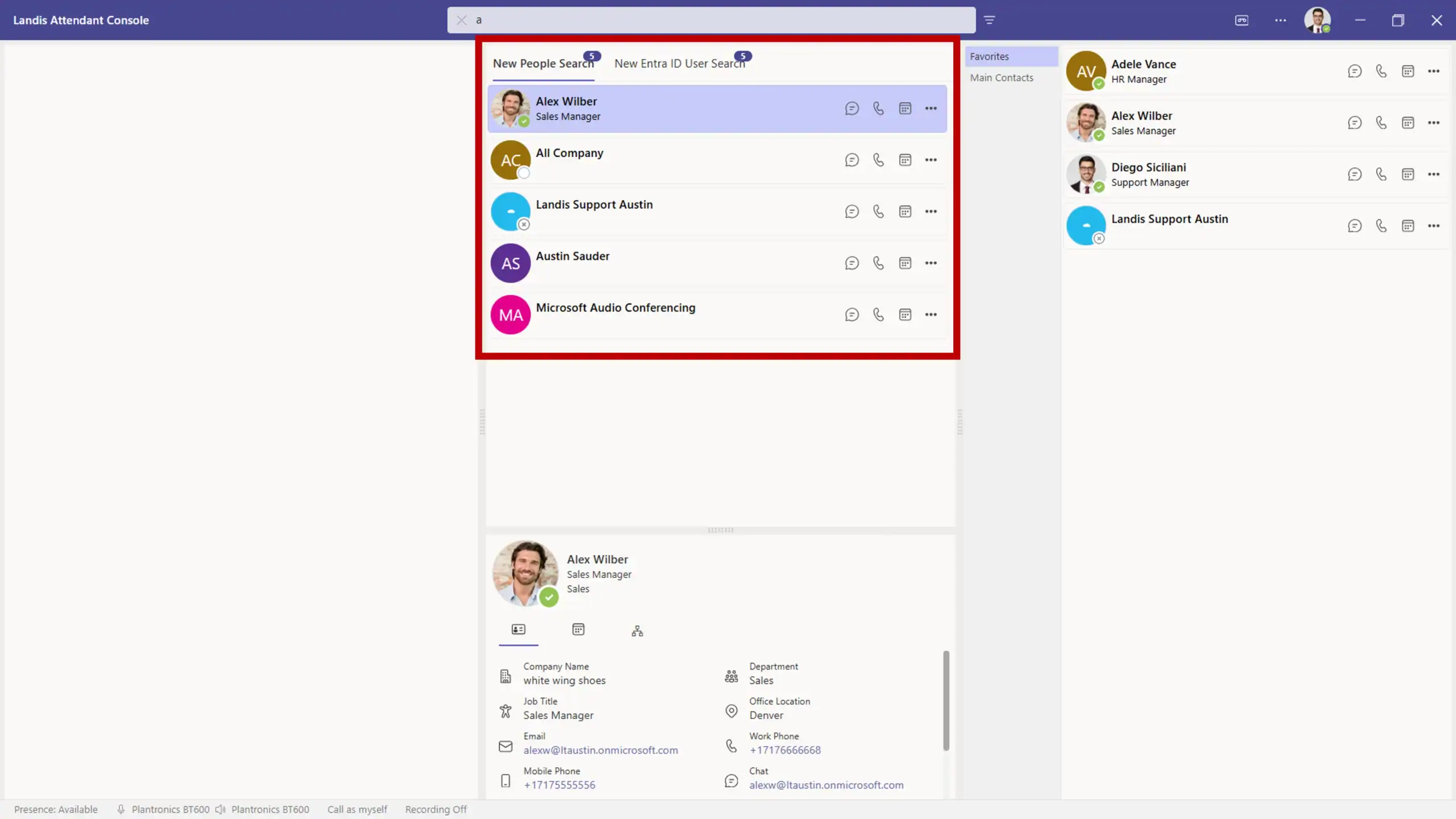
People Search
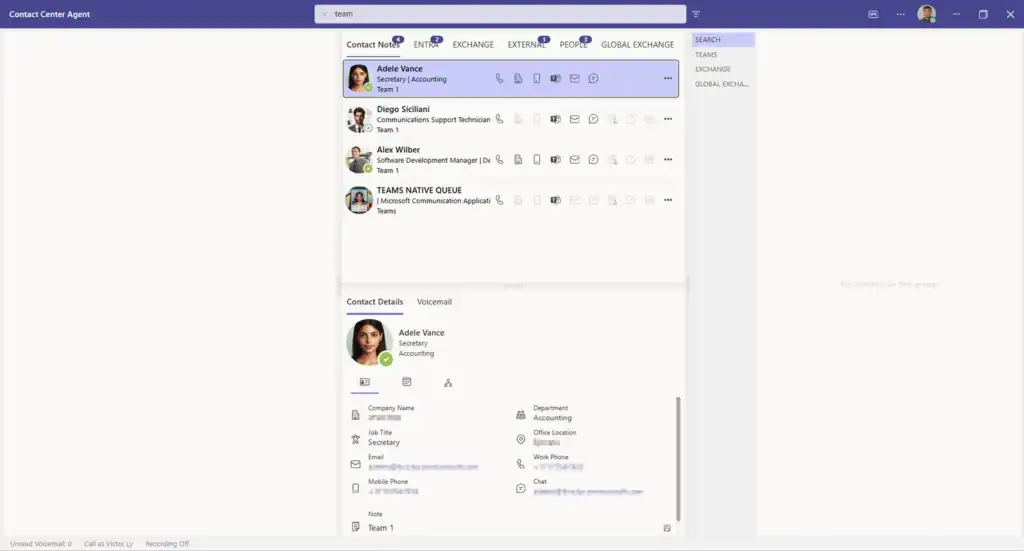
Search across Active Directory, personal exchange contacts, global exchange contacts, or anyone you’ve previously emailed or chatted with. These results can be pre-filtered with custom settings.
Contact Time Zone Information
Time zone information for contacts compared to user’s time zone is displayed on the contact card.
AI & Automation Features
AI-Powered Capabilities
Custom AI Prompts
AI Prompt Triggers
Real-Time Speech-to-Text
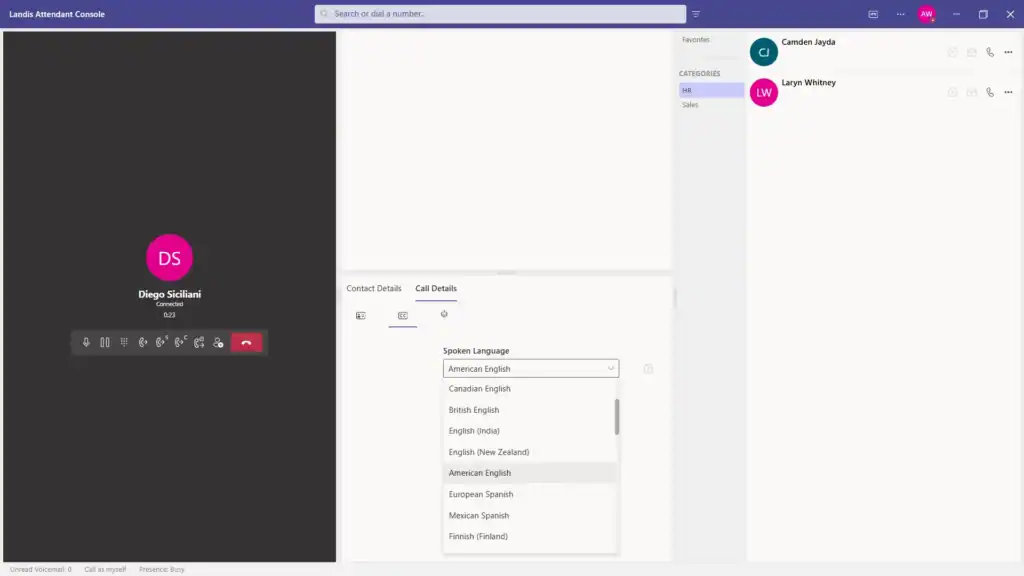
Live call transcription in multiple languages with closed captions.
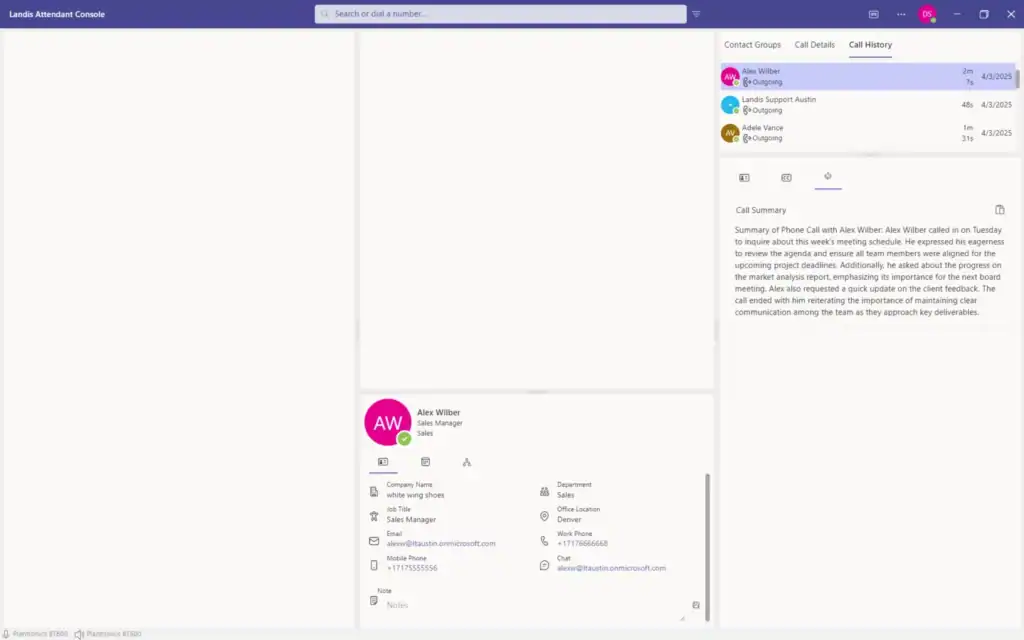
AI Call Analysis
Call Summary Generation
Action Item Extraction
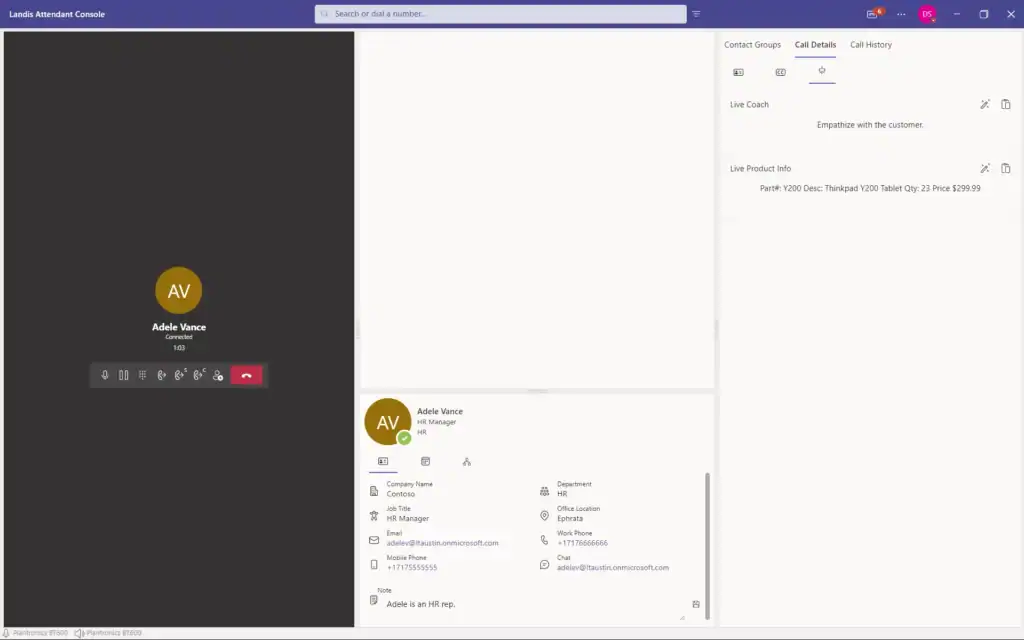
Automatically identify tasks, names, or part numbers from conversations.
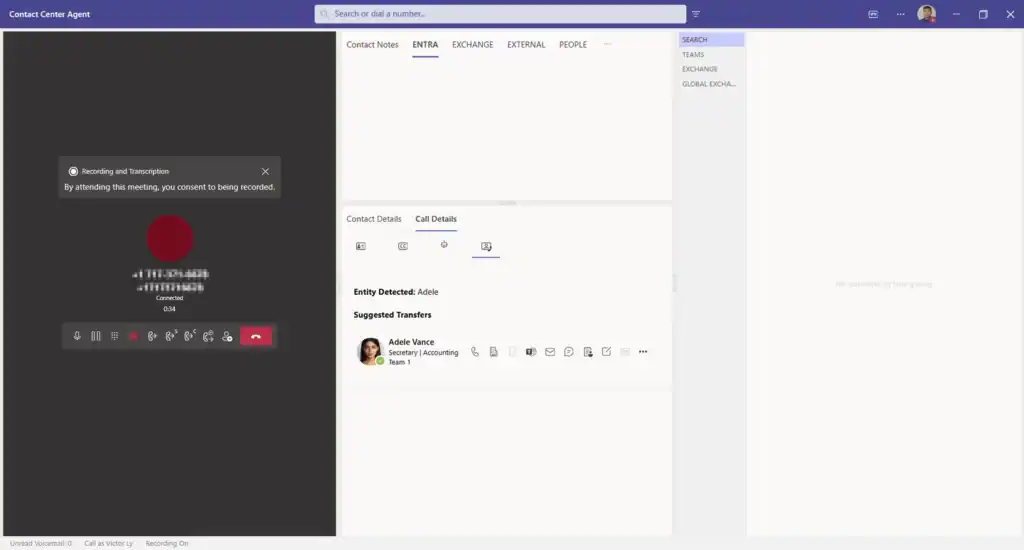
Suggested Transfer
When either the caller or the receptionist mentions a name or department in the context of a transfer needed, the appropriate contact card will be automatically displayed for one-click transfer.
Workflow Automation
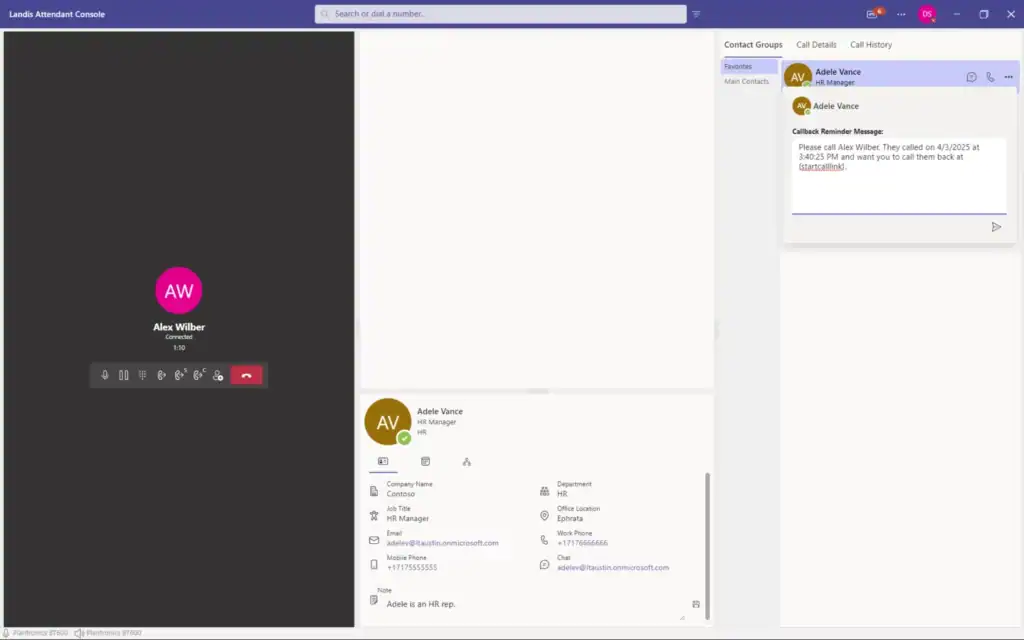
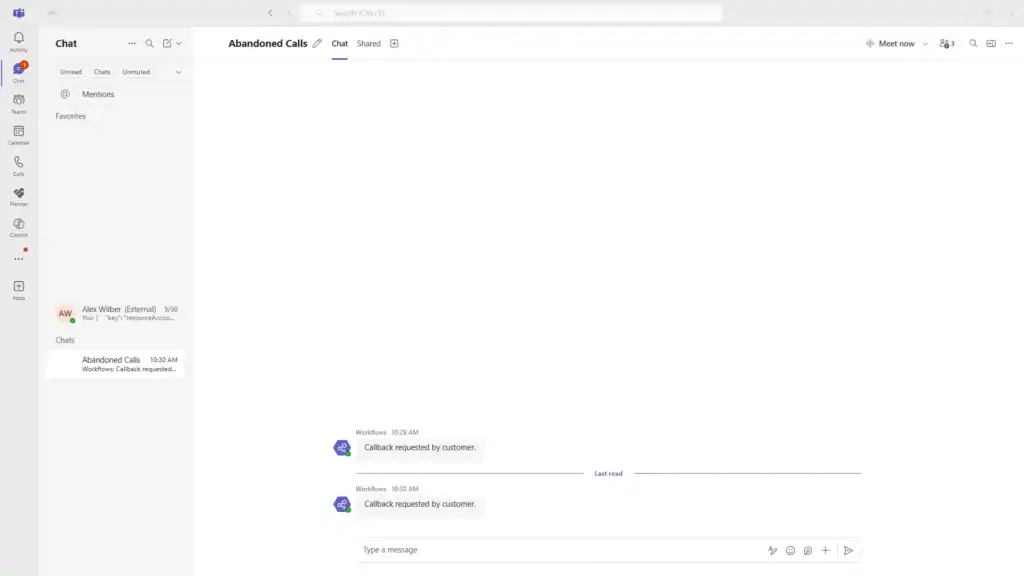
Email and Chat Callback Reminders
End-of-Call Webhooks
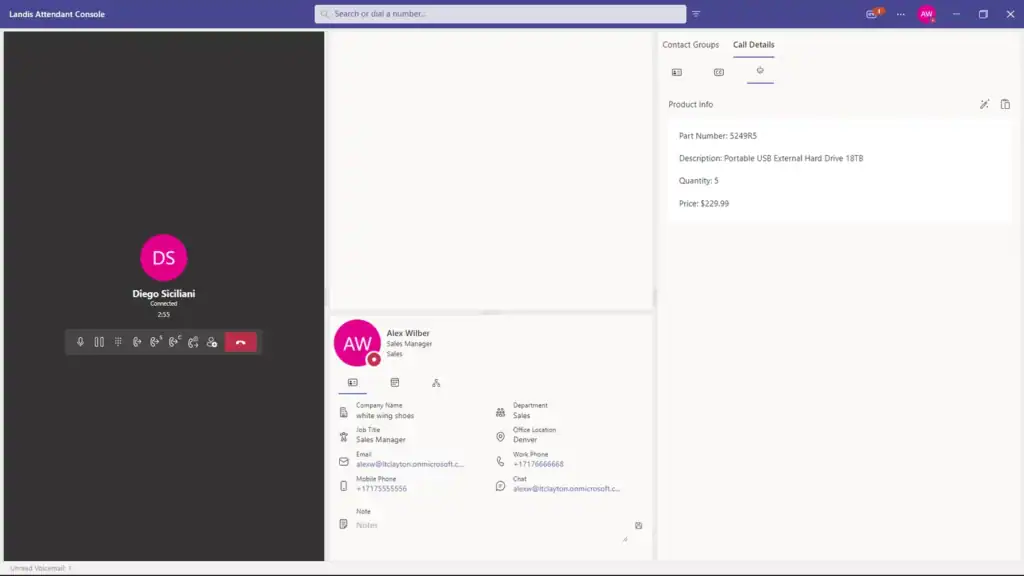
Adaptive Call Pop Cards
User Interface & Experience
Customizable Layout System
Multiple Layout Configurations
Adjustable Panel System
Smart Panels
Instead of unnecessarily cluttering the workspace, smart panels appear only when you need them.
- Hovering over the voicemail icon in the top right triggers the flyout of the voicemail panel.
- Wrap-up question panel can be set to automatically appear at the end of a call.
- Hovering over a contact avatar will render a pop up with more contact information.
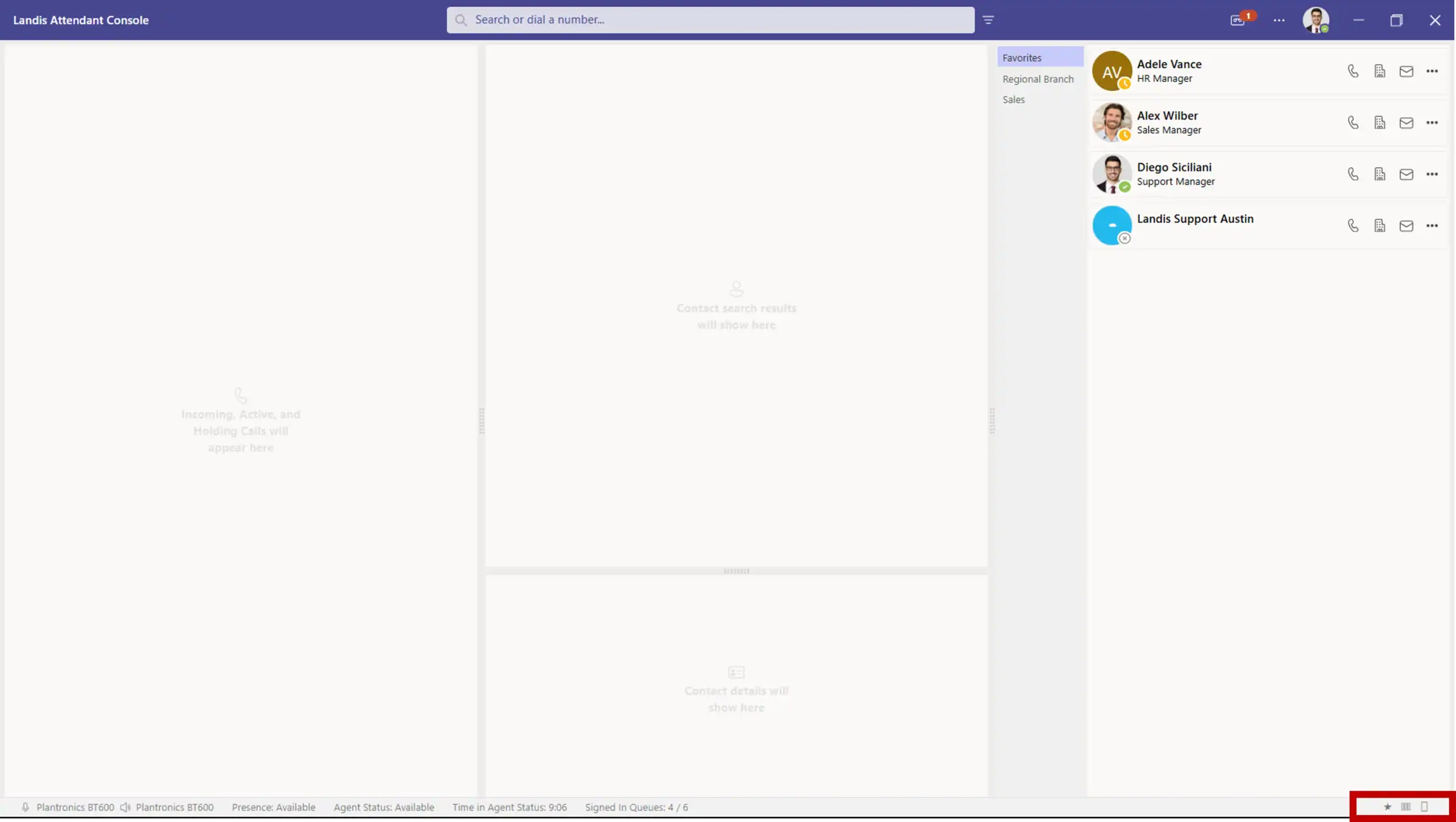
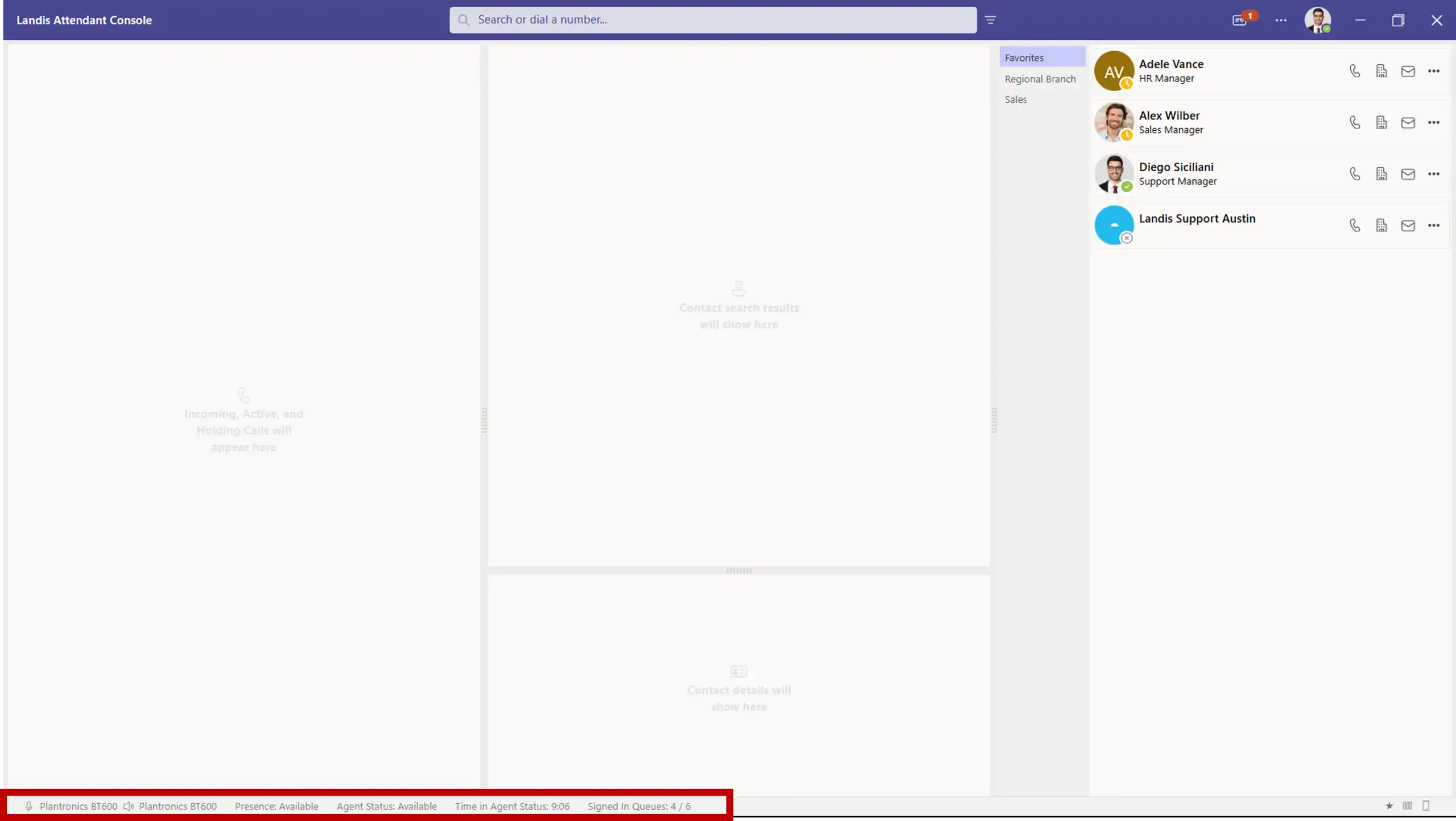
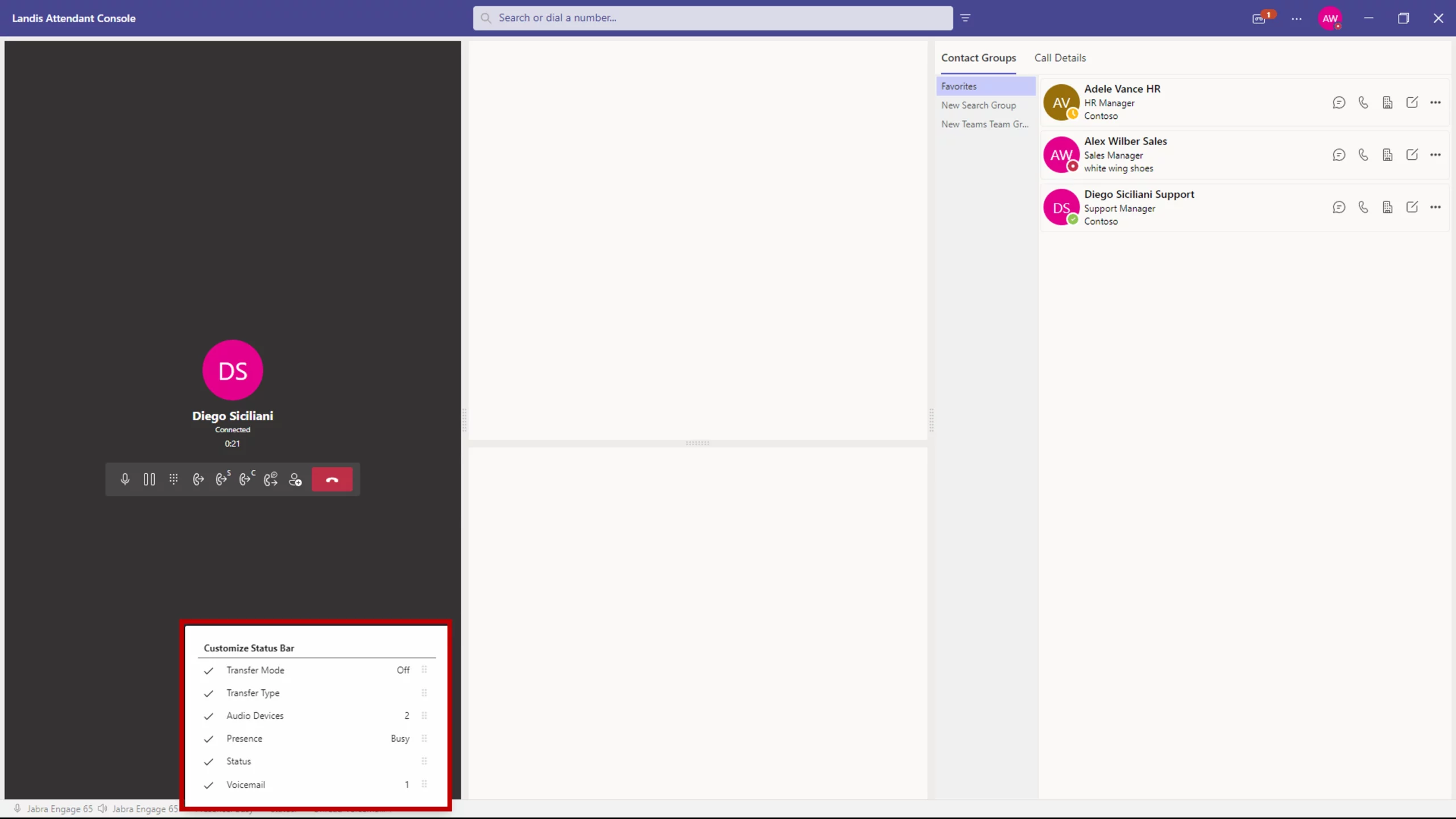
Configurable Footer
Customizable footer items with live information display.
- Switch layouts
- See Contact Center agent status (when Contact Center integration is set up)
- See mic levels, audio device
Panel Management
Enable/disable panel types including Voicemail, Call History, Contact Details, etc. On-Demand Panels that are not a part of the current layout appear temporarily as needed.
Dark Mode Support
Quick Access & Shortcuts
Customizable Quick Access Shortcuts
Speed Dial System
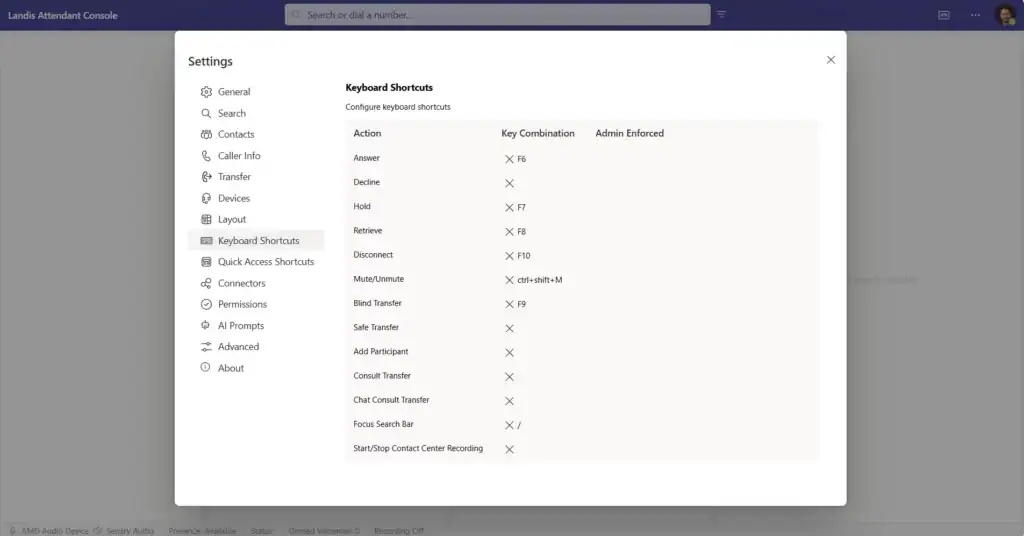
Keyboard Shortcuts
Webpage Shortcuts
HTTP Request Shortcuts
Audio Device Shortcuts
User Experience Enhancements
Visual Hold Alerts
Contact Card Pop-ups
Footer Information Display
Notification Management
Comprehensive alert and call notification controls.
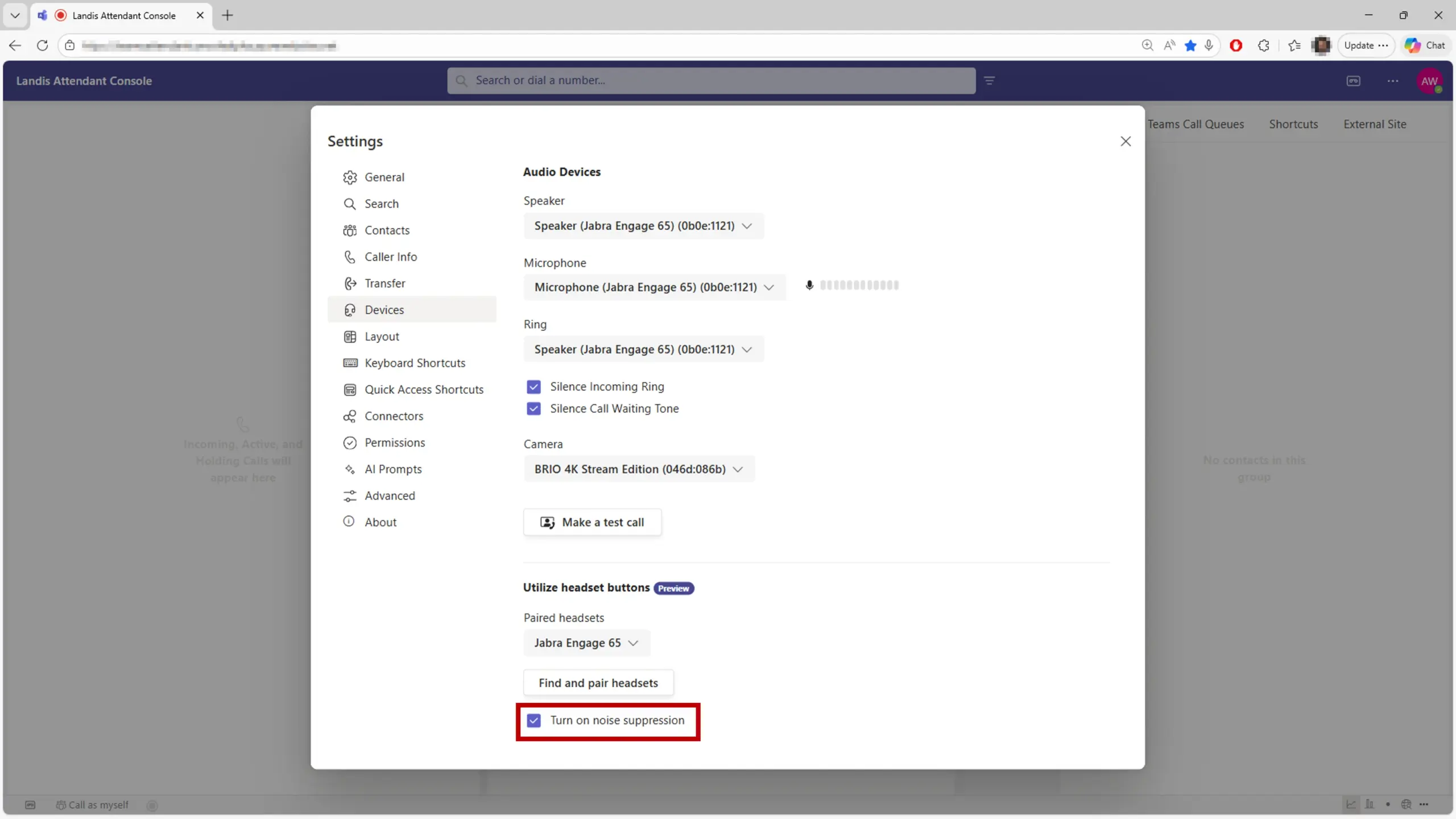
Noise Suppression
When using the web version of Attendant Console, users can turn on a setting to suppress ambient noise in their environment.
Power User Features
Custom Layouts
Keyboard Navigation
Teams Integration Features
Native Teams Functionality
Teams Presence Visibility & Management
Custom Status Messages
Delegate Calling
Teams Queues Integration
Calendar Integration
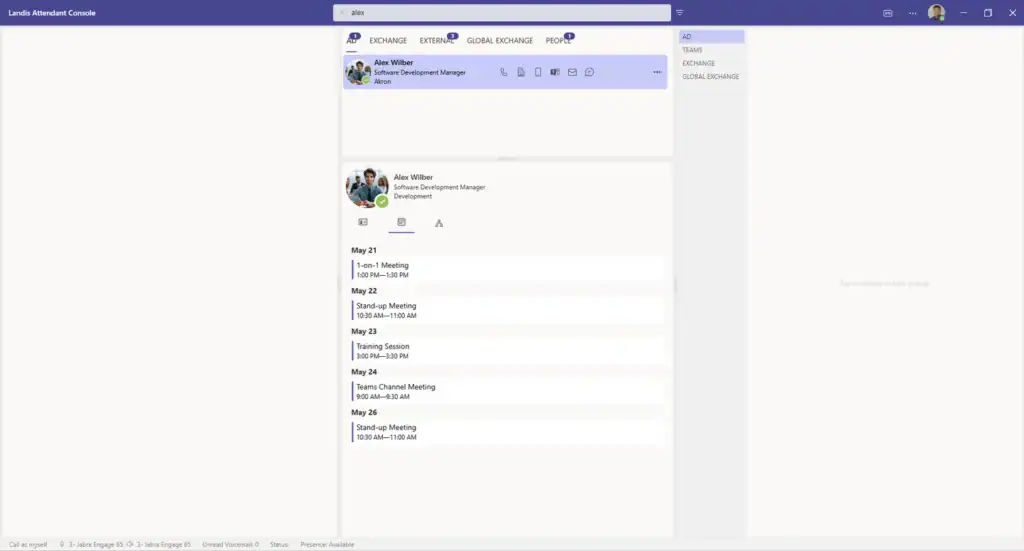
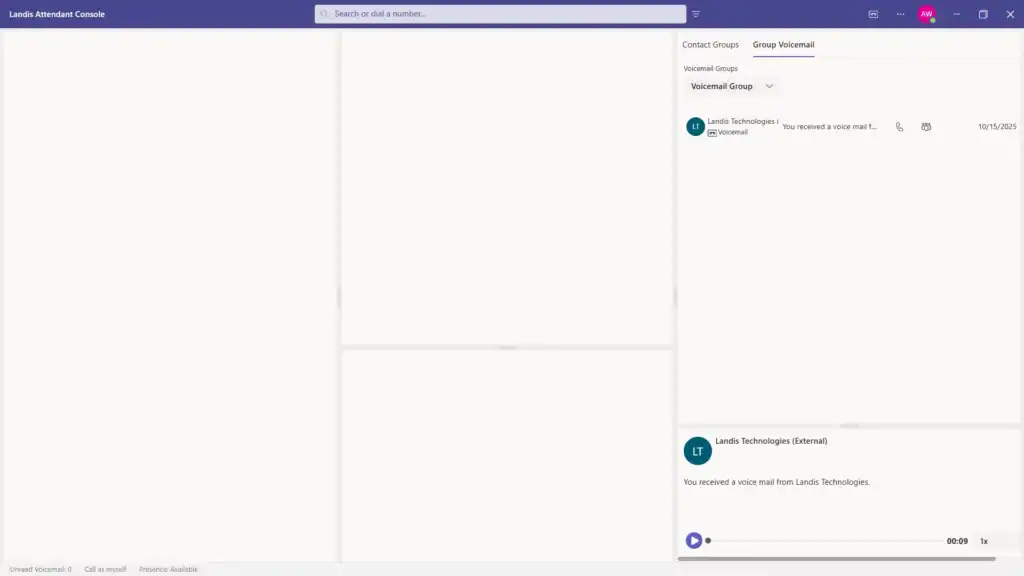
Voicemail Access
Direct integration with Teams voicemail system. Access personal or group inboxes.
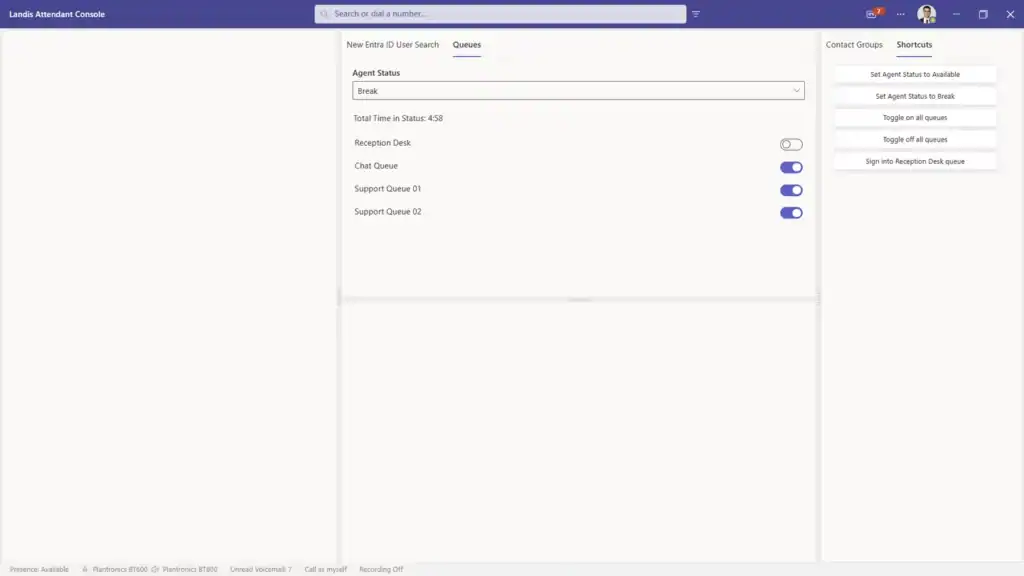
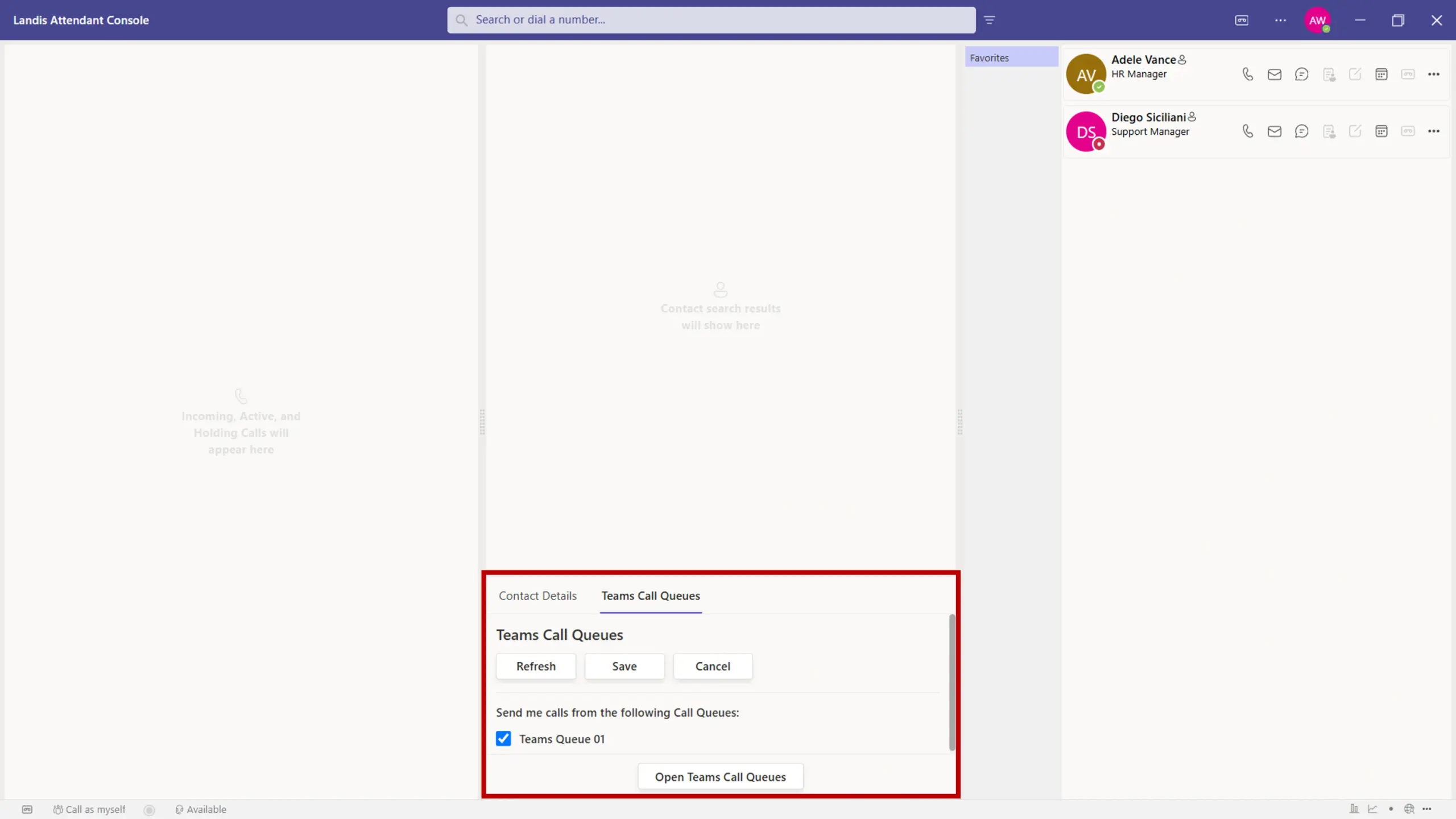
Teams Call Queues Sign In
Sign in and out of Teams queues directly from the console.
Multi-Channel Support
Voice Calls
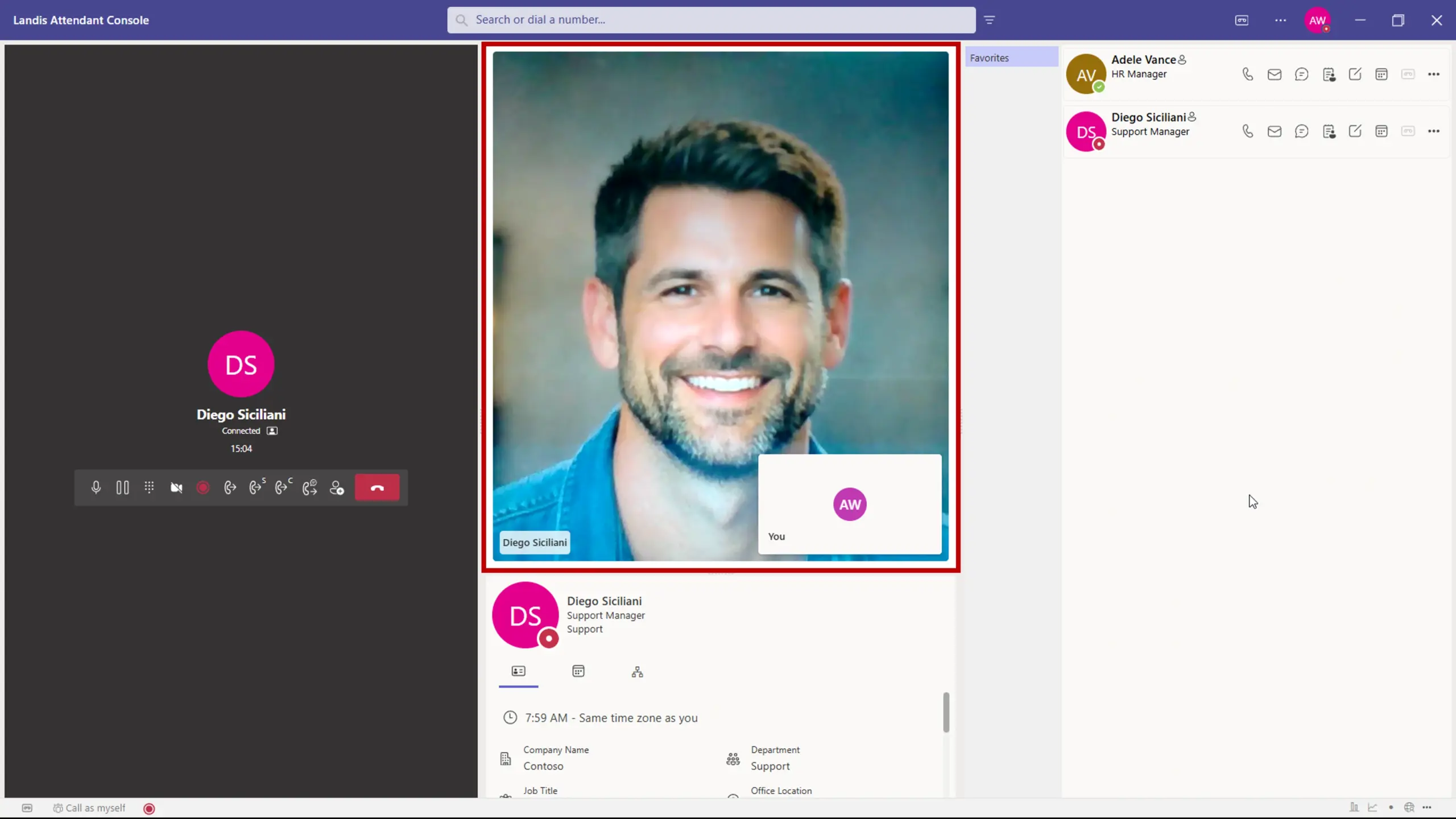
Video Calls
Video calls can be made to and from the console. In the call panel, an icon indicates whether the caller has their video enabled.
Chat Consult Transfers
Call History & Analytics
Local Call History
14-Day Call History
Call Details Storage
Transcription History
AI Prompt History
One-Click Callback
Notes Management
Call Wrap Up Questions
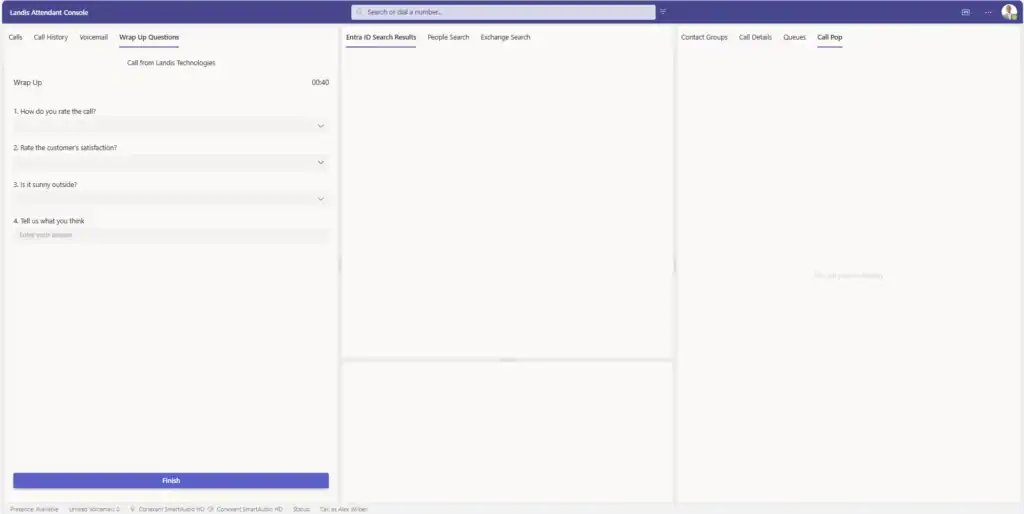
Create custom wrap up questions for agents to answer at the end of a call. Time allowed to answer can also be customized.
Real-Time Monitoring
Live Call Transcription
Call Duration Tracking
Administrative & Security Features
Settings Policies & Control
Centralized Policy Management
Default vs. Enforced Settings
Item-Level Enforcement
User-Level Policies
Security & Compliance
ISO 27001 Certified
Device & Platform Support
Multi-Platform Access
Desktop Application
Web Browser Support
Audio Device Support
Call Control Button Integration
Audio Device Management
Device Features
Customizable Ring Alerts
Alert Management
Multiple Audio Devices
Integration Capabilities
External Integrations
CRM Connectivity
Custom Call Pop URLs
External Search Sources
Webhook Support
External Site
Landis Contact Center
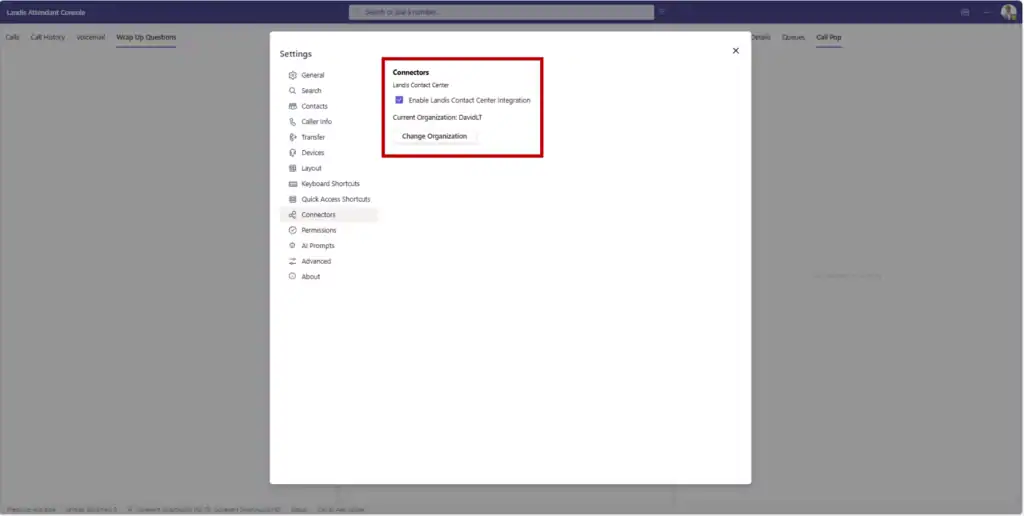
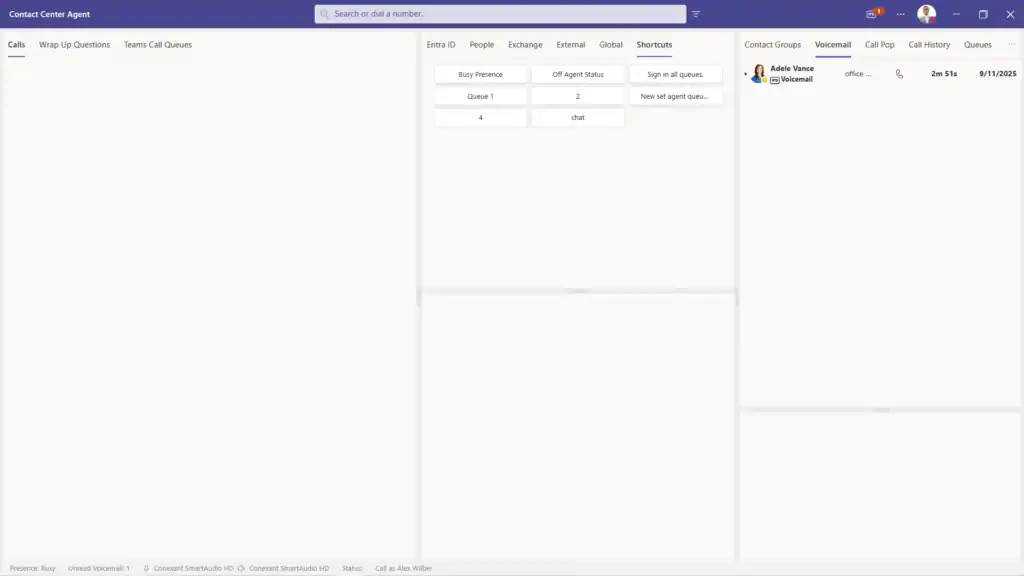
When the integration with Landis Contact Center is set up, agents gain some new features.
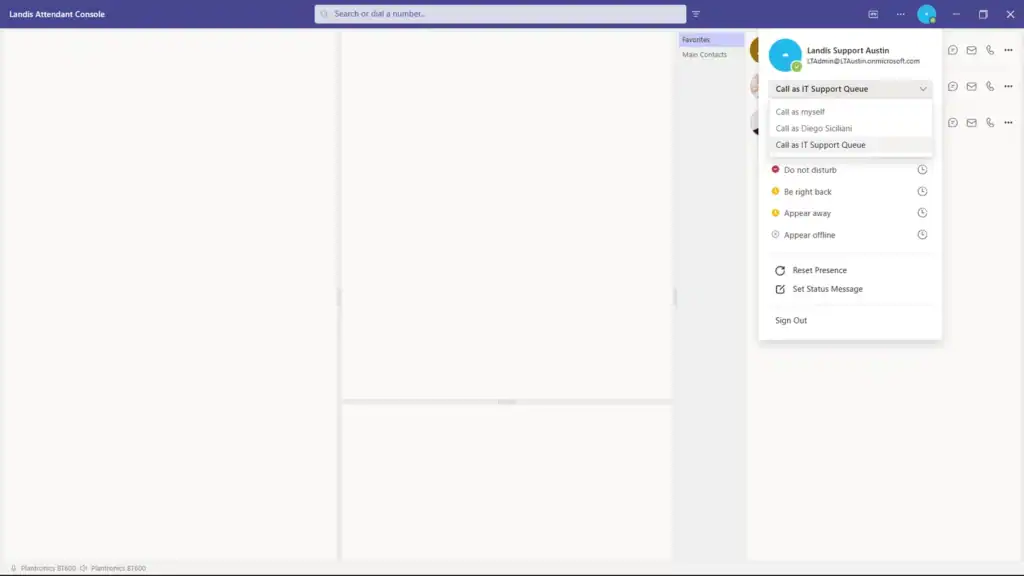
- Calls can be made on behalf of a Contact Center queue.
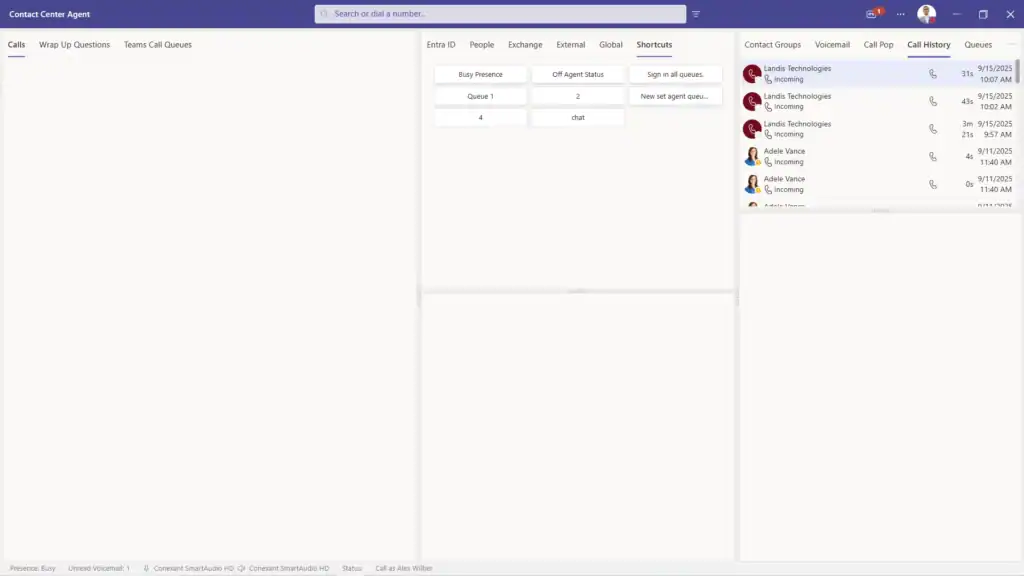
- Agents can sign in and out of Contact Center queues and availability status can be changed from Attendant Console.
- Call pops as adaptive cards displaying information such as call queue or information from a connected CRM can be shown as a call comes in from a Contact Center queue.
- Wrap up questions can be made to appear as a call ends.
- If Call Recording is set up in Contact Center, recording can be controlled by the Attendant Console user.