We’re excited to announce the latest updates to Landis Attendant Console for Microsoft Teams, scheduled for release on May 20th, 2025. This update brings several new features and improvements that make call handling even more efficient and user-friendly.
Read on or watch the video below.
Better Contact Center Integration
The connection between Landis Attendant Console and Landis Contact Center just got better! Here’s what’s new.
Simplified Sign-In Experience
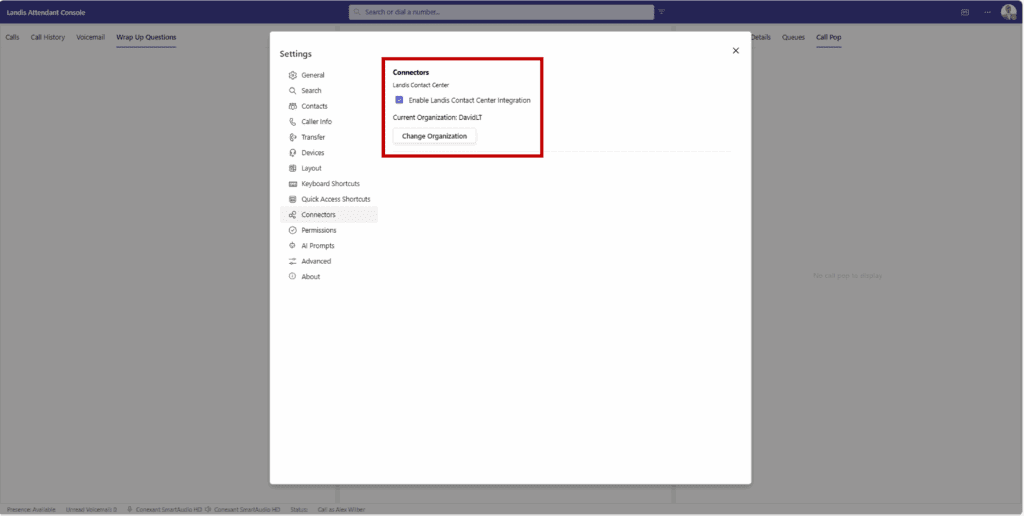
We’ve streamlined the sign-in process with a simple checkbox in Settings > Connectors. Once you check the box, select your tenant (if you have multiple), and you’re connected. You no longer need to sign in a second time to use this integration.
Call Pop for Queue Calls
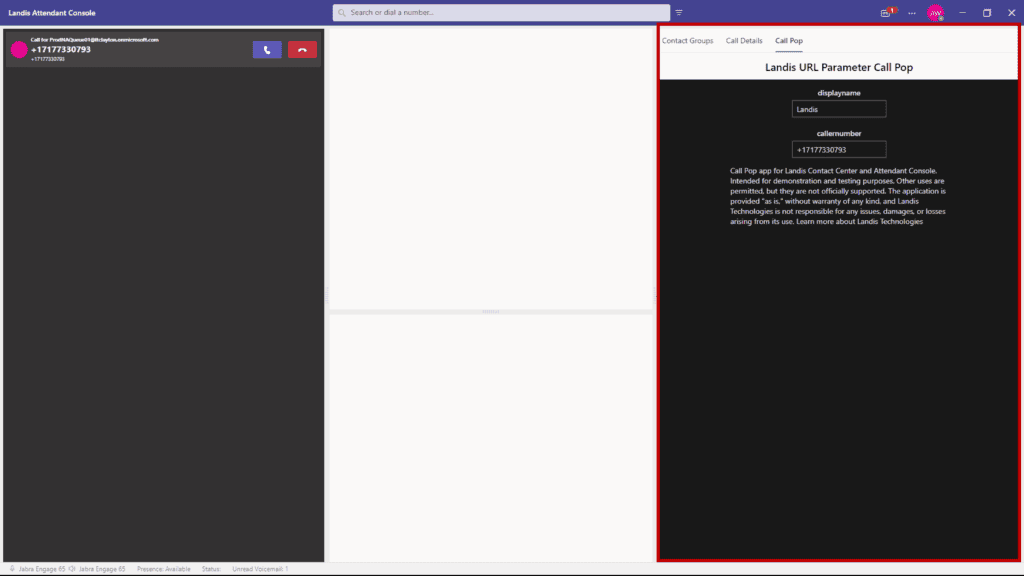
Call pop functionality configured in Landis Contact Center now also works in Attendant Console. When a call comes in through a Contact Center queue, the call pop will display in Attendant Console automatically based on your Contact Center settings. No additional configuration is needed in Attendant Console.
Wrap-Up Questions Panel
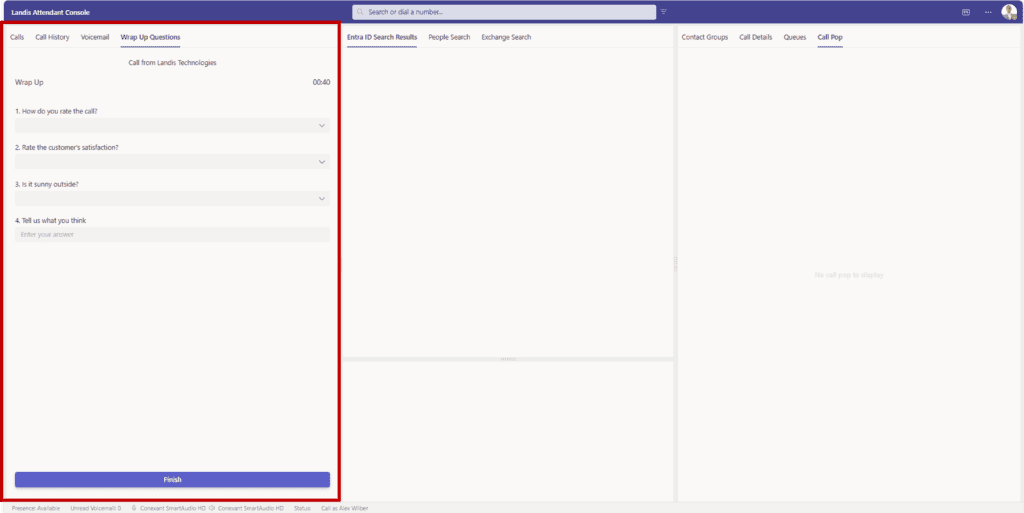
We’ve added a dedicated panel for wrap-up questions in the layout options. When a call from a queue ends, the wrap-up questions appear just like they would in the Contact Center agent panel, complete with a countdown timer.
New Delegate Scenarios
Now you can make calls on behalf of others with the delegate features:
Call on Behalf of Others
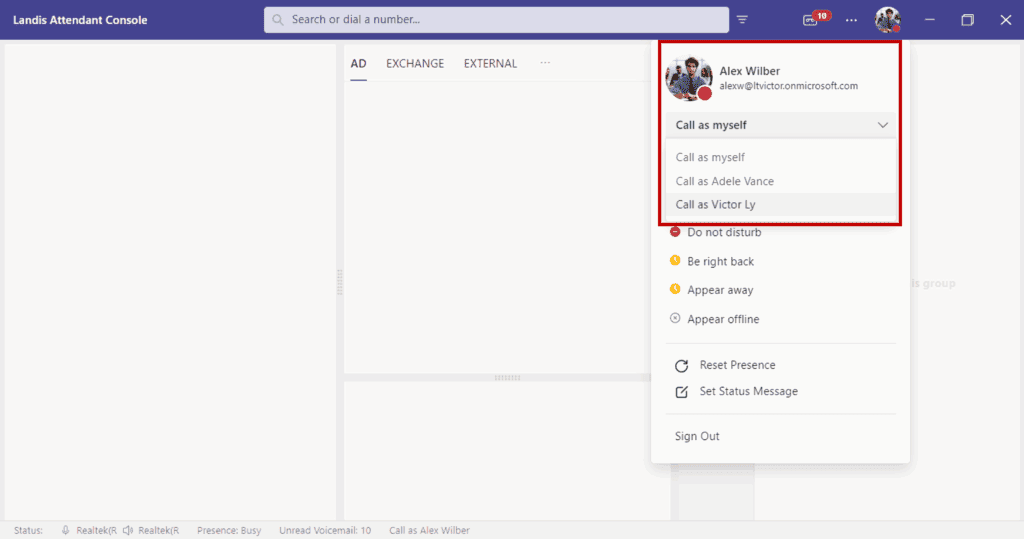
With the new optional CallDelegation.ReadWrite permission, you can now place outbound calls on behalf of someone who has set you as their delegate. A dropdown will appear under your profile photo where you can select the party for whom you want to make calls.
Quick Access Shortcuts for Delegates
We’ve added the ability to create Quick Access Shortcuts to switch who you’re placing outbound calls on behalf of.
More Calendar and Contact Details
The calendar on contact details now shows five business days instead of three. We’ve also added a custom setting to be able to see more or fewer days if needed.
Flexible Admin Enforcement for Settings
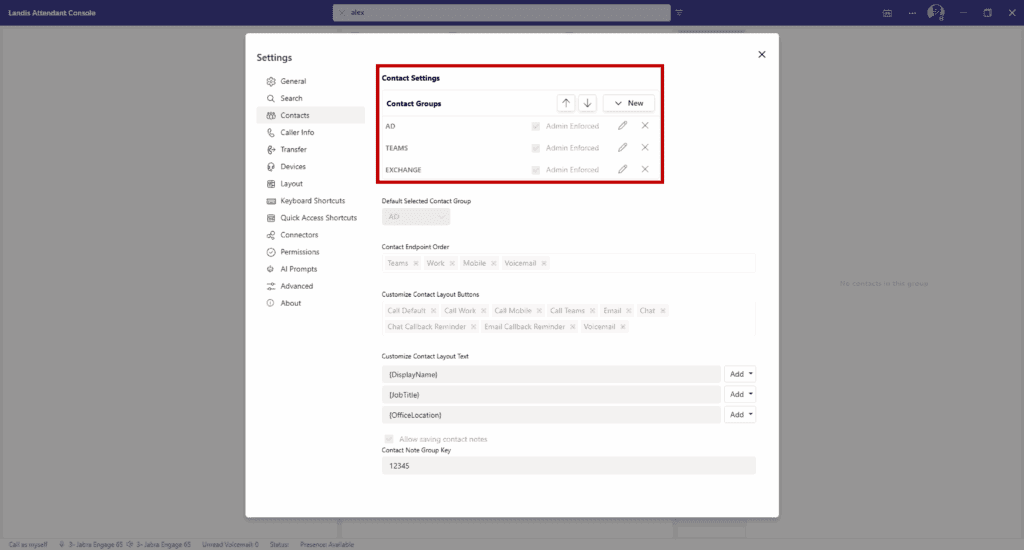
Administrators now have more control with item-level enforcement for list-type settings. Instead of enforcing an entire list of settings, admins can now choose specific items within a list to enforce while allowing users to modify other items or add their own. This works for:
- Search sources
- Contact groups
- Keyboard shortcuts
- Quick access shortcuts
- AI prompts
- Normalization rules
AI Prompts with Adaptive Cards
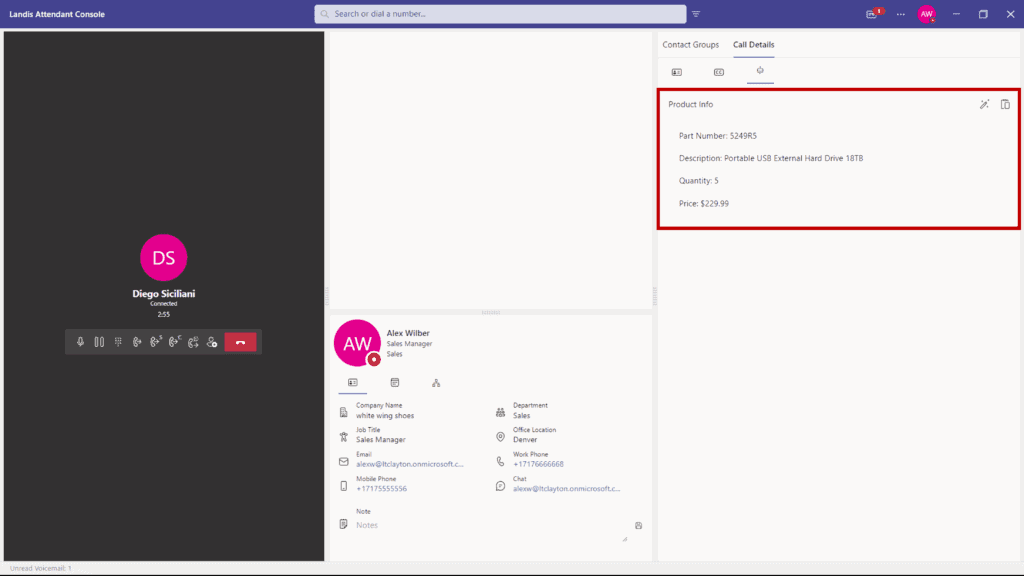
Now you can add richer, more interactive experiences to your AI prompts with adaptive cards. When you include a valid adaptive card template in your prompt settings, and the AI model returns a valid JSON object, we’ll populate the adaptive card with the data and display the result.
This opens up the possibility to create custom interfaces for AI responses, such as parts lookup, inventory details, or customer information cards.
Official Support for Transfer to Voicemail
We’ve added official support for transferring calls directly to voicemail, removing the experimental checkbox that was previously required. This feature uses Microsoft’s official APIs for a more reliable experience.
Additionally, we’ve added a new checkbox for “transfer to voicemail” on call user Quick Access Shortcuts, making it even easier to send calls directly to voicemail.
Added Footer Information
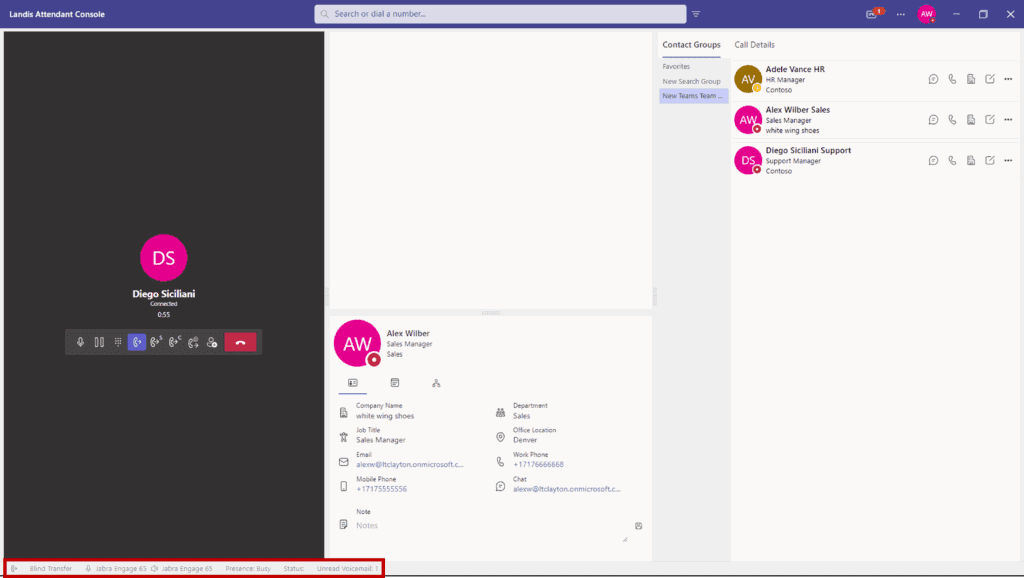
The footer has been redesigned to show more useful information at a glance.
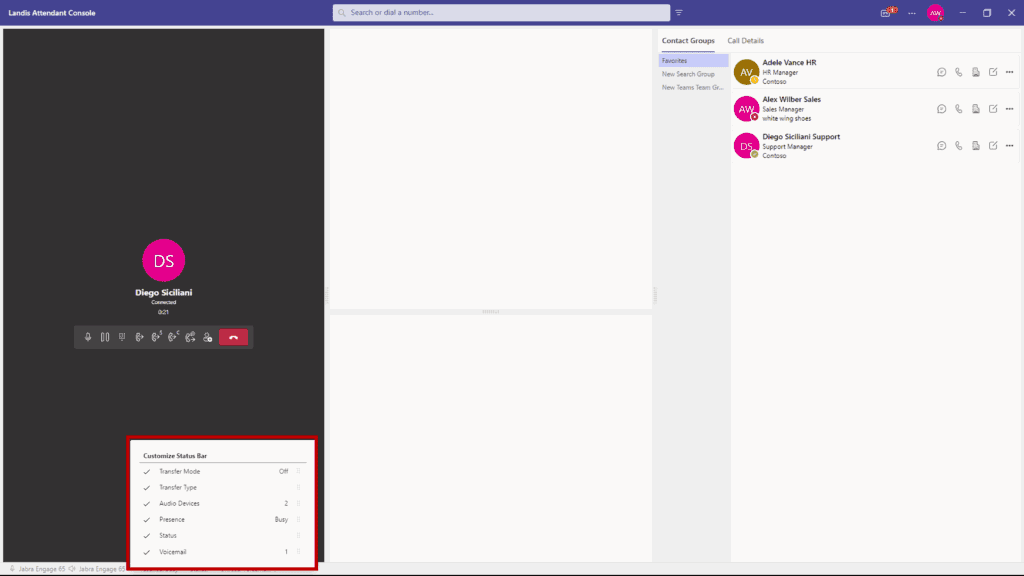
You can customize which items appear and drag and drop them to your preferred order.
- Transfer type and mode
- Audio devices in use
- User status and presence
- Selected delegator (who you’re making calls as)
- Voicemail notifications
People Search Endpoint (Preview)
We’ve added Microsoft’s search endpoint capability under private preview as this is still in testing. This allows for fuzzy search (handling misspellings or partial matches) of contacts across multiple sources:
- Active Directory users
- Exchange contacts
- Global Exchange contacts
- “Implicit” contacts (people you’ve interacted with)
Want to explore these exciting new features? The update is now available, and you can contact our support team at any time if you have questions or need assistance with the new functionality.