Landis Attendant Console Articles

Discover articles, product updates, and practical tips to help receptionists and high-volume call handlers streamline communications, route calls more efficiently, and provide exceptional service—all within the familiar Teams interface. Explore how organizations are enhancing their front-line call experiences with powerful, Teams-native tools designed for speed, clarity, and control.

AC August Overview

Landis Attendant Console August 2026 Update: Synced Call History, Call Details, and a New Light Theme

The August 2026 release of Landis Attendant Console is available on August 11. This update covers the Call Details panel, call history, and a set of interface changes. Read on, or watch the overview video below. Play Video Call Details panel Two improvements to the Call Details panel. See Call Details for the most relevant

Landis Attendant Console August 2026 Update: Synced Call History, Call Details, and a New Light Theme Read More »

One Size Fits None: How to Find Flexible Receptionist Software

Because of the demands of reception work, which include routing hundreds of calls each week, finding people quickly, organizing contacts logically, and making quick transfer decision, a receptionist or team is likely to develop specific efficient workflows.  And newer and better tools are constantly being developed to push the efficiency envelope. But systems that force them to abandon these workflows may do

One Size Fits None: How to Find Flexible Receptionist Software Read More »

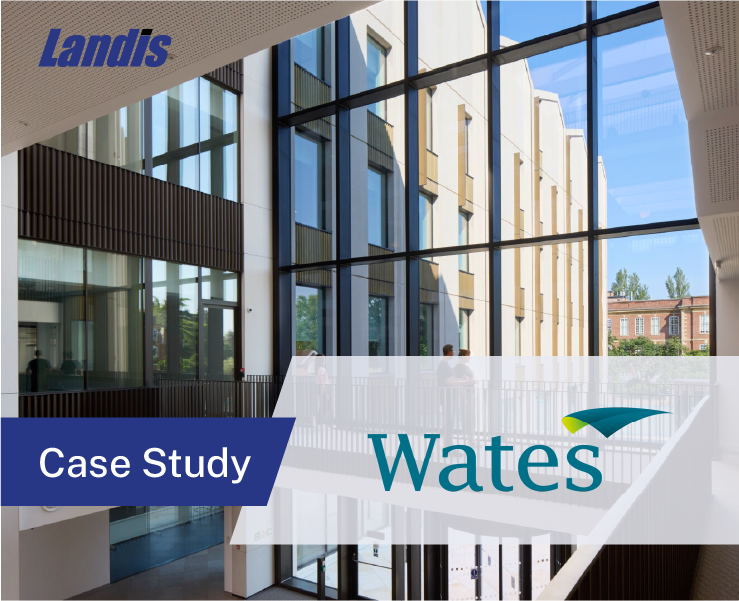
How Wates Construction Moved to Microsoft Teams with Landis Attendant Console 

Wates Construction has been operating since 1890. As the largest family-owned construction company in the United Kingdom, the company employs around 7,000 people across a network of regional offices and more than 200 active project sites.  The Core Services Infrastructure Manager at Wates, set out to replace a collection of aging PBX systems with a single unified,

How Wates Construction Moved to Microsoft Teams with Landis Attendant Console  Read More »

Transfer Calls to Another Device, Contact Time Zone Information, Teams Call Queue Sign In/Out, and More; Landis Attendant Console April 2026 Update

The April 2026 Landis Attendant Console update brings features to make reception work easier as well as more integration opportunities with Landis Contact Center. Calls Sound Cleaner Noise suppression is now available in Attendant Console (browser version). Turn it on under Settings > Devices and background noise is filtered out for the duration of your

Transfer Calls to Another Device, Contact Time Zone Information, Teams Call Queue Sign In/Out, and More; Landis Attendant Console April 2026 Update Read More »

Custom People Search Filters, Status Changes from Footer, Bring Your Own AI Model, and more – Landis Attendant Console January 2026 Update

Watch the update overview video. Contact Center Agent Information in Footer   When Attendant Console is used as a Contact Center agent, view your current agent status, time in status, and signed-in queue-count in the footer. Click any item for more detailed information without leaving the workspace.  Quick Layout Switching   Save multiple workspace layouts and switch between them with one click from the footer.

Custom People Search Filters, Status Changes from Footer, Bring Your Own AI Model, and more – Landis Attendant Console January 2026 Update Read More »

Landis Attendant Console Becomes First Standalone Microsoft Teams Operator Console to Achieve Microsoft 365 Certification 

EPHRATA, PA – 01/27/2026 – Landis Technologies today announced that Landis Attendant Console for Microsoft Teams has achieved Microsoft 365 Certification, becoming the only standalone operator console solution for Microsoft Teams to earn this distinction.  Microsoft 365 Certification represents an independent security audit conducted by third-party analysts who evaluate an application’s security and privacy controls against rigorous standards

Landis Attendant Console Becomes First Standalone Microsoft Teams Operator Console to Achieve Microsoft 365 Certification  Read More »

High-voltage electrical technician operating industrial control panel at Henderson Electrical Services.

The 5 Features Henderson Electrical Services Rely on for Teams Call Handling

No Receptionist Solution for Teams Henderson Electrical Services is an electrical contracting company based in Louisville Kentucky. They have provided trusted services and maintenance for over 100 years in their field, and continue to relentlessly pursue their commitment to safety and quality. In the office, when Henderson Services migrated to Microsoft Teams Voice, they hit

The 5 Features Henderson Electrical Services Rely on for Teams Call Handling Read More »

Attendant Console November 2025 Update

Call Transcripts in Multiple Languages, Contact Categories from Teams and New People Search for Contacts – Landis Attendant Console November 2025 Update

The latest Landis Attendant Console release focuses on removing friction from your workflow so your reception team can spend less time clicking through menus and more time delivering excellent service.  Read on or watch the video below. Sync With Contacts from Teams Teams contacts and categories now sync directly into Attendant Console, pulled from the Teams People app.  Serve Multilingual Callers  Live speech-to-text now works

Call Transcripts in Multiple Languages, Contact Categories from Teams and New People Search for Contacts – Landis Attendant Console November 2025 Update Read More »

Customer support representative with headset at work desk, providing technical assistance.

Receptionist Struggling with Microsoft Teams? This is Why it’s Hard and How to Fix it. 

You’re answering the ninth call in five minutes. Someone’s on hold. You’re trying to transfer a call, but Teams is making you click through three different menus just to find the right person’s name. By lunchtime, your shoulders are tense, you’ve accidentally dropped two calls, and you’re wondering if there’s a better way to do

Receptionist Struggling with Microsoft Teams? This is Why it’s Hard and How to Fix it.  Read More »

How to Improve Customer Service Confidence with Call Center Screen Pop 

When agents start calls blind, customers get frustrated and agents feel unprepared. Call center screen pop changes this by displaying caller info or any other relevant information instantly. This simple shift turns uncertain interactions into confident problem-solving.  What Call Center Screen Pop Technology Does  Screen pop automatically displays relevant caller information on an agent’s screen

How to Improve Customer Service Confidence with Call Center Screen Pop  Read More »

Scroll to Top

Get in Touch

Purchase Attendant Console.

High-tech IT solutions by Landis Technologies for innovative business growth.