The April 2026 Landis Attendant Console update brings features to make reception work easier as well as more integration opportunities with Landis Contact Center.
Calls Sound Cleaner
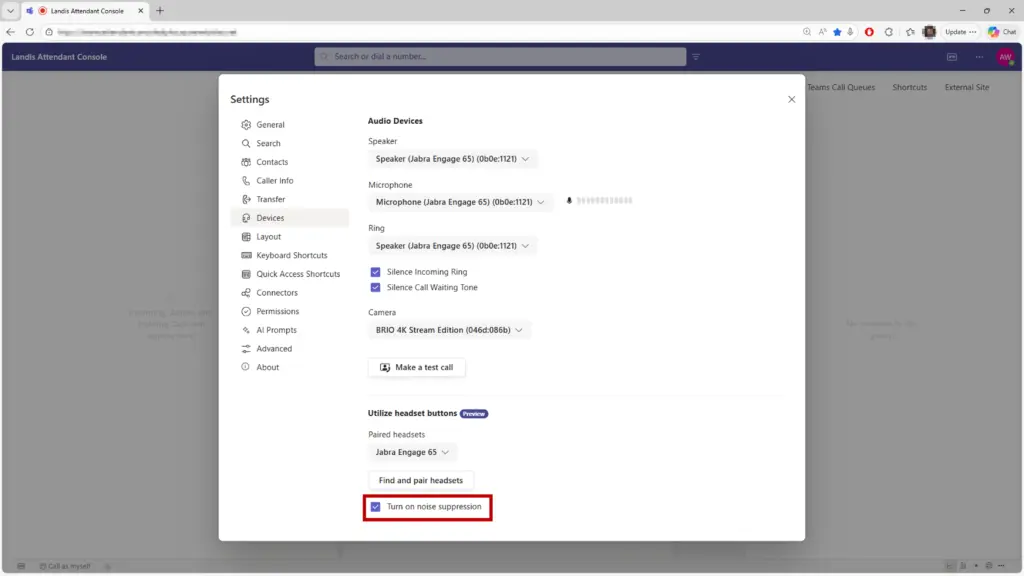
Noise suppression is now available in Attendant Console (browser version). Turn it on under Settings > Devices and background noise is filtered out for the duration of your calls.
Relevant Information Shows up When Necessary
Voicemail, wrap-up questions, and contact details no longer require dedicated panel space in your layout. They appear as flyouts when they’re relevant and disappear when they’re not. Hover over any contact avatar to pull up their contact card instantly.
Join the Call from Another Device
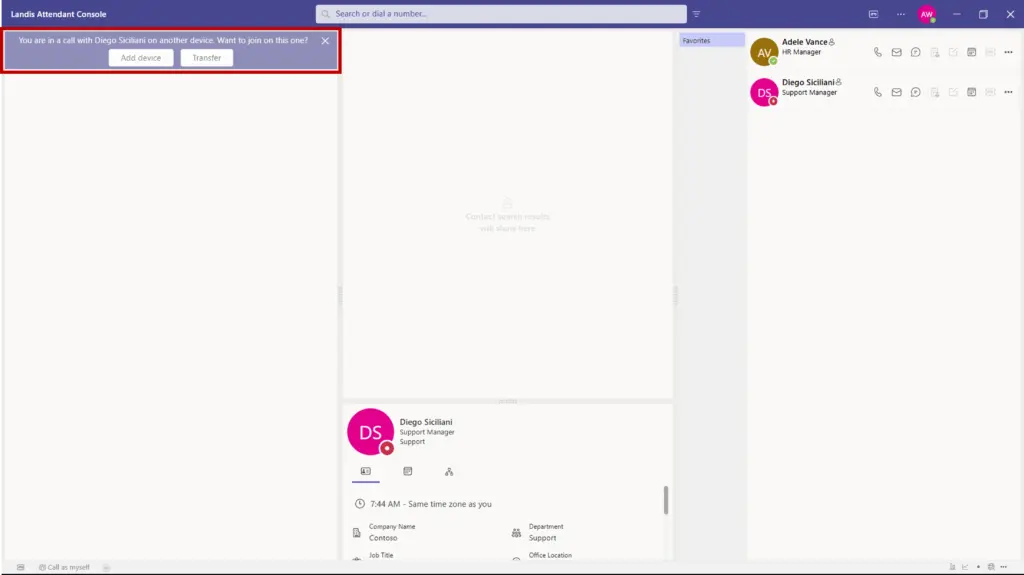
If a receptionist answers a call on their mobile or another Microsoft Teams client, Attendant Console now detects that active call and offers options to join or transfer it to the console. Walking back to your desk doesn’t mean losing the caller.
Face-to-Face Support is Now an Option
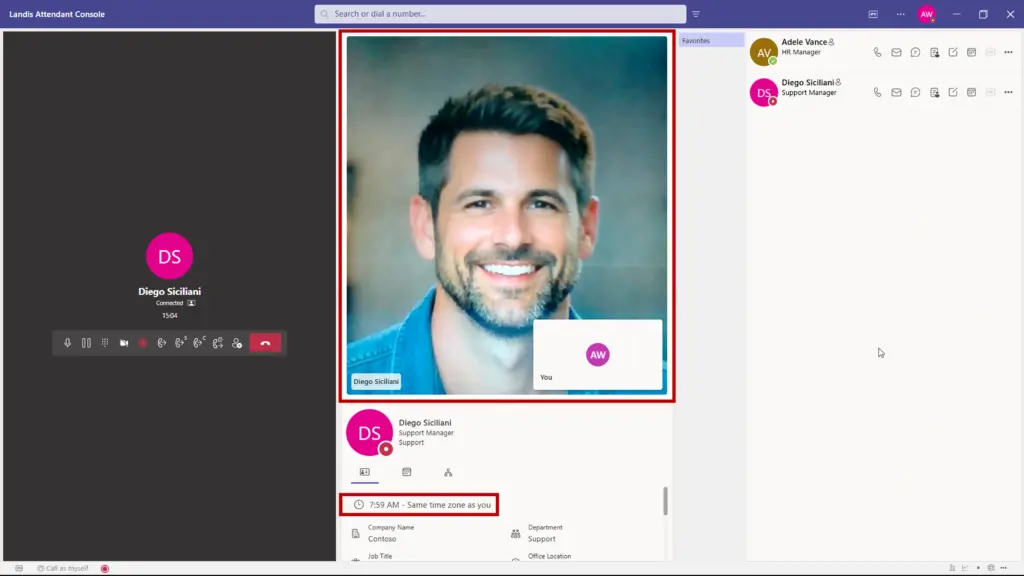
Attendant Console now supports video calls. For internal help desk scenarios, this includes screen sharing from the caller’s side. If someone calls your support queue from within your organization, they can show you exactly what they’re seeing.
Know What Time it is for Contacts
Contact details now display the time zone of the person you’re looking up, shown as hours ahead or behind your own. Small detail, meaningful when your team works across regions. (see screenshot above for an example)
Find Contacts Using Phone Number
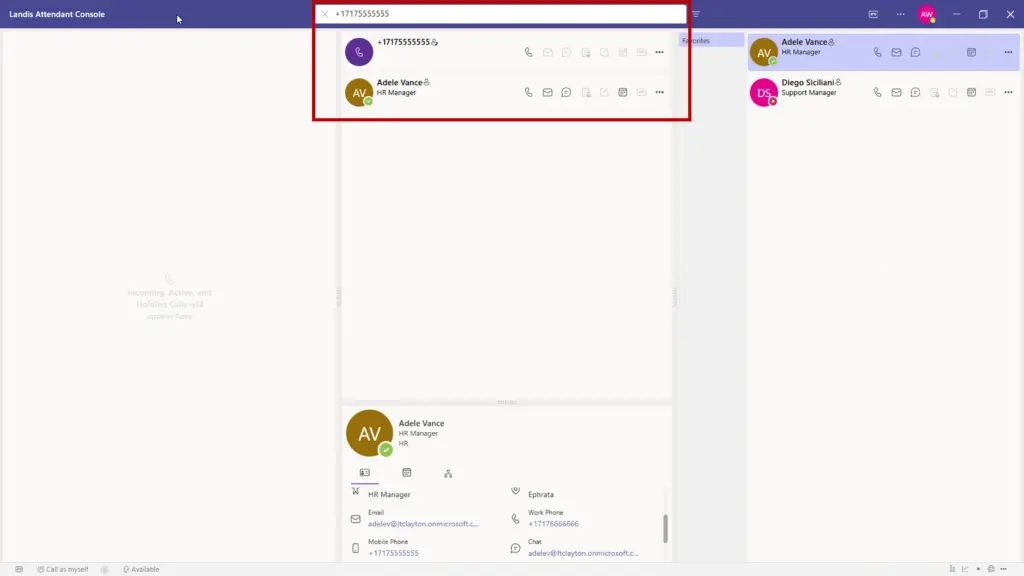
Typing a number into Attendant Console now searches the Microsoft directory for a matching user. If there’s a match, you get the option to reach them via a Microsoft Teams call rather than a standard phone call.
See Whether the mic is Working
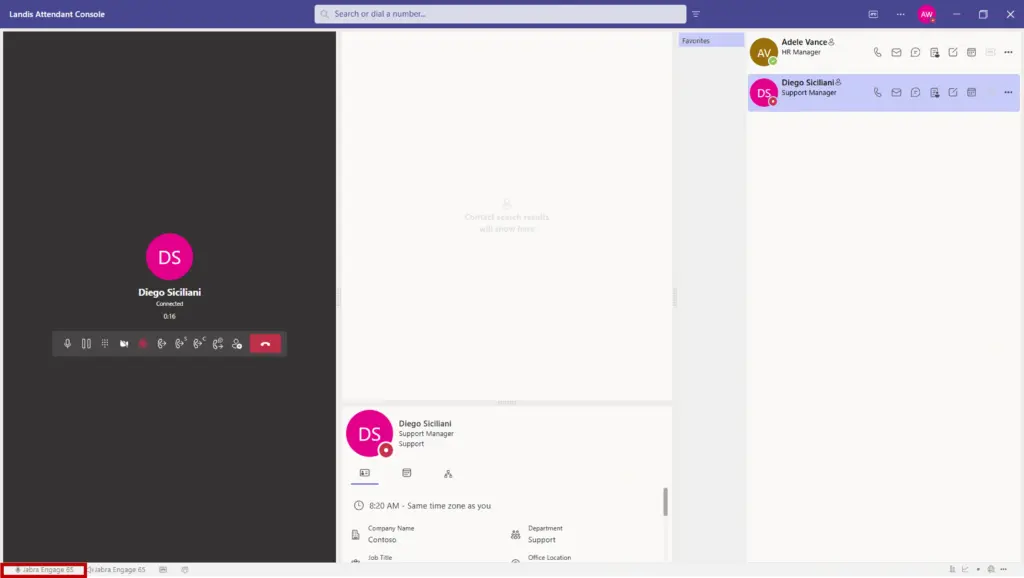
A microphone level indicator now appears in the footer during calls and in device settings. You can confirm your mic is picking up sound without leaving the console or asking the caller to repeat themselves.
Manage Queue Availability from the Console
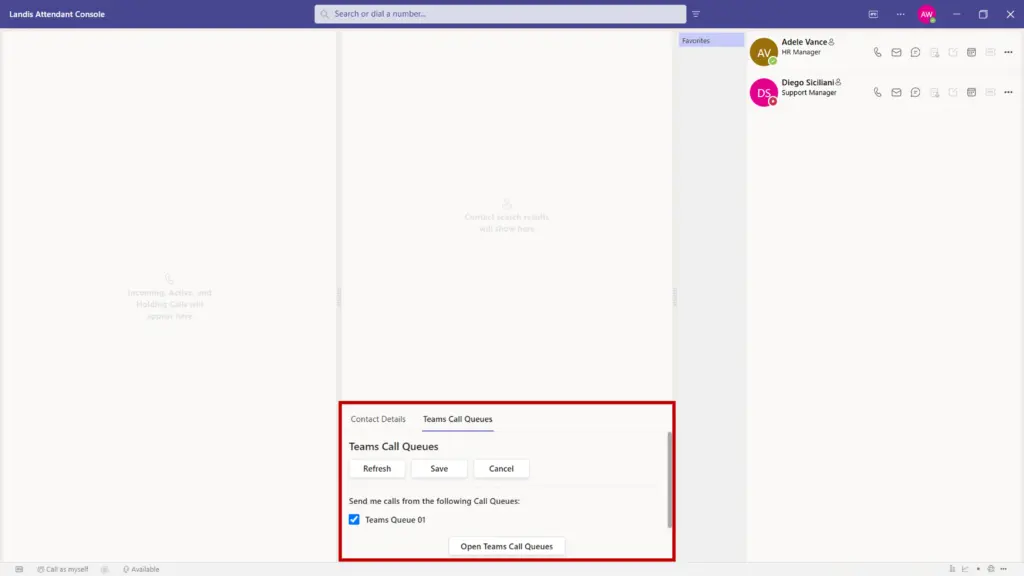
Agents can now sign in and out of Microsoft Teams native call queues directly from Attendant Console. Previously, that required going to Microsoft Teams or Contact Center separately.
Overall Cleaner Design
Footer items are now icons with tooltips instead of text labels. The admin-enforced column in settings only appears when there’s something to show. Dropdowns, loading indicators, and panel behavior on smaller screens have all been cleaned up.
Ready to see what’s new? Contact us if you have questions about any of these features.