The July 2026 release brings improvements to user management, quality management, chat, and system integrations. Here is what changed and who benefits.
Read on, or watch the video below.
User Management
Improved SSO Experience
Agents and admins no longer need to sign back in every day since the portal now refreshes sessions in the background.
Batch User Management
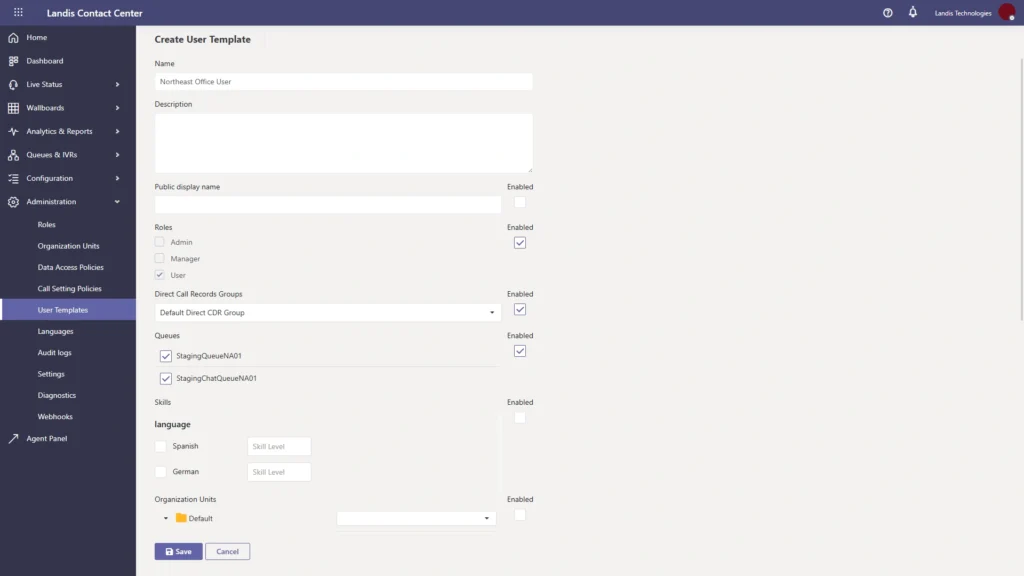
Admins can create templates consisting of user settings and then apply them to individuals or entire Entra groups at once.
Assign User to Queue from the User Page
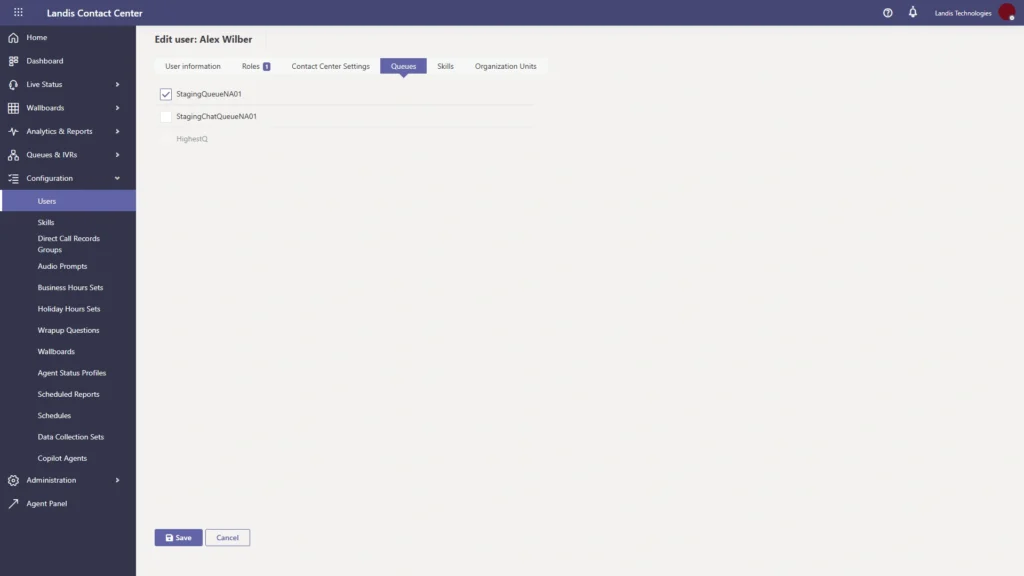
Admins can now manage a user’s queue assignments directly from their profile page, rather than navigating to each queue separately to make changes.
Ability to Delete a User Assigned to a Queue
Previously, deleting a Contact Center user required manual removal from every queue they belonged to first. Now the system handles that automatically with a confirmation prompt before proceeding.
Quality Management
Score Chat IVRs
Operations managers can now apply quality management scoring to chat IVR interactions.
Launch QM Scoring from More Screens
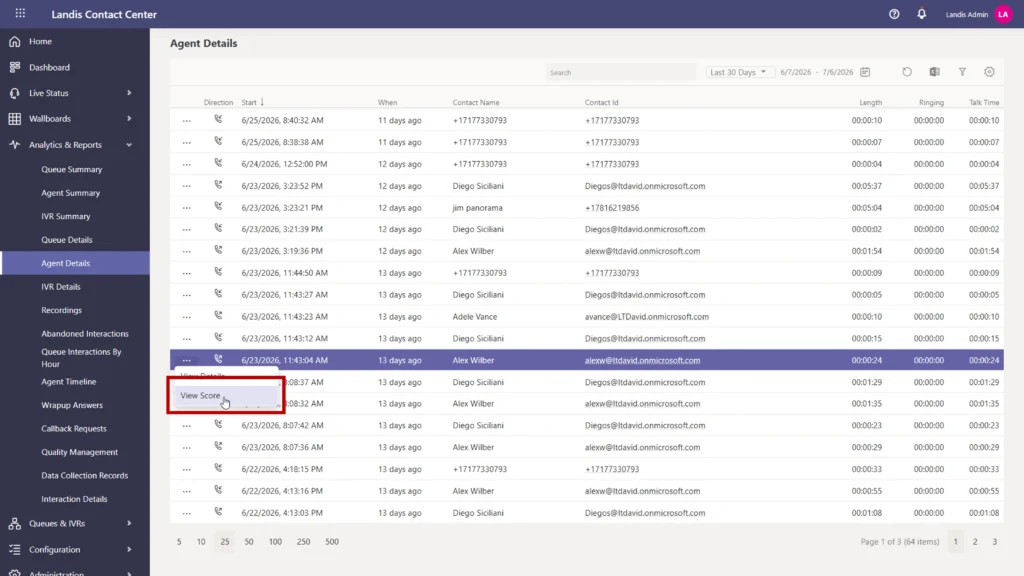
Quality management scoring can now be started from the IVR Details and Agent Details pages, so supervisors can score an interaction without going back to the main QM report to find it.
Better Filtering on the QM Report
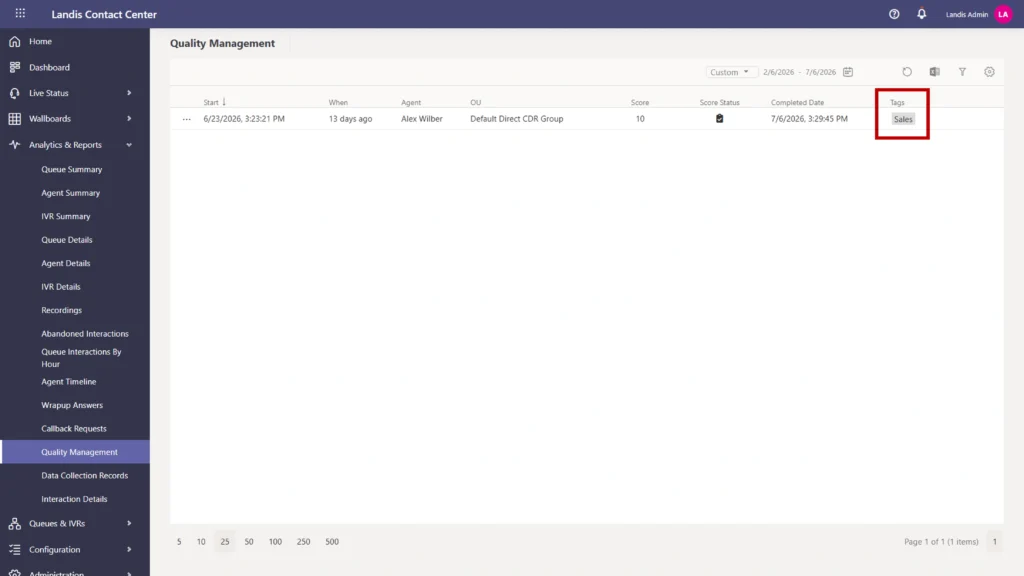
The Quality Management report now includes tag-based filtering and additional options, making it faster for supervisors to surface the specific interactions they want to review.
Chat
Download Chat Transcripts
Chat transcripts can now be downloaded from the interaction details page, the same way call recordings already can.
Chat Webhooks
Chat interactions now support webhooks, so CRM updates or other automations built for voice can now be extended to chat as well. Webhooks fire at the end of a conversation with a complete record of what occurred.
CDN for Chat Widget
The chat widget now loads from a content delivery network instead of a single Azure storage region. For customers accessing the widget from Europe, Australia, or other regions outside the US, load times will be noticeably faster, and existing chat links require no changes.
Landis Chat Bot Auto-Install for Chat Queue Users
When a user is added to a chat queue, the Landis chat bot can now be installed for them automatically, removing the manual installation step that previously had to be completed before an agent could start receiving chats.
Privacy Disclosure on Webchat Widget
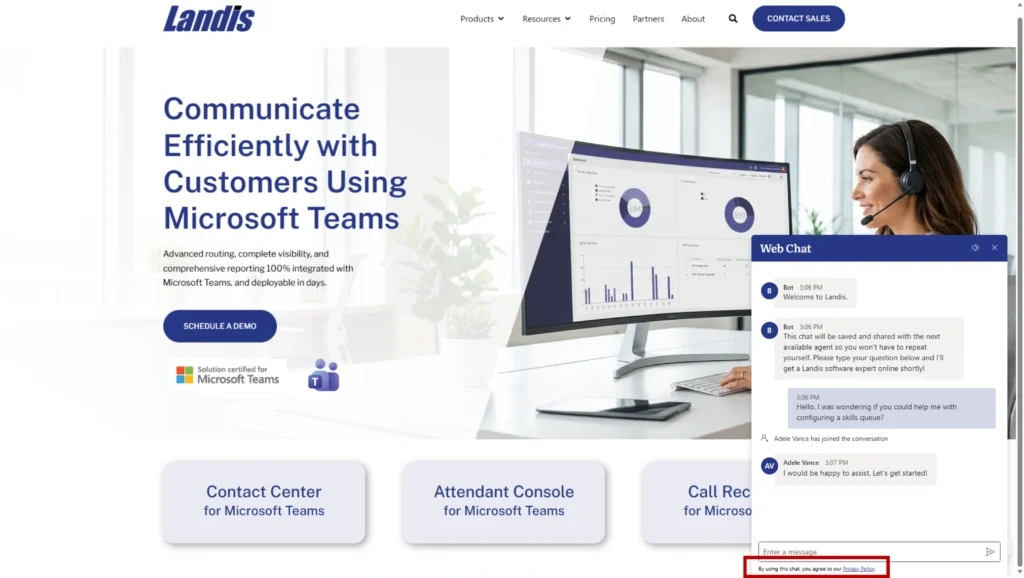
A configurable privacy disclosure can now be displayed within the chat conversation itself, separate from the existing pre-chat privacy notice.
Configurable Widget Loading Delay
Admins can now set a delay before the webchat widget loads on a page, which resolves performance issues that occurred when the widget competed with other page resources on load.
Chat Config Errors Now Reported in Portal Notifications
When a chat configuration issue prevents chat from functioning, the portal now displays a notification explaining the problem. Previously, these errors were silent, leaving admins to troubleshoot with no indication of what had gone wrong.
Integrations and Reporting
Webhooks for Peopleware WFM
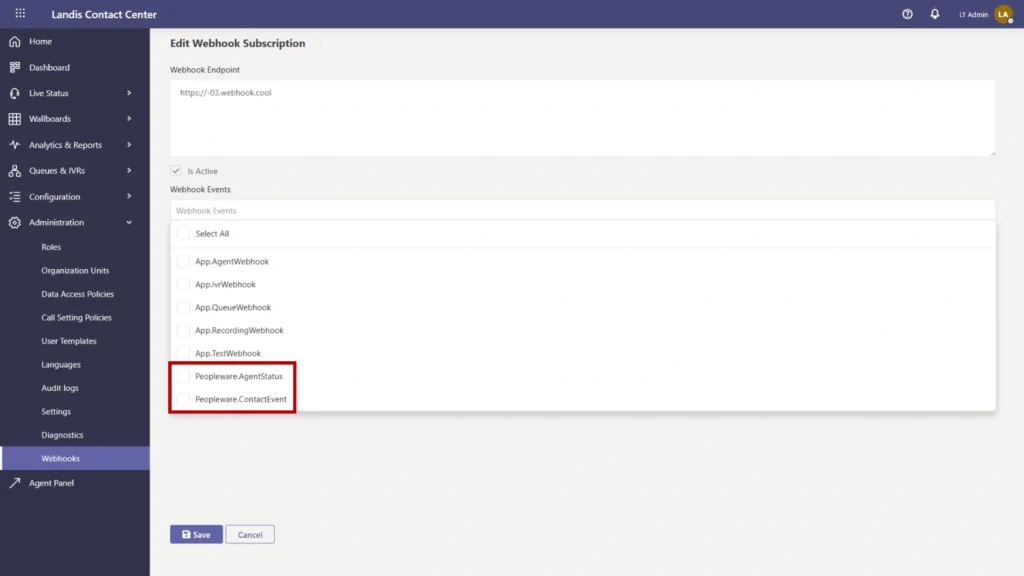
Contact Center now supports webhook integration with Peopleware for workforce scheduling and forecasting.
Recording Webhook Now Includes Speaker
The recording webhook payload now includes speaker identification in the transcript, making downstream integrations with CRMs, compliance tools, and analytics platforms more useful by distinguishing who said what.
IVR TTS Block Creates an Output Variable
When a voice IVR uses a text-to-speech block to speak to a caller, the text it reads is now stored as a variable available to IVR builders for logging and downstream logic.
Exports Now Include Entity IDs
Exports for entities like users, queues, or IVRs, now include the system ID field, making exported data usable without requiring a separate lookup.
Short Abandoned/Missed Threshold
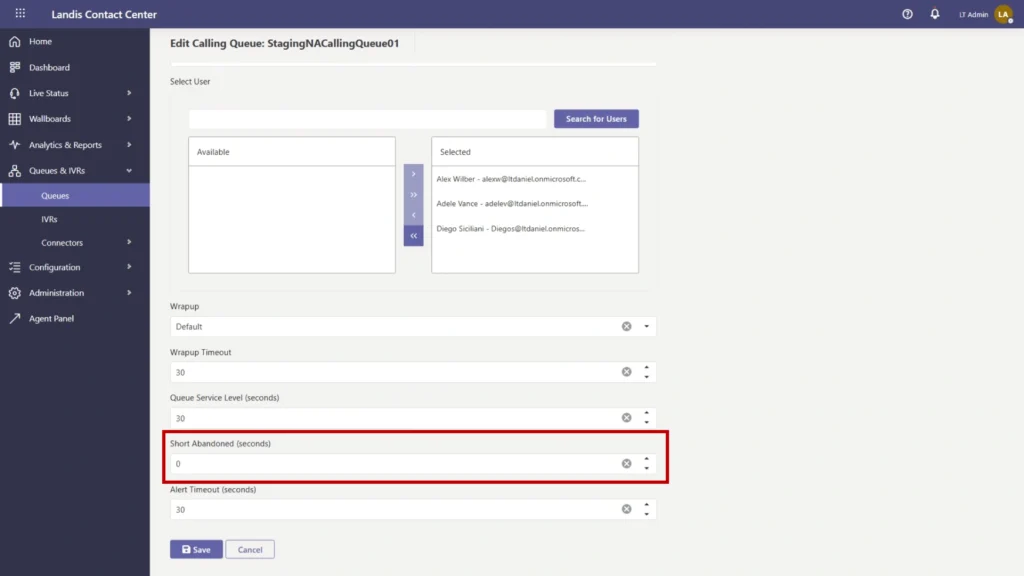
A new setting lets admins classify very brief abandoned or missed calls separately from standard abandoned interactions, keeping accidental hangups and misdials out of the abandoned call rate so reporting reflects actual service quality.
Security and Administration
Private Endpoints for Recording Bots
Recording bots can now connect via private network endpoints, meeting security requirements in regulated industries.
“Interaction” Replaces “Call/Chat” in Portal Wording
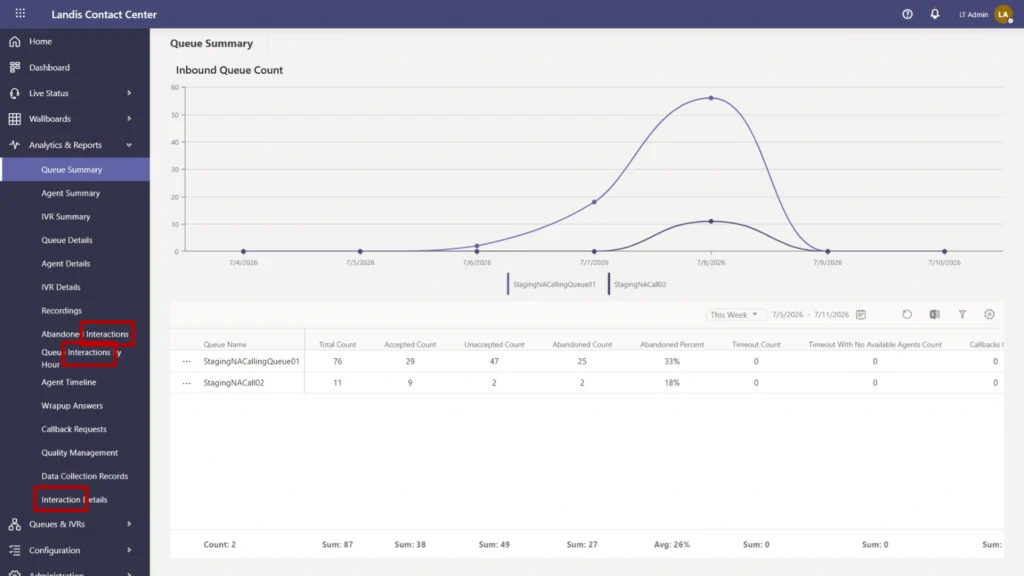
The portal now uses the word “interaction” wherever the context applies to both voice and chat, reducing terminology confusion as more organizations use Landis across multiple channels.
“Live” Indicator on Live Pages
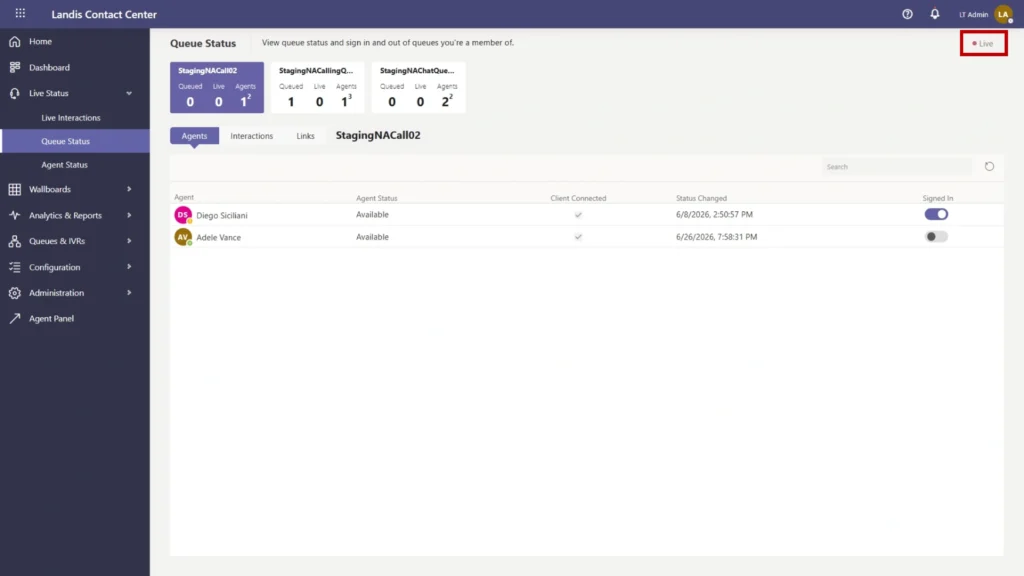
Real-time monitoring pages now display a “Live” badge, so supervisors know at a glance that what they are seeing is current rather than a cached snapshot.
Questions about anything in this release? Contact our support team or reach out to your customer success manager.