Some businesses with very light contact center workloads choose to use Microsoft Teams call queues; however, the contact center reporting metrics provided by Teams is worth understanding before going this route.
Here, we’ll walk through exactly what metrics native Teams offers and what is necessary to create a complete reporting setup.
Table of contents
- What call reporting does Microsoft Teams include out of the box?
- What call center reporting metrics should a contact center track?
- Why do contact centers lose their reporting metrics when they migrate to Microsoft Teams?
- How do you get real-time call queue reporting in Microsoft Teams?
- Can you export call center reporting data from Microsoft Teams?
- Related Reading
What call reporting does Microsoft Teams include out of the box?
Microsoft Teams includes several built-in reporting tools, designed for IT and network administration.
Call Quality Dashboard monitors audio and video quality. It tells about packet loss, jitter, and connectivity problems; and is useful for troubleshooting call degradation.
Per-user call analytics lets admins look at call history and quality data for individual users.
Auto Attendant and Call Queue historical reports are available through a Power BI template. These give you basic call counts for auto attendants and queues: calls offered, calls answered, calls abandoned. The data is there, but the format requires Power BI knowledge to set up and use.
The Queues app, available with Teams Premium, adds live queue monitoring and some reporting for supervisors.
The focus of native Teams reporting is call quality and usage, with reports focused on technical metrics useful mainly to IT operations. Contact centers require a different layer entirely.
What call center reporting metrics should a contact center track?
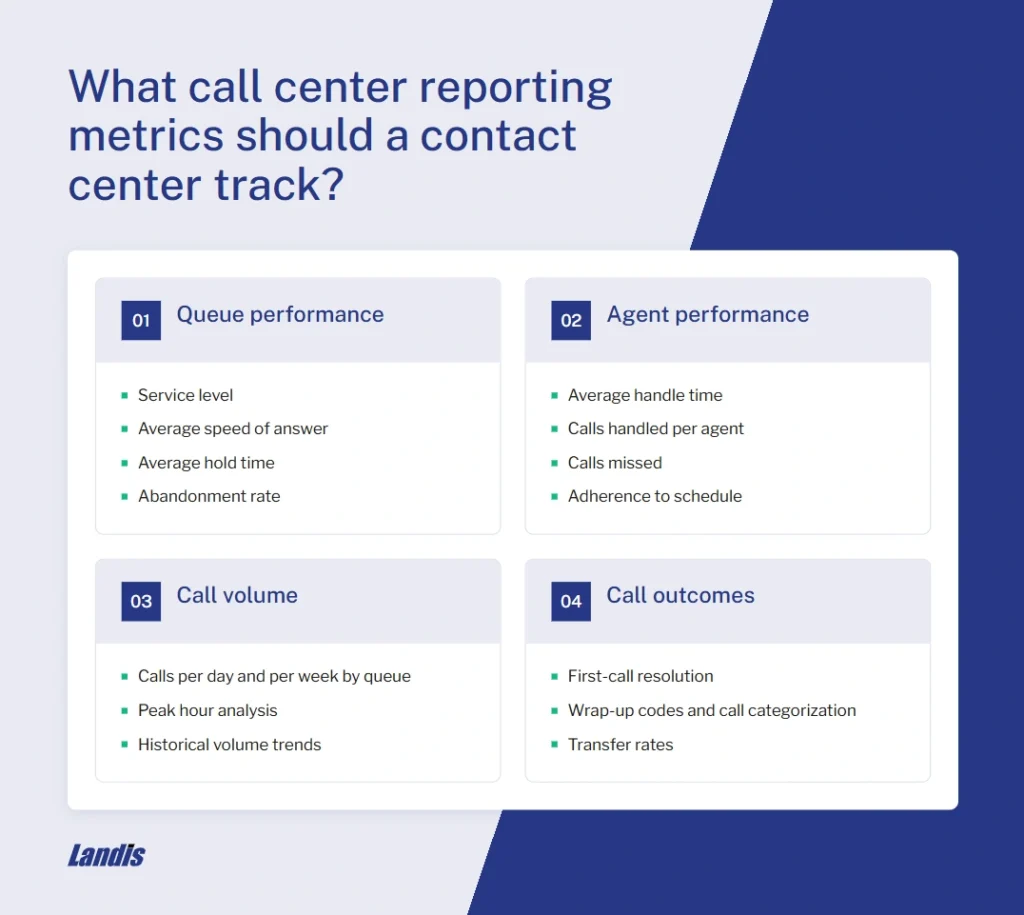
A useful contact center reporting setup covers four categories of metrics.
Queue performance metrics measure callers’ experience before they reach an agent. The main metrics are service level, average speed of answer, average hold time, and abandonment rate.
Agent performance metrics track how individual agents handle their work. Average handle time covers talk time, hold time, and after-call work combined. Calls handled per agent, calls missed, and adherence to schedule round out the picture.
Call volume metrics tell you when calls are coming in and at what rate. Calls per day and per week by queue, peak hour analysis, and historical volume trends feed directly into staffing decisions.
Call outcome metrics capture what happened on each call. First-call resolution tracks whether the caller’s issue was resolved without a follow-up. Wrap-up codes and call categorization tell you why people are calling. Transfer rates show whether calls are getting to the right place. These metrics identify training gaps and process problems that volume data alone cannot reveal.
Why do contact centers lose their reporting metrics when they migrate to Microsoft Teams?
Legacy contact center platforms like Avaya, Cisco, Mitel, and others were built specifically for contact center operations. Their reporting was purpose-built: queue dashboards, agent scorecards, historical trending, and real-time wallboards came as part of the core product.
Microsoft Teams is a business communication platform. Its call queue functionality handles routing well enough for many use cases, but its reporting was built for what Teams is: a communication tool, not a contact center.
When organizations migrate, they move their calls to Teams but do not automatically gain a replacement for their contact center reporting stack. What was once a set of daily dashboards becomes, at best, a Power BI template someone has to build and maintain manually.
Specific things that become more difficult to access.
- Per-agent call handling data (calls answered, missed, average handle time by agent)
- Queue-level abandonment tracking with caller information for callbacks
- Service level reporting (percentage of calls answered within target thresholds)
- Historical trending for volume forecasting
- Live wallboards for real-time supervisor visibility
- Exportable reports for executive and finance review
How do you get real-time call queue reporting in Microsoft Teams?
Real-time visibility into call queues inside Microsoft Teams is possible through two routes: Microsoft’s native tools or a contact center platform built on Teams.
The native option is the Queues app, included with Teams Premium licensing. It shows live queue status, which agents are available, and basic call counts. For a supervisor who needs a quick glance at what is happening right now, it works. It does not provide the depth most contact center operations need.
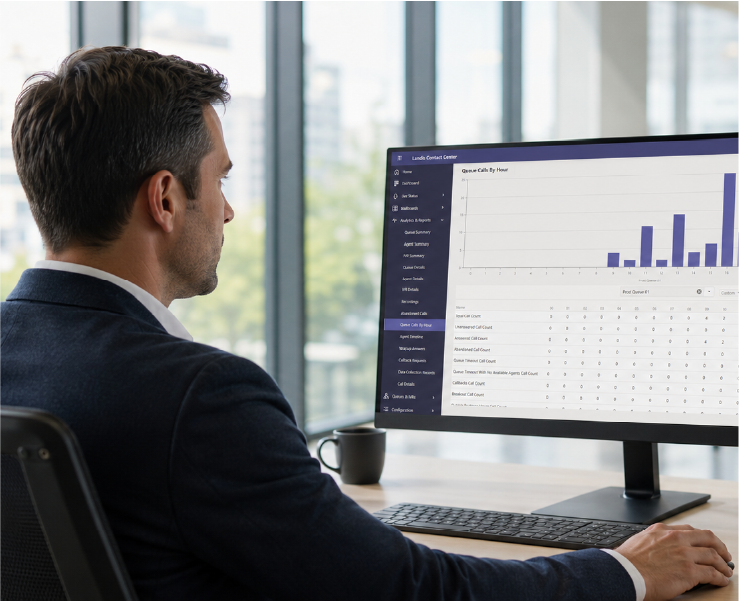
The purpose-built option is a Microsoft Teams-certified contact center platform. Landis Contact Center, for example, runs natively inside Teams. Supervisors get live wallboards showing real-time queue activity, agent status, and call volume across every queue simultaneously.
The difference between native Teams real-time monitoring and a purpose-built platform is primarily depth and action. The Queues app tells you calls are waiting. A wallboard in a contact center platform shows you wait times, agent availability, and enough information to make a staffing decision on the spot.
Can you export call center reporting data from Microsoft Teams?
Native Teams provides limited export options for contact center data. The Auto Attendant and Call Queue historical reports are accessible through a Power BI template, which means data is available but requires Power BI setup and at least basic familiarity with the tool to use. For organizations without a Power BI skill set, the data effectively sits out of reach for regular operational reporting.
The Teams admin center does allow export of some call records, but the format and structure are built for IT administration, not operational reporting for contact center managers or executives.
For organizations that need to regularly pull reports into Excel, share queue performance dashboards with leadership, or generate scheduled reports for SLA review, a third-party contact center platform on top of Teams is the practical answer.
Organizations like DERTOUR, which handles 400-plus daily calls across 170 users, and Connect Mat-Su, a nonprofit that depends on reliable call tracking to serve vulnerable populations, have both restored their reporting visibility through Landis after migrating to Teams.
To see what contact center reporting looks like in your Teams environment, request a demo.
Related Reading
- Microsoft Teams Call Center Features and Functionality
- Mastering Call Center KPIs: A Road Map to Optimized Operations
- Best Practices for Call Quality Monitoring in Microsoft Teams Contact Centers
- Contact Center Metrics and KPIs: How to Prove ROI to Leadership
- 6 Challenges to Consider Before Implementing a Microsoft Teams Contact Center