The August 2026 release of Landis Attendant Console is available on August 11. This update covers the Call Details panel, call history, and a set of interface changes.
Read on, or watch the overview video below.
Call Details panel
Two improvements to the Call Details panel.
See Call Details for the most relevant call. The panel now automatically displays call details for the call a user is most likely to need.
Use case: A secretary needing to consult a technician about a caller’s issue, can place that call on hold without losing access to the transcript, and review those details with the tech.
Any other call can also be selected to see its details. The call with currently displayed call details is clearly marked.
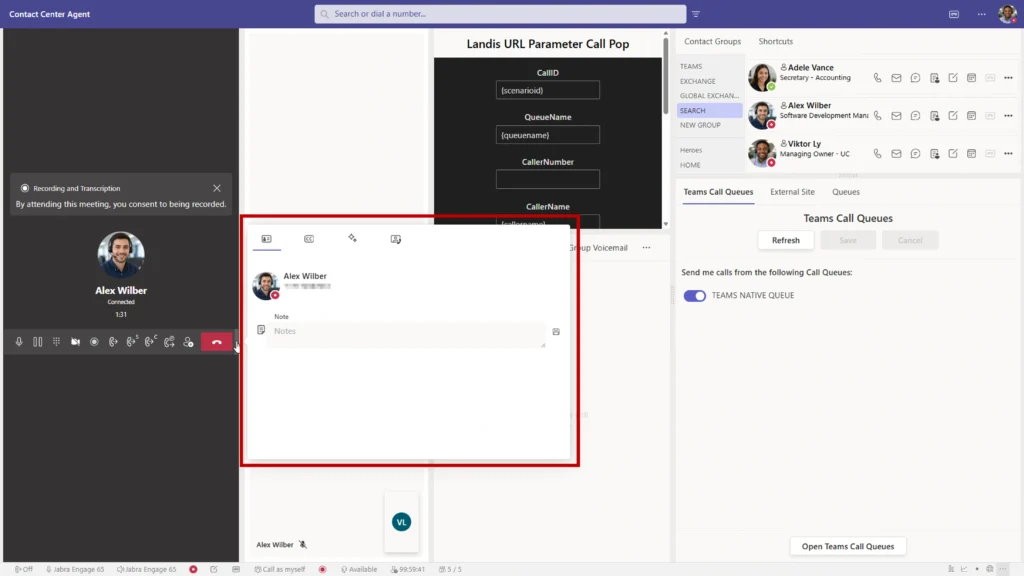
Open Call Details on hover. When Call Details is not part of the layout, a thin gray bar sits at the edge of the call area. Hovering over the bar or clicking it opens the panel with prompts, captions, and the rest of the call information.
Call history
Save and sync call history across devices. A new setting saves call history on a server rather than in the browser cache so that it appears on every device a user signs in from. A call answered in the web app also shows up in the desktop app.
See Missed calls. Call history now includes missed calls, not only answered calls.
The setting is under Settings > Advanced > Call Settings. It is off by default, each user controls it individually, and records are kept for 14 days.
Contact schedules
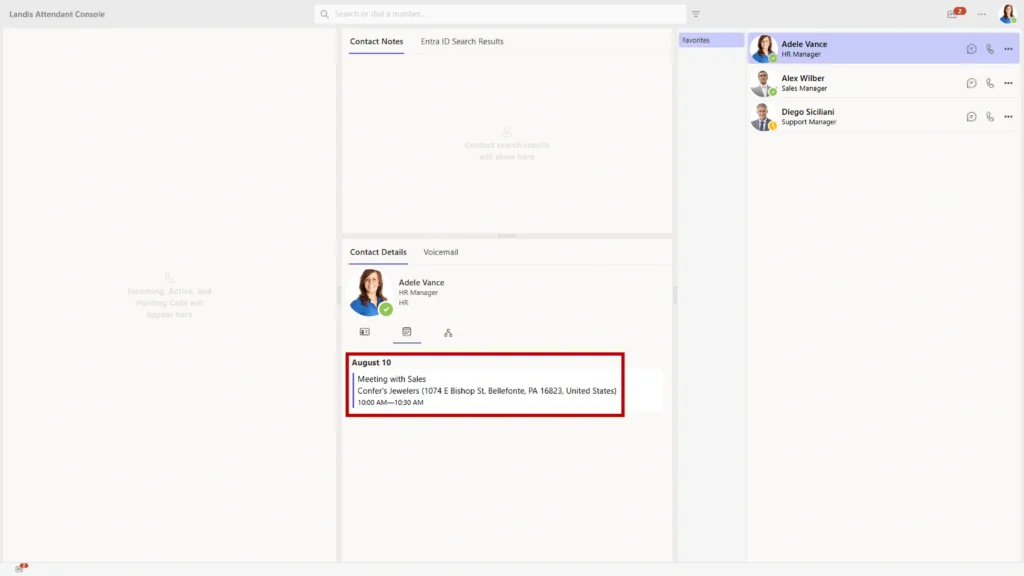
See contacts’ meeting locations. Contact details for an Entra user now show the meeting location or conference room in the calendar view when the meeting has one.
Keyboard shortcuts
Start and stop video. A keyboard shortcut is now available for turning the camera on and off. The shortcut is unassigned by default, and users assign it under keyboard shortcuts in Settings.
Interface updates
Use new light theme. A Light theme to match the Microsoft Teams light theme joins Dark and Classic. The previous theme is now named Classic, and existing users stay on Classic with no visual change. New users start on Light.
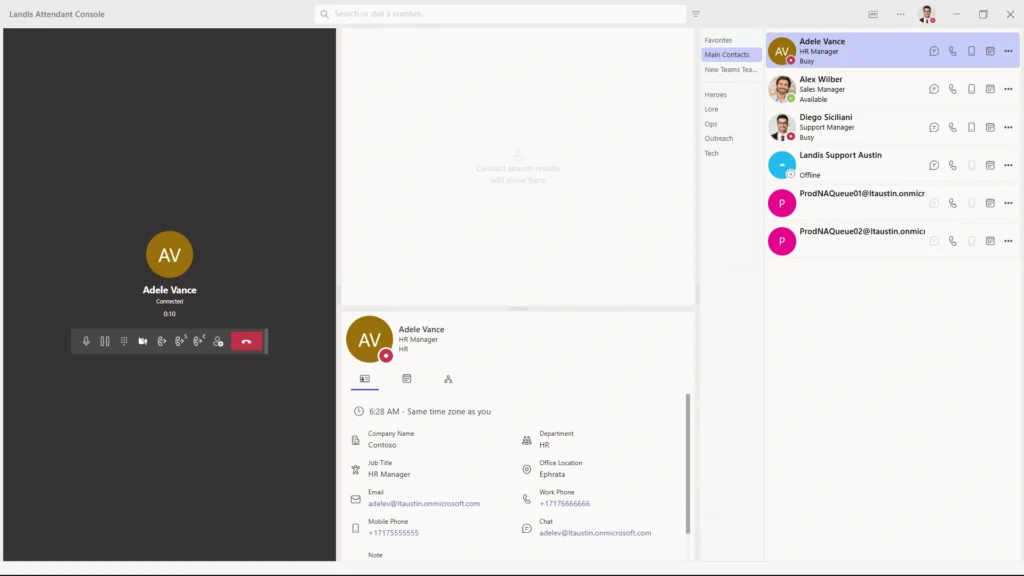
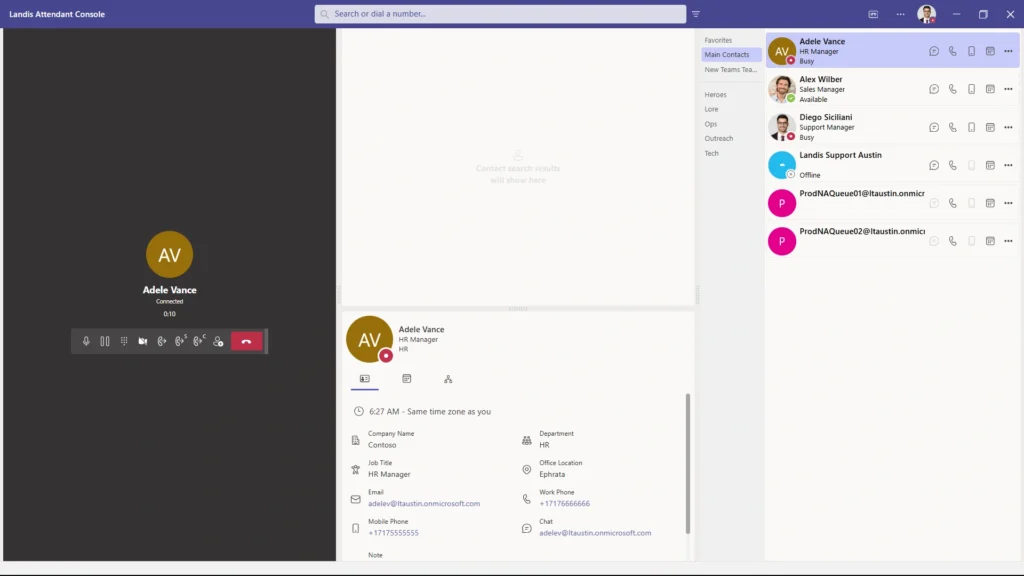
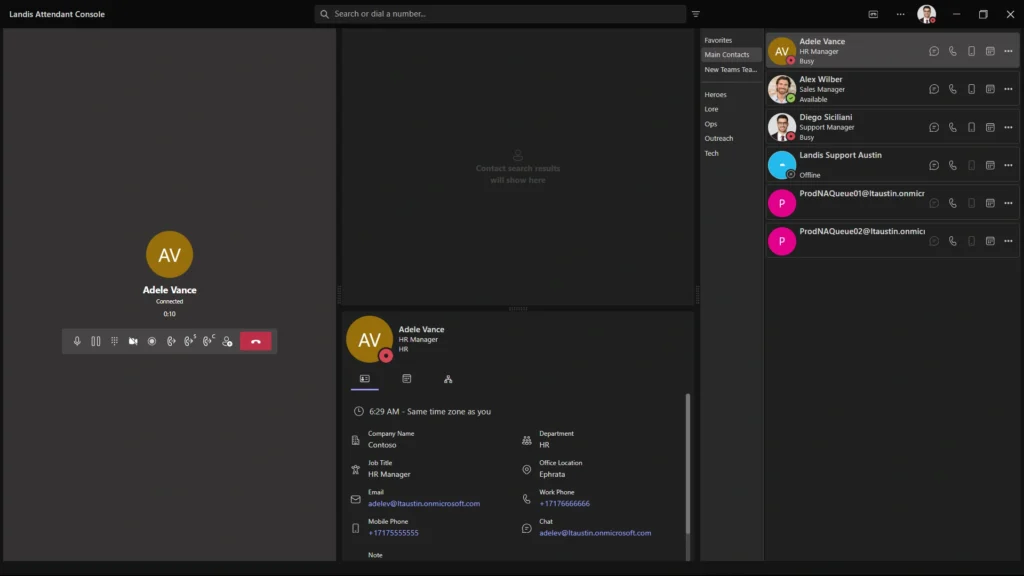
Switch themes without a reload. Selecting a theme applies it right away. The apply-and-reload step is gone.
Access similar UI features from one place. Call history, voicemail, and group voicemail can share one position. The icon on the panel in settings turns the setting on, and resizing one panel then resizes the others. Panels moved to a different location stop syncing with the group.
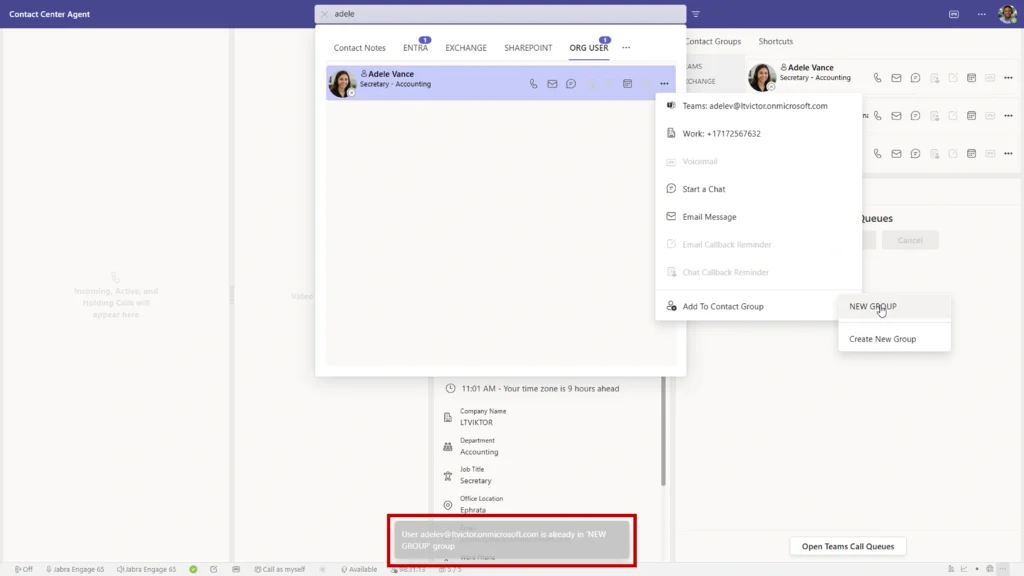
Get notified of relevant app info. The desktop app shows a center screen notification on a zoom level change or when a contact is added to a group it already belongs to.
Enjoy updated UI controls. Popups, spinners, dropdowns, and lists now use improved UI controls. The visible difference is in list scroll bars, which stay slim and fade out when the list is not in focus.
Scan AI responses easier. AI responses keep their bullet points and line breaks rather than running together into a single block of text.
Seeing the release
Full release notes for the August 2026 build are in the Attendant Console documentation.
Book a demo to see these changes running in a live Microsoft Teams tenant, or send questions about a specific feature to the Landis team.