The latest Landis Attendant Console release focuses on removing friction from your workflow so your reception team can spend less time clicking through menus and more time delivering excellent service.
Read on or watch the video below.
Sync With Contacts from Teams
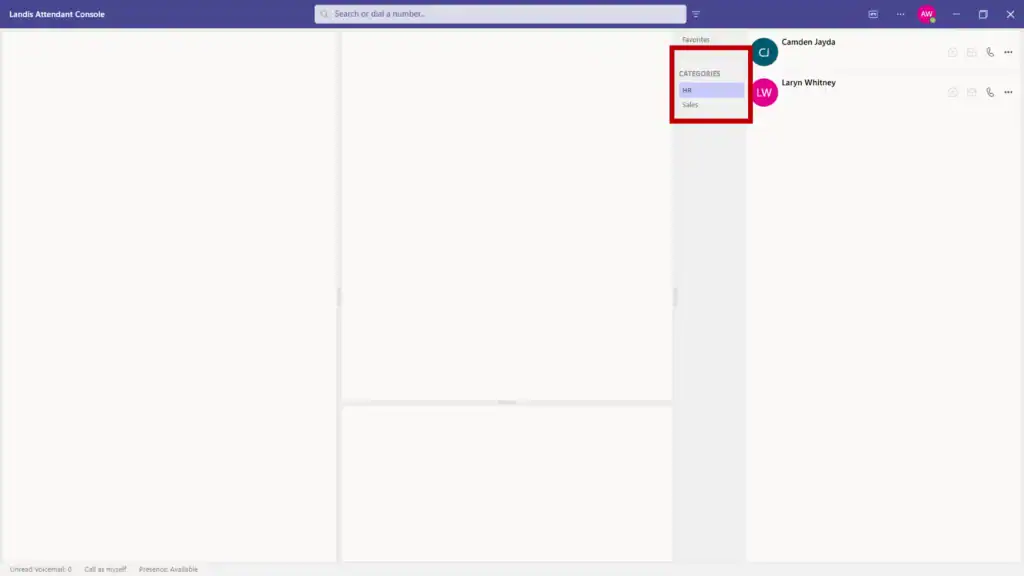
Teams contacts and categories now sync directly into Attendant Console, pulled from the Teams People app.
Serve Multilingual Callers
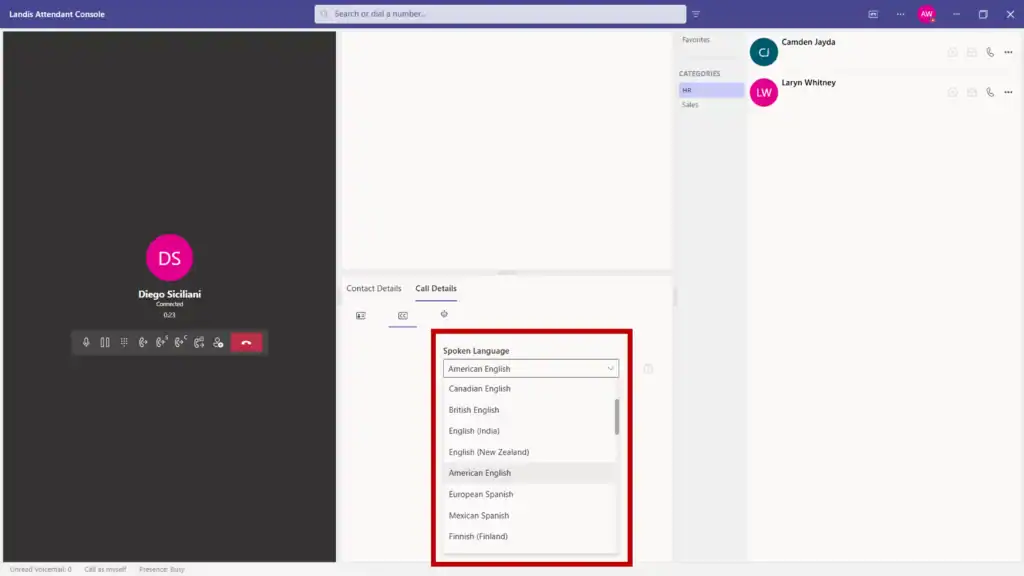
Live speech-to-text now works in multiple languages, with the ability to switch automatically per call. Whether you’re supporting international students, global business contacts, or diverse community members, every conversation gets transcribed for sentiment analysis, quality assurance, and AI applications.
Monitor Shared Voicemails From Your Workspace
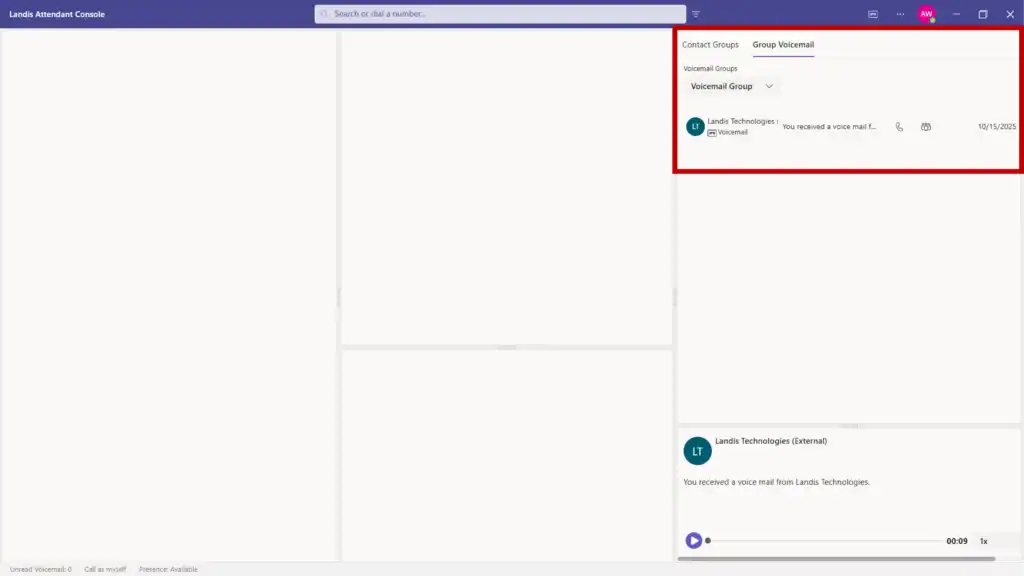
Group voicemails from M365 now appear directly in Attendant Console. Reception staff can monitor departmental mailboxes and team inboxes without switching applications.
Switch Layouts Instantly with Your Workload
New Quick Access Shortcuts let receptionists toggle between custom layouts with one keyboard sequence. Set up a streamlined view for handling incoming calls during rush periods, then switch to an expanded layout with more detail panels during wrap-up time.
Search Anyone Immediately
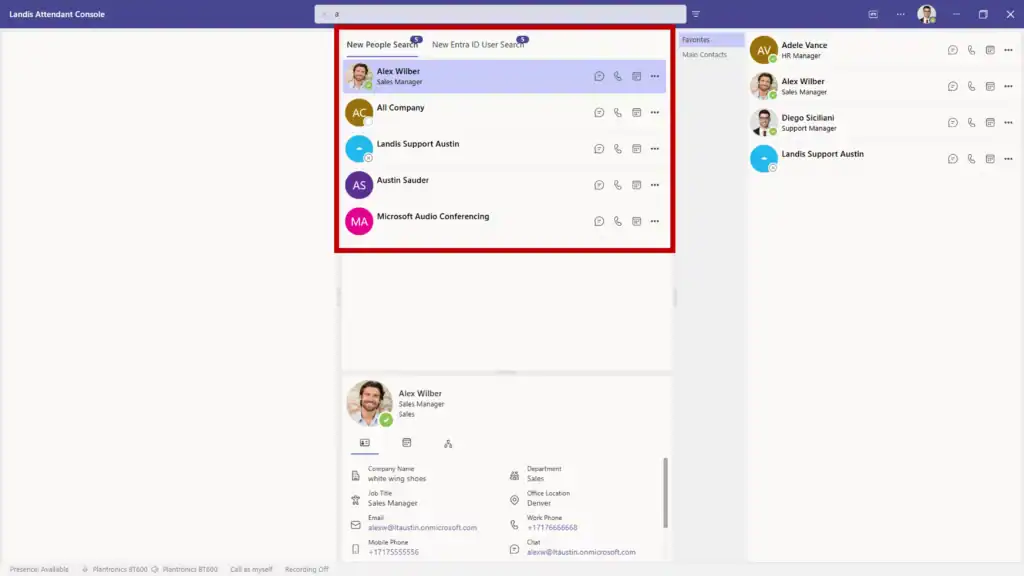
People Search (which was previously behind a feature flag) searches across Active Directory, personal Exchange contacts, global Exchange contacts, and even people you’ve chatted or emailed with and it’s now GA.
Check Availability Before Transferring Calls
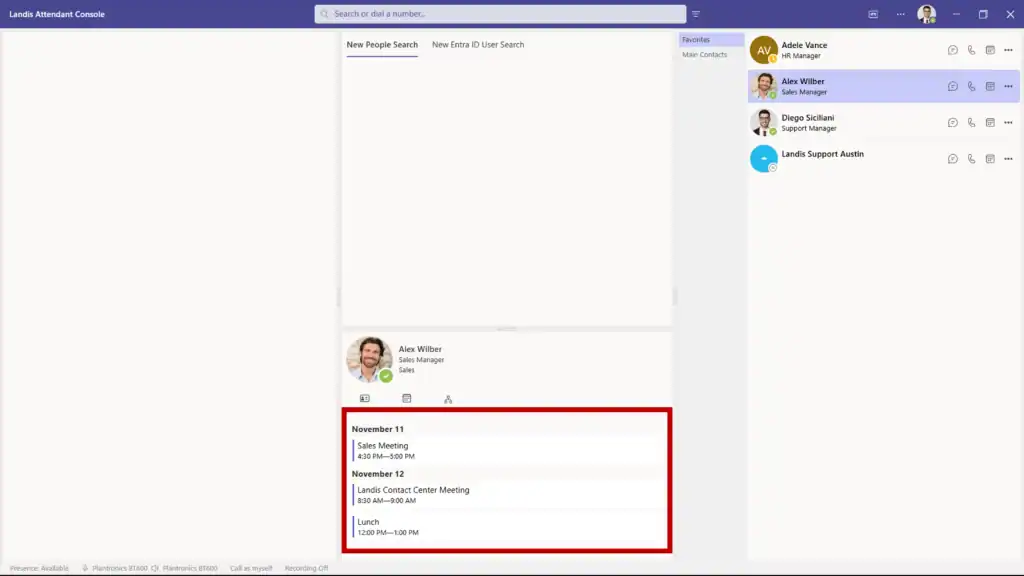
A new calendar button provides one-click access to any contact’s schedule directly from the contact layout. Reception staff can verify availability before transferring which provides various benefits such as fewer dropped transfers and better first-call resolution.
Book a demo to see these features live.