We’ve been busy making Landis Attendant Console more user-friendly and efficient. Here’s what’s new in our latest update.
Read on, or watch the video below.
Better Call Transcripts with Speaker Identification
In call transcripts, you’ll now see a star (*) next to anything the Attendant Console user said. This makes it much easier to follow conversations and understand who said what, especially when used with AI to analyze calls.
Make Calls Using Your Queue Number
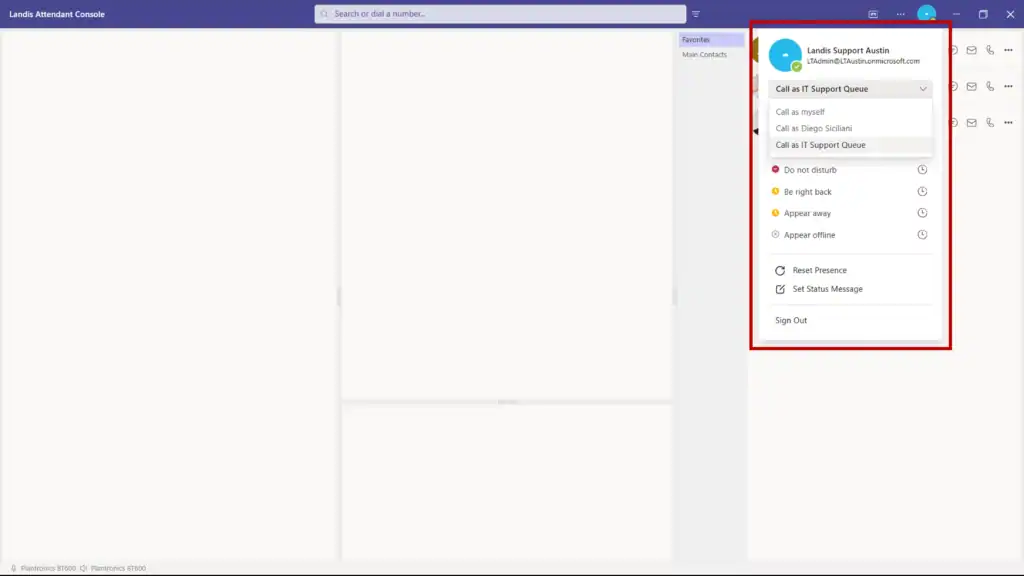
You can now make outbound calls using your queue’s phone number instead of your personal Teams number. This keeps your personal contact information private and maintains a professional appearance for all business calls.
Visual Confirmations for Various Actions
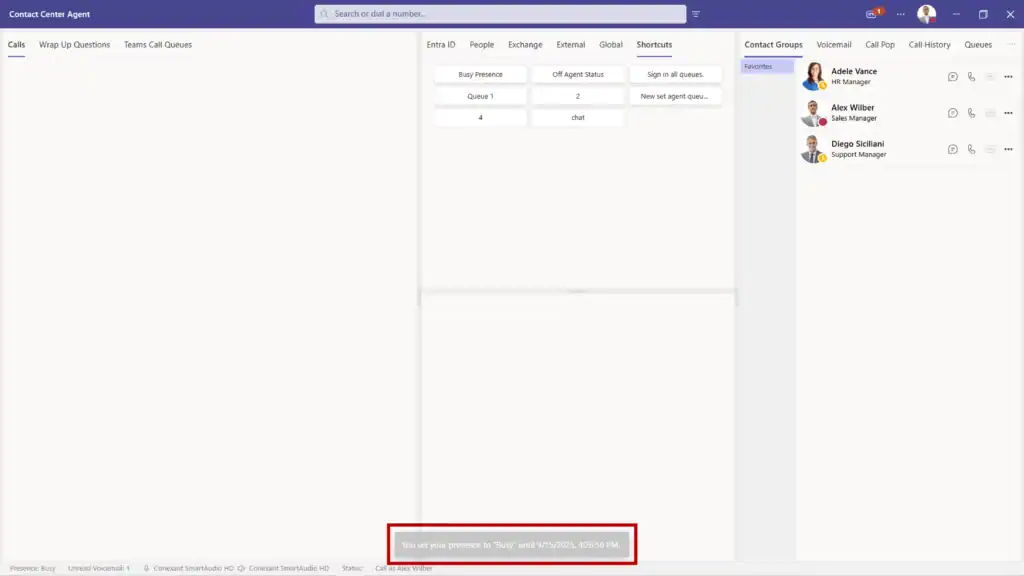
When performing various Attendant Console actions, you’ll see a small notification at the bottom of your screen confirming the action was completed. No more wondering if your changes went through, or unknowingly making an incorrect change.
The following actions will show an alert:
- A user is added to a group
- A user is removed from a group
- An AI prompt response is copied
- Any info on the contact details panel is copied (email, department, etc.)
- Using a Quick Access Shortcut (QAS) to change/set your presence when a duration is set.
- Using a QAS to change your audio devices
- Using a QAS to change your audio devices, but the device(s) is unavailable
Return Calls Directly from Voicemail
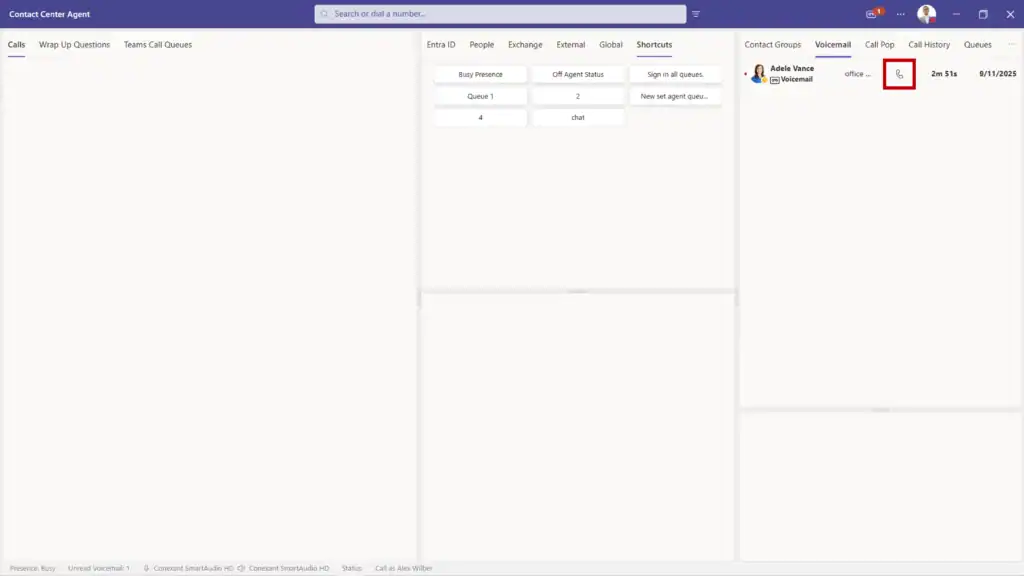
Listening to a voicemail and need to call back? Just click the call button next to each voicemail message instead of writing down numbers or searching for contacts.
Improved Keyboard Navigation
We’ve made the console more accessible by improving keyboard navigation. Blind or visually impaired users, or anyone who relies on the tab key to move around the screen will find it much easier to get where they need to go.
More Detailed Call History
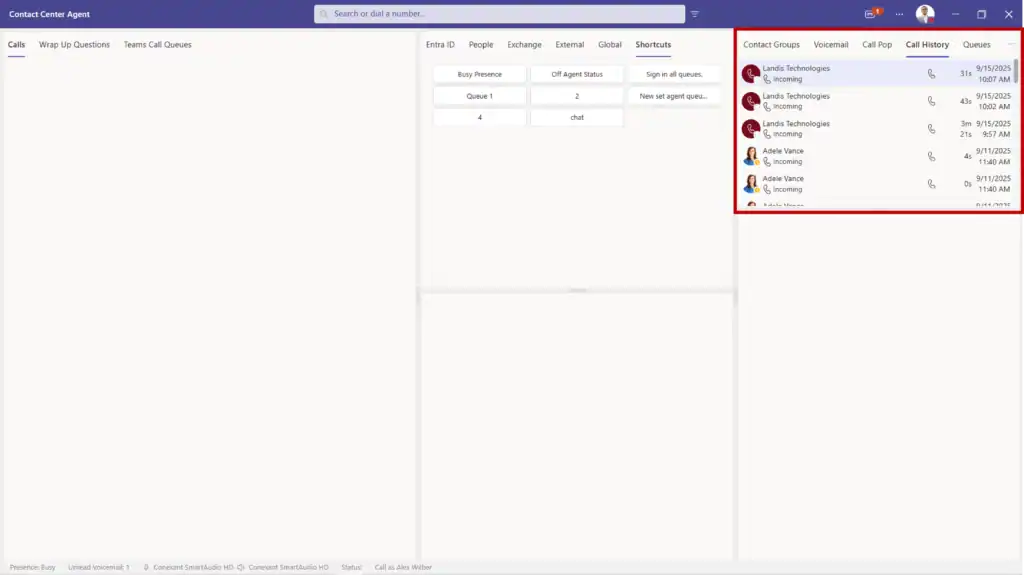
Your call history now displays the exact time each call took place, not just the date.
Smart Call Transfer Summaries
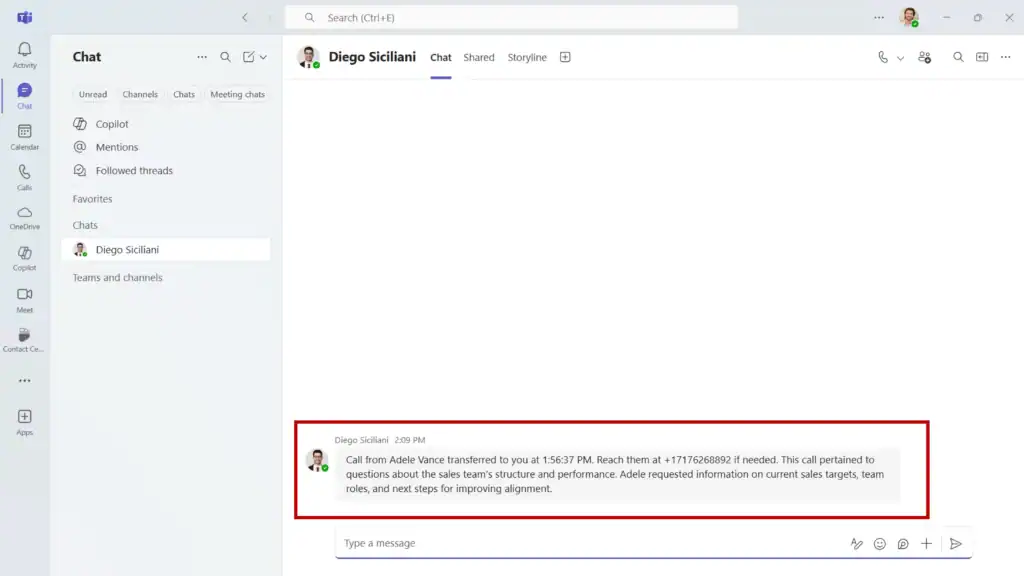
When transferring a call, the person receiving it gets an AI-generated summary of what was discussed. Callers won’t have to repeat their story, and agents can jump right into solving their problem.
Automatic Transfer Suggestions (Preview Feature)
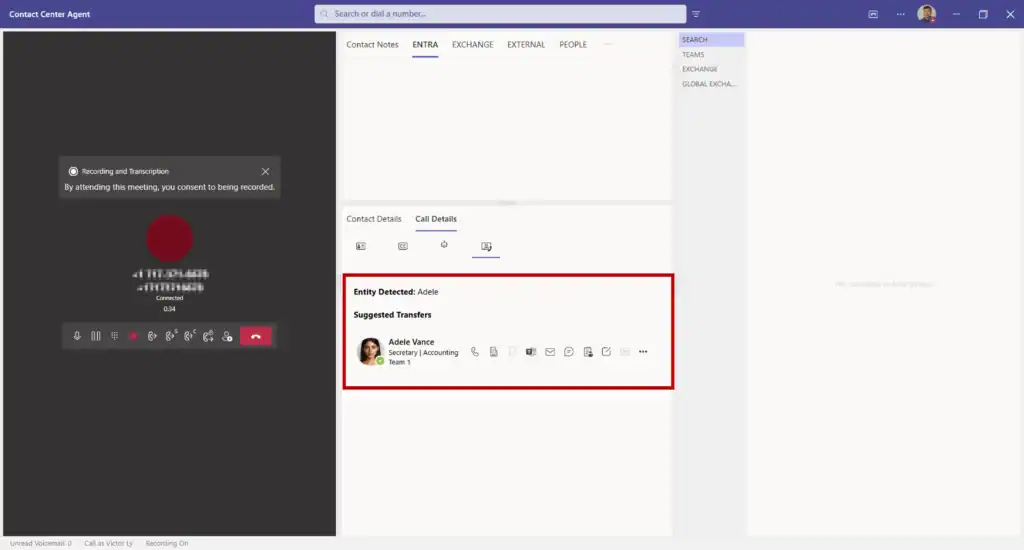
When either the caller or the Attendant Console user mentions a name during a call in the context of speaking with them, contact cards for people with that name automatically appear.
For example, a caller mentions “I think I spoke with someone there name Adele” – Adele’s contact information pops up, ready for an instant transfer.
Since this is a preview feature, and not turned on by default, please reach out if you are interested in using it.
Contact Notes Search
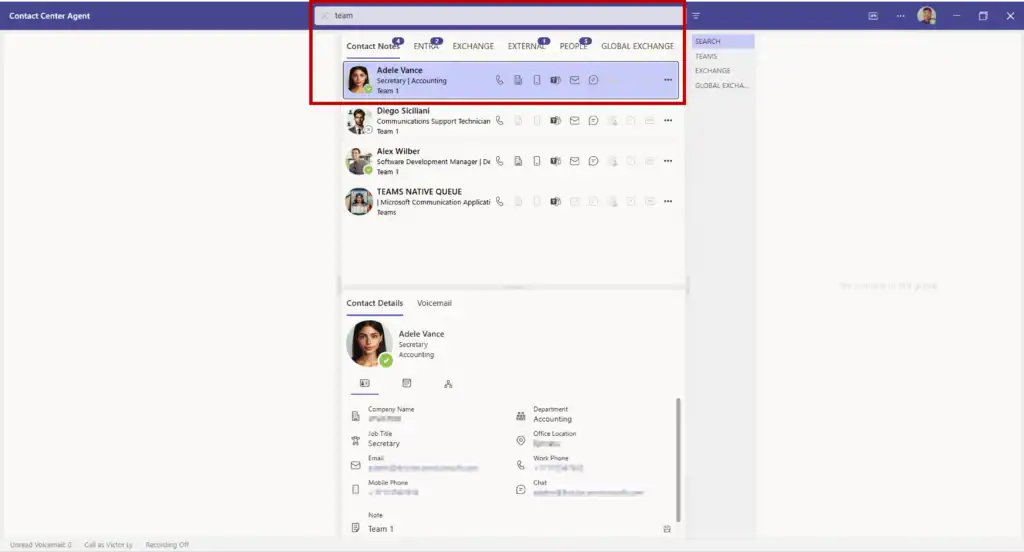
In the case that you can’t remember who you talked to about a specific topic, you can now search through your contact notes to find the right person and conversation.
Feature Discovery Menu
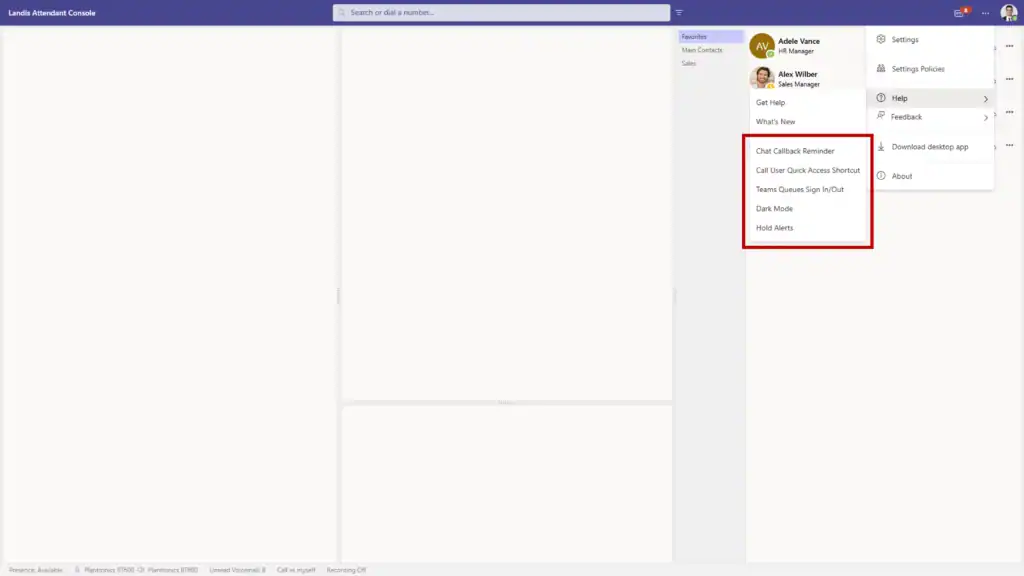
New users of Landis Attendant Console will benefit from the feature highlights menu, which helps you discover and learn about important capabilities you might not know about.
Better Contact Center Integration
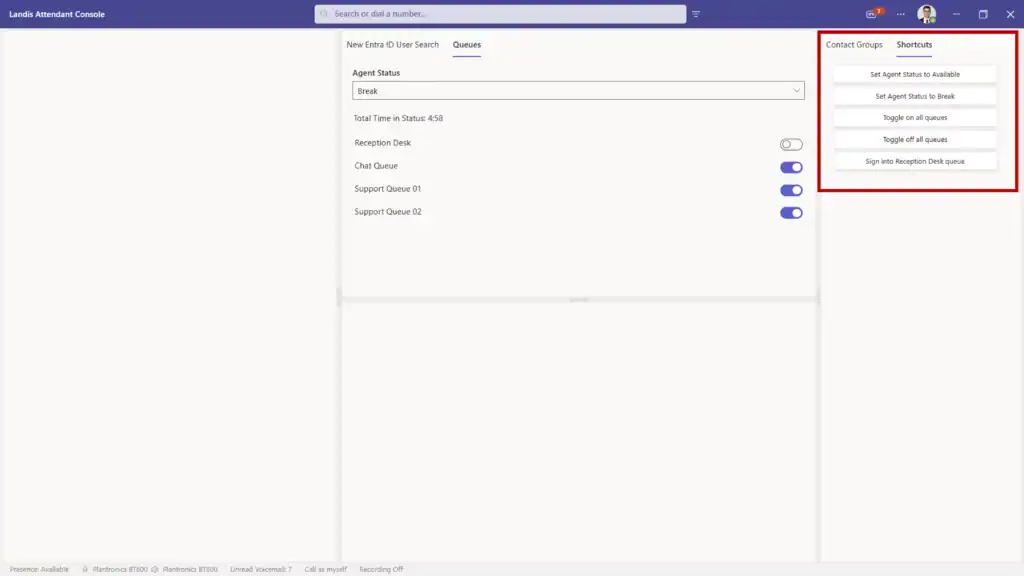
For companies using both Landis Attendant Console and Landis Contact Center, we’ve added quick shortcuts to:
- Change your agent status
- Sign in or out of specific queues
- Sign in or out of all queues at once
- Turn call recording on or off
You can also see your call recording status right in the footer, so you always know if recording is active.
Ready to Experience These Updates?
These improvements make daily call management faster, more intuitive, and more professional. If you’re using Microsoft Teams and want a better way to handle calls, Landis Attendant Console is what you need.