One-third of IT budgets are estimated to be wasted, which means that choosing CCaaS features that actually improve contact center ROI is incredibly important. But with hundreds of features competing for your attention and budget, which ones actually matter?
This guide focuses on the six most important ones.
Table of contents
Each section shows how that feature delivers ROI, what to look for, and how to evaluate these contact center capabilities.
Intelligent Routing
Intelligent call routing takes many forms, and a contact center should have several options including skills-based routing. SQM research found that companies using skill-based routing increased their FCR by 5-15%.
Essentials:
- Various routing options such as round-robin, longest-idle, serial, and parallel
- RONA – Automatically change agents’ status when they don’t answer
- Failover rules – Overflow to backup queues/teams when needed
- Presence-based routing
Evaluation Tips:
- Test edge cases: What happens when no skilled agents are free?
- Measure recovery time from missed calls.
- Verify routing works with your agent skill sets.
Live Wallboards & Analytics
Real-time contact center capabilities include wallboards that managers can use to monitor queues and assign agents to different places if needed. Agents themselves have also found them motivating, reducing absenteeism by 9%.
Essentials:
- Choose your own KPIs and display formats
- Multiple views for different roles (agents vs. managers)
- Threshold alerts (highlight when wait times exceed limits)
- Real-time workforce management data
Evaluation Tips:
- Demo with your actual metrics and thresholds.
- Test dashboard responsiveness during peak loads.
- Verify mobile access for remote managers.
Read how ImageTrend improved their contact center reporting.
AI Agent Assistance
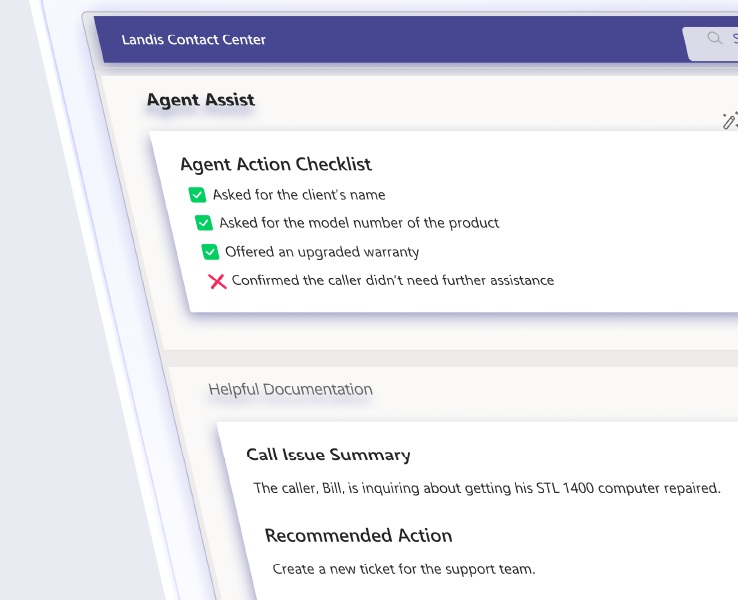
One of the most direct CCaaS features to improve contact center ROI is through AI agent assistance. It can improve call center CSAT as well as reduce call handling time by 25%.
Essentials:
- Real-time help – Transcription, sentiment, suggested responses
- Built-in safety controls – AI systems can hallucinate, like when an airline’s chatbot mistakenly promised bereavement discounts that didn’t exist, costing the airline in court-ordered refunds. Look for systems that let you specify exactly which knowledge bases, databases, or approved sources the AI can reference.
- Context awareness – Relevant to current conversation
- Clean interface – Doesn’t disrupt agent workflow
- One-click actions – Insert suggestions without typing
Evaluation Tips:
- Pilot with real calls and your knowledge base.
- Test accuracy with industry-specific terminology.
- Verify security: data encryption, PII masking, compliance certs.
Advanced IVR/IVA
According to Aberdeen group’s research, IVRs bring about measurable improvements in several categories. Companies who used an IVR experienced a 5.8% higher increase in year-over-year customer lifetime value growth. They also saw a 4.7% higher growth year-over-year in agent productivity.
Essentials:
- Visual builder – Intuitive, low code/no code design
- Data access – Check balances, order status, or reset passwords
- Natural language – Handle “I need to reschedule,” not just button presses
- Easy updates – Change voice prompts and menus without IT support
Evaluation Tips:
- Test with your actual backend systems and data.
- Verify speech recognition accuracy for your use cases.
- Check maintenance effort: can users make necessary changes?
CRM Integration
CRM systems deliver proven ROI with every $1 invested, returning up to $8.71 in sales revenue. This is because a CRM makes customer data accessible when and where teams need it.
Therefore, integrating a CRM with the contact center, extends this same data accessibility to customer service, even further improving the ROI a CRM already delivers.
Essentials:
- Real-time sync – Agents can update CRM records directly from the contact center, while changes made elsewhere in the CRM system instantly reflect in the contact center.
- Automated workflows – Auto-log calls, create tasks, and update records.
- Smart routing – Route VIPs, priority customers, or others needing special assistance based on CRM data.
- Embedded interface – Agents can see CRM data from within the contact center call pop; not having to switch apps or tabs to see caller context.
Evaluation Tips:
- Test screen-pop functionality with your actual CRM.
- Check integration type: most CRMs support access via APIs, but some also connect with prebuilt connectors in PowerAutomate or Zapier for ease of connection.
- Determine what type of integration(s) would be useful to your company. Popular options include CRM data in call pop or smart routing using data dips to get CRM data or using webhooks to push the call data records to external CRM systems.
Workforce Management
Since Labor is the biggest cost in a contact center, managing it well provides proportionally large returns. According to Nucleus Research, every $1 invested in WFM returns up to $12.24 within the first three years.
Essentials:
- Manager controls: Adjust forecasts, approve changes, override schedules
- Agent self-service: View schedules, request swaps, submit time-off
- Role-based permissions for different user types
- Real-time adherence monitoring and alerts
Evaluation Tips:
- Configure with your actual business rules and constraints.
- Test integration with payroll and HR systems.
- Verify mobile app functionality for field agents.
Read how Coppin State University made better contact center staffing decisions.
Frequently Asked Questions about ROI of Contact Center Features
The most reliable ROI indicators fall into three buckets: efficiency metrics (average handle time, first call resolution rate, cost per contact), customer experience metrics (CSAT, NPS, customer churn rate), and revenue metrics (customer lifetime value, upsell/cross-sell revenue from service interactions). Positive contact center ROI is especially influenced by metrics like CSAT, NPS, average handle time, first call resolution, and customer churn rate. It’s important to pick a handful that directly connect to your business goals rather than tracking everything at once.
The basic ROI formula is: (Gain of Investment − Cost of Investment) / Cost of Investment, expressed as a percentage. For contact center software, “gain” includes both cost savings (reduced handle time, lower agent turnover, fewer escalations) and revenue impact (better retention, upsell revenue). The harder part is capturing intangible gains because things like improved customer satisfaction or higher agent morale don’t show up immediately in a spreadsheet; even though they compound over time into financial outcomes.
It depends on the feature. Some deliver returns quickly. For example, IVR deflection and intelligent routing reduce labor costs from day one. Others take longer, like workforce management and CRM integration, which require adoption and process change. Most organizations find that a realistic timeframe for meaningful ROI is 3–6 months post-deployment.
Labor, by a significant margin. Agent salaries, benefits, training, and turnover consistently account for 60–80% of total contact center operating costs. This is exactly why features like workforce management, intelligent routing, and AI agent assistance generate such outsized returns: they make your most expensive resource more effective. Reducing average handle time by even a few seconds per call, multiplied across thousands of interactions, adds up fast.
Yes. When agents have better tools, like clear queue visibility, real-time AI assistance, self-scheduling options, and performance dashboards, they experience less frustration and feel more in control of their work. The wallboard research cited earlier showing a 9% reduction in absenteeism hints at the fact that agents who feel supported and recognized are more likely to stay. Reducing turnover matters financially because replacing a contact center agent typically costs between 50–200% of their annual salary when you factor in recruiting, training, and ramp time.
Unlike traditional on-premises contact centers, which require significant investments in hardware and maintenance, CCaaS solutions are hosted in the cloud and accessed via the internet on a subscription basis. Beyond cost structure, traditional systems are static and telephony-focused, while CCaaS platforms are built to integrate with CRMs, AI tools, and workforce systems.
The evidence suggests it does, but implementation matters a lot. Only 44% of contact centers report meeting their expected ROI from AI implementations. AI agent assistance, specifically, has documented impact on handle time and CSAT when deployed with quality knowledge bases and proper agent training. The features covered in this guide (AI assistance, intelligent routing, advanced IVR) each have research-backed ROI. Choose AI tools that match specific KPIs you need to move, instead of buying AI for its own sake.
Improve Your Contact Center with Proven CCaaS Features
Landis Contact Center for Microsoft Teams includes every feature in this guide. See how these CCaaS features improve your contact center ROI in a quick demo.