
By Dominic Kent
Dominic Kent is an independent writer who specializes in unified communications and contact center technology. He runs UC Marketing Ltd, a consultancy dedicated to helping technology companies translate complex technology products into compelling stories and educational content. His projects often involve well-researched guides that speaks to IT leaders and business stakeholders alike.
Table of contents
- Landis Contact Center vs 8×8 Contact Center at a Glance
- What is Landis Contact Center?
- What is 8×8 Contact Center?
- Landis Contact Center vs 8×8 Feature Comparison
- Landis Contact Center vs 8×8 Pricing
- Customer Reviews
- Pros and Cons
- Should You Choose Landis Contact Center or 8×8?
- Build Your Contact Center Inside Microsoft Teams
Choosing the right Microsoft Teams contact center isn’t just about AI, reporting, or omnichannel capabilities. It’s also about how deeply the platform integrates with Microsoft Teams and where your agents actually work throughout the day.
At first glance, Landis Contact Center and 8×8 Contact Center appear remarkably similar. Both are Microsoft-certified contact center solutions, both support voice and digital customer engagement, and both integrate with Microsoft Teams. However, they take fundamentally different architectural approaches.
Landis Contact Center is certified under Microsoft’s Extend and Unify integration models, allowing organizations to deliver the entire contact center experience directly inside Microsoft Teams. Agents handle customer conversations, collaborate with colleagues, and access contact center functionality without leaving the Teams interface.
8×8 Contact Center takes a different approach. It’s certified under Microsoft’s Connect integration model, allowing organizations to integrate Microsoft Teams with the 8×8 Agent Workspace. Teams is used for collaboration and calling, while agents continue handling customer interactions in the dedicated 8×8 application.
This distinction affects the daily agent experience, desktop switching, user adoption, and how closely your contact center aligns with your wider Microsoft investment.
In this comparison, we’ll examine Landis Contact Center and 8×8 across:
- Microsoft Teams integration
- Microsoft certification models
- Omnichannel capabilities
- AI features
- Reporting and analytics
- CRM integrations
- Workforce management
- Pricing
- Customer feedback
By the end, you’ll have a clear understanding of which platform is the better fit for your Microsoft Teams environment.
Landis Contact Center vs 8×8 Contact Center at a Glance
| Feature | Landis Contact Center | 8×8 Contact Center |
|---|---|---|
| Microsoft certification | Extend, Unify | Connect |
| Agent experience | Native inside Microsoft Teams | 8×8 Agent Workspace with Microsoft Teams integration |
| Channels | Voice, web chat, SMS, WhatsApp, Facebook Messenger, Email (coming soon) | Voice, chat, email, SMS, WhatsApp, Facebook Messenger, video engagement |
| AI capabilities | Conversational AI agents, Agent Assist, AI summaries, intelligent routing, sentiment analysis, live coaching, AI analytics, quality management | Agent Assist, Intelligent Customer Assistant, AI summaries, real-time transcription, sentiment analysis, next-best actions, interaction analytics, quality management |
| Reporting | Real-time dashboards, historical reporting, transcript reporting, IVR reporting, scheduled reports, webhooks, RBAC, Excel exports | Real-time dashboards, historical reporting, speech analytics, supervisor dashboards, agent analytics, queue analytics |
| CRM integrations | Microsoft Dynamics 365, Salesforce, HubSpot, Zendesk, ServiceNow, Freshworks, Jira, Zoho, SugarCRM, monday.com, Power Platform, OpenAI, API | Microsoft Dynamics 365, Salesforce, ServiceNow, Zendesk, more unpublished |
| Workforce management | Peopleware integration | Native workforce engagement management |
| Deployment | Self-service or professional implementation | Cloud deployment |
| Pricing | From $75/user/month | Unpublished |
What is Landis Contact Center?
Landis Contact Center is a Microsoft Teams-native contact center built exclusively for Microsoft Teams. Rather than introducing a separate agent desktop, it extends the Teams interface with enterprise contact center capabilities, allowing agents and supervisors to work entirely within the Teams environment.
Certified under Microsoft’s Extend and Unify integration models, Landis enables organizations to manage customer interactions without requiring agents to switch between multiple applications. Customer conversations, internal collaboration, presence, calling, and contact center functionality are all available from a single workspace.
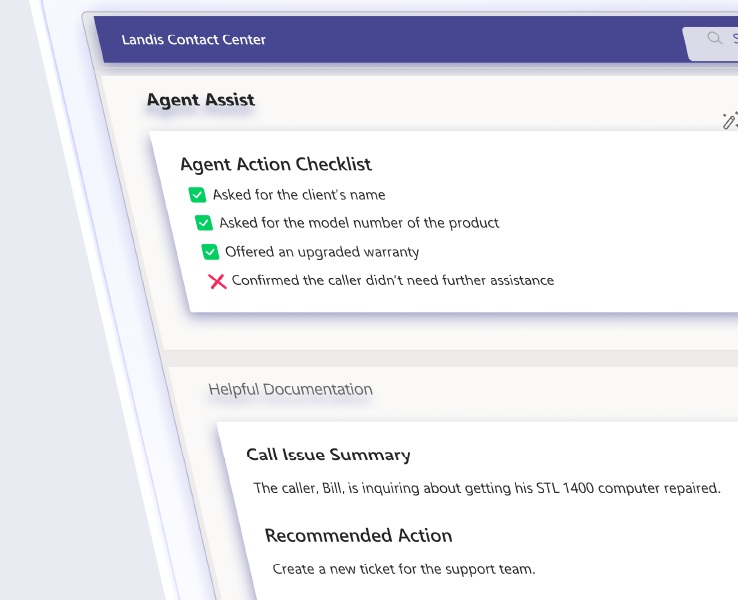
Landis supports omnichannel customer engagement across voice, web chat, SMS, WhatsApp, and Facebook Messenger, with email support coming soon. AI-powered capabilities include conversational AI agents, Agent Assist, AI-generated summaries, intelligent routing, sentiment analysis, live coaching, and AI analytics to help improve both customer and agent experiences.
The platform also integrates with business applications including Microsoft Dynamics 365, Salesforce, HubSpot, Zendesk, ServiceNow, Freshworks, Jira, Zoho, SugarCRM, monday.com, Microsoft Power Platform, OpenAI, and other systems through its API, allowing organizations to connect customer conversations with the rest of their business processes.
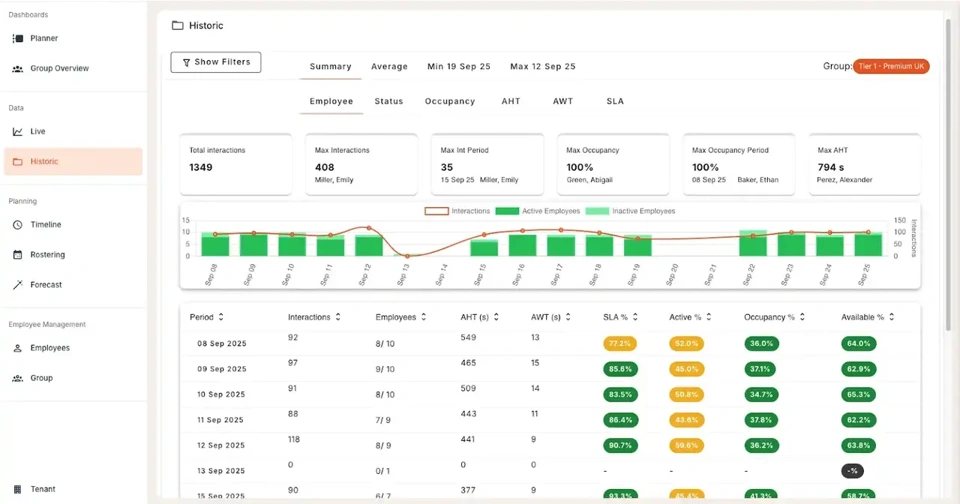
For supervisors, Landis provides real-time dashboards, historical reporting, IVR analytics, transcript reporting, scheduled reports, quality management, webhooks, role-based access controls, and Excel exports, giving teams the tools to monitor performance, evaluate interactions, and coach agents from a single platform.
Built for Microsoft Teams from day one
Unlike many contact center vendors that later added Microsoft Teams integration, Landis was designed specifically for the Microsoft ecosystem. That focus has shaped the platform’s architecture, ensuring the contact center experience feels like a natural extension of Teams rather than a separate application connected to it.
This Microsoft-first approach is reflected in Landis’ certifications, deployment model, and user experience, making it well suited to organizations that have standardized on Microsoft Teams for communication and collaboration.
Why Microsoft’s Extend and Unify Certifications Matter
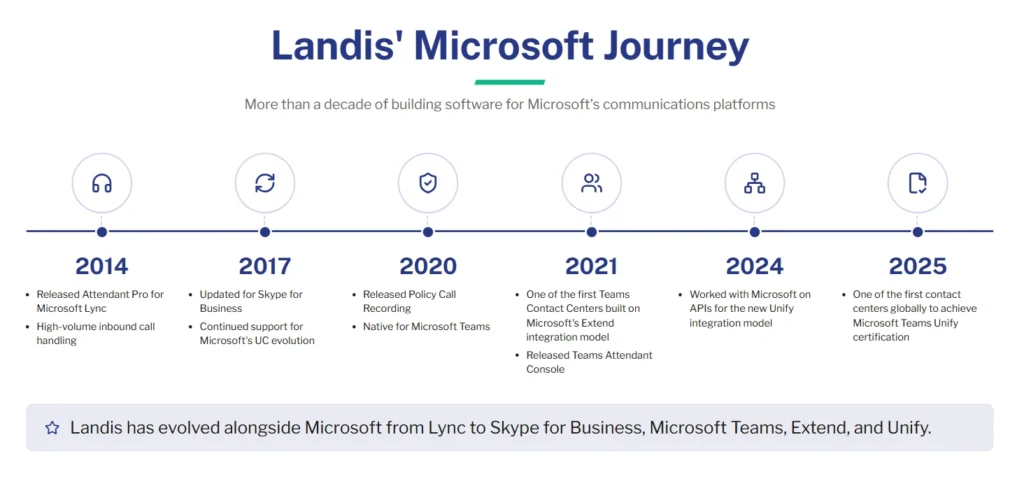
Microsoft certifies contact centers using different integration models. While some platforms are certified under the Connect model, Landis is certified for both the Extend and Unify integration models.
The three models are degrees of how deeply the contact center lives inside Microsoft Teams. Connect bridges an outside platform to Teams over Direct Routing; Extend and Unify build the contact center into Teams itself. The closer it gets to native Teams, the more it changes the day-to-day.
For IT and telephony teams, deeper integration means less to own and fewer vendors to chase:
- No SBCs, Direct Routing, or servers to stand up. Agents are provisioned as ordinary Teams users
- One accountable support path
- Call media and data stay inside your Microsoft tenant, under the security and compliance rules you already enforce
- A single admin surface centered in Teams, instead of a separate portal bolted onto Direct Routing
For contact center operations, deeper integration means fewer missed calls and metrics that survive the move:
- Agents answer in the Teams window they already keep open all day without a separate app to forget to log into
- Routing reads Teams presence, so an agent already in a meeting is skipped automatically and wallboards reflect live metrics
- Agents can loop in a subject-matter expert or transfer to any colleague in Teams without dropping call history and notes
- Live monitoring, dashboards, and reporting sit in one place, so service levels hold through cutover instead of eroding after it
By comparison, 8×8 is certified under Microsoft’s Connect integration model. While it integrates with Teams for capabilities like presence, chat, calling, and expert collaboration, agents continue handling customer interactions in the 8×8 Agent Workspace rather than directly inside Teams.
For organizations that want the contact center experience to become part of Microsoft Teams rather than connect to it, this architectural distinction is one of the biggest differences between Landis and 8×8.
What is 8×8 Contact Center?
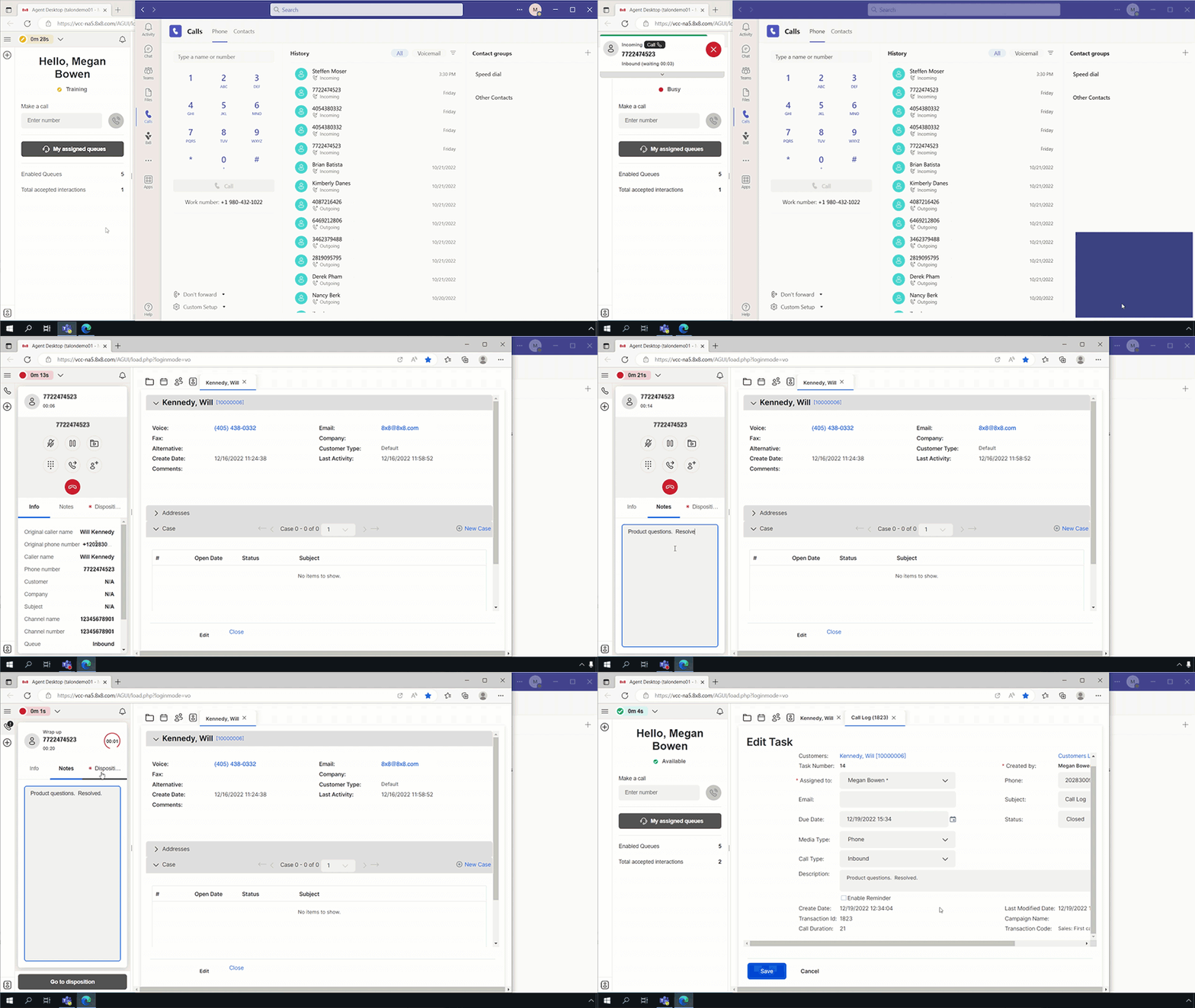
8×8 Contact Center is a cloud-based contact center platform that integrates with Microsoft Teams through Microsoft’s Connect integration model. Rather than extending the Microsoft Teams client itself, 8×8 connects its contact center platform to Teams, allowing organizations to combine Microsoft collaboration with a dedicated contact center application.
Unlike Landis, where agents work directly inside Microsoft Teams, 8×8 agents handle customer interactions in the 8×8 Agent Workspace. Teams remains available alongside the contact center for collaboration, while routing, customer conversations, AI capabilities, reporting, and administration are managed within the 8×8 platform.
8×8 supports omnichannel customer engagement across voice, chat, email, SMS, WhatsApp, Facebook Messenger, and video engagement. Its AI capabilities include Agent Assist, Intelligent Customer Assistant, AI-generated summaries, real-time transcription, sentiment analysis, next-best actions, AI-powered self-service, interaction analytics, and quality management.
The platform integrates with business applications including Microsoft Dynamics 365, Salesforce, ServiceNow, and Zendesk, enabling organizations to connect customer conversations with their existing CRM and business systems.
For supervisors, 8×8 provides real-time dashboards, historical reporting, speech analytics, interaction analytics, agent and queue reporting, quality management, and workforce engagement management to help monitor performance, evaluate customer interactions, and coach agents.
Built to integrate with Microsoft Teams
8×8 has invested heavily in its Teams integration and is certified under Microsoft’s Connect integration model. This allows organizations to integrate Teams with the 8×8 platform while keeping the contact center experience in a dedicated agent workspace.
For organizations that prefer a specialist contact center application alongside Microsoft Teams, 8×8 provides a platform with extensive omnichannel, AI, reporting, and workforce capabilities. Organizations looking to make Microsoft Teams the contact center itself will find a different architectural approach in Landis through Microsoft’s Extend and Unify integration models.
Landis Contact Center vs 8×8 Feature Comparison
Microsoft Teams Integration
Both Landis Contact Center and 8×8 integrate with Teams, but they do so using different Microsoft-certified architectures that shape the agent experience.
Landis is certified under Microsoft’s Extend and Unify integration models, allowing the contact center to operate directly inside Teams. Agents can handle customer conversations, collaborate with colleagues, access customer information, and use contact center functionality without leaving the Teams interface.
8×8 is certified under Microsoft’s Connect integration model. While it integrates with Microsoft Teams, agents work in the 8×8 Agent Workspace rather than inside Teams. Microsoft Teams continues to serve as the collaboration platform, while customer interactions, routing, reporting, AI capabilities, and administration are managed within the 8×8 application.
For agents, the difference is straightforward.
| Landis | 8×8 |
|---|---|
| One application | Two applications |
| Contact center inside Microsoft Teams | Contact center alongside Microsoft Teams |
| Extend and Unify certified | Connect certified |
| Single workspace for customer engagement and collaboration | Dedicated contact center workspace integrated with Teams |
Neither approach is inherently right or wrong.
- Organizations that prefer a dedicated contact center application may appreciate the separation offered by 8×8.
- Organizations that have standardized on Microsoft Teams and want agents to remain in a single interface throughout the day may find Landis’ Extend and Unify architecture better aligned with their Microsoft investment.
Omnichannel Capabilities
Both Landis Contact Center and 8×8 provide omnichannel customer engagement, allowing organizations to support customers across voice and digital channels from a single platform. The biggest difference isn’t the number of supported channels, but where agents manage those conversations.
Landis brings omnichannel interactions directly into Teams. Voice, web chat, SMS, WhatsApp, and Facebook Messenger are all handled within the Teams interface, with email support coming soon. This allows agents to manage customer conversations without switching to a separate application.
8×8 supports voice, chat, email, SMS, WhatsApp, Facebook Messenger, and video engagement through the 8×8 Agent Workspace. While Teams remains available for internal collaboration, customer interactions are managed within the dedicated 8×8 application.
| Capability | Landis | 8×8 |
|---|---|---|
| Voice | ✓ | ✓ |
| Web chat / Chat | ✓ | ✓ |
| Coming soon | ✓ | |
| SMS | ✓ | ✓ |
| ✓ | ✓ | |
| Facebook Messenger | ✓ | ✓ |
| Video engagement | — | ✓ |
Both platforms provide the channels most organizations expect from a modern contact center.
- If email or video engagement are immediate requirements, 8×8 currently offers broader channel support.
- If your priority is delivering omnichannel customer engagement without leaving Microsoft Teams, Landis offers a more integrated experience by bringing those conversations directly into the Teams interface.
AI Capabilities
Artificial intelligence has become a major differentiator in modern contact centers, helping organizations automate routine enquiries, improve agent productivity, and gain deeper insight into customer interactions. Both Landis Contact Center and 8×8 offer a comprehensive suite of AI capabilities, although they deliver them through different architectures.
Landis delivers AI directly within Microsoft Teams. Agents can access conversational AI agents, Agent Assist, AI-generated summaries, intelligent routing, sentiment analysis, live coaching, and AI analytics without leaving the Teams interface. This allows AI to become part of the existing Teams experience rather than another application agents need to learn.
8×8 provides an AI portfolio within the 8×8 Agent Workspace. Its capabilities include Agent Assist, Intelligent Customer Assistant, AI-generated summaries, real-time transcription, sentiment analysis, next-best actions, AI-powered self-service, interaction analytics, and quality management, helping organizations automate customer engagement and support agents throughout every interaction.
| AI capability | Landis | 8×8 |
|---|---|---|
| Conversational AI agents | ✓ | Intelligent Customer Assistant |
| Agent Assist | ✓ | ✓ |
| AI-generated summaries | ✓ | ✓ |
| Intelligent routing | ✓ | ✓ |
| Sentiment analysis | ✓ | ✓ |
| Real-time transcription | ✓ | ✓ |
| Next-best actions | — | ✓ |
| Live coaching | ✓ | — |
| AI analytics | ✓ | Interaction Analytics |
| AI-powered self-service | ✓ | ✓ |
Both platforms provide enterprise-grade AI capabilities that extend well beyond simple chatbots.
The choice is less about which platform has AI and more about where your agents use it. Landis embeds AI directly into Microsoft Teams, while 8×8 delivers its AI capabilities through the dedicated Agent Workspace.
Reporting and Analytics
Both Landis Contact Center and 8×8 provide real-time and historical reporting, but they take different approaches to delivering operational insight.
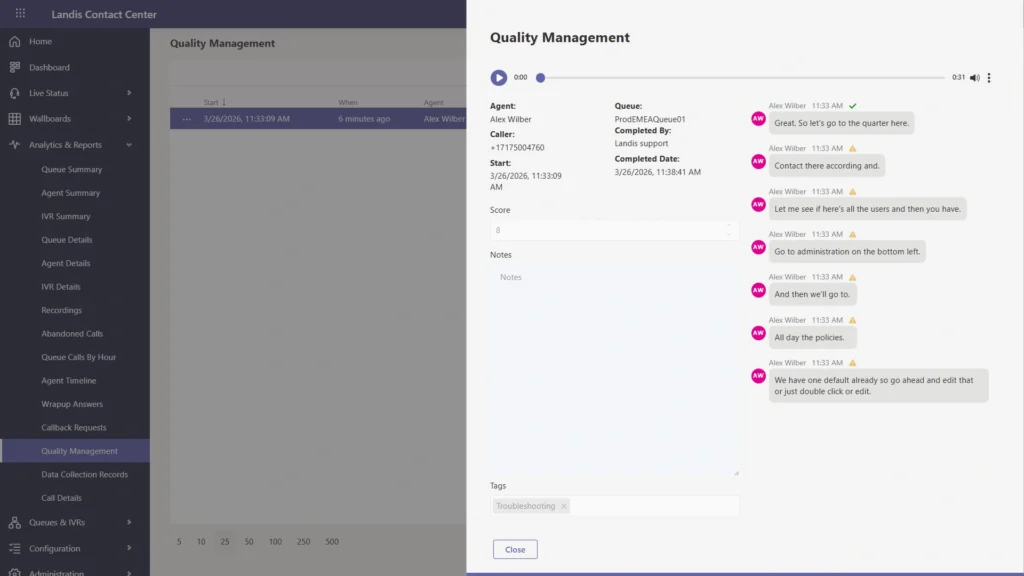
Landis provides reporting directly within Microsoft Teams, giving supervisors access to real-time dashboards, historical reporting, transcript reporting, IVR reporting, scheduled reports, webhooks, role-based access controls, Excel exports, and quality management. This enables supervisors to monitor performance and coach agents without leaving the Teams environment.
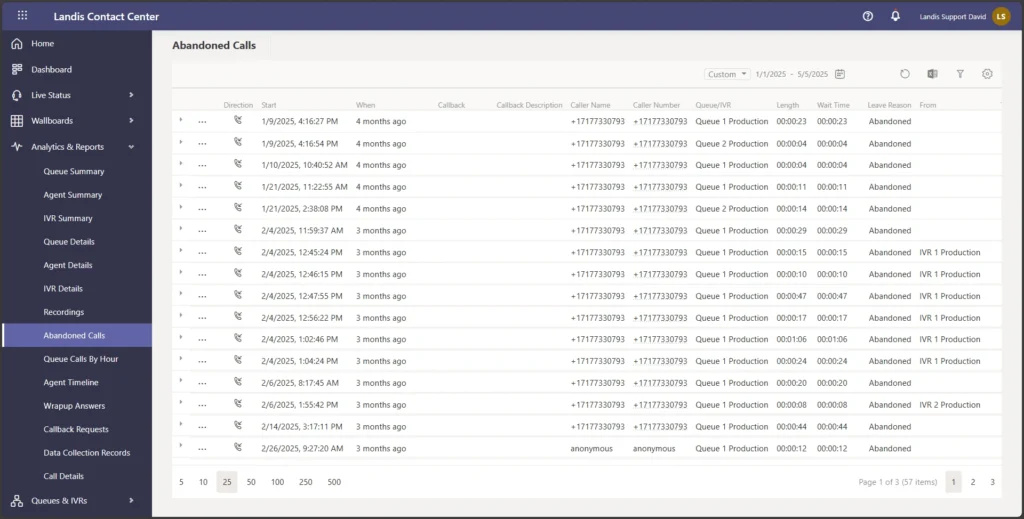
8×8 provides a comprehensive reporting suite within the 8×8 platform. Supervisors have access to real-time dashboards, historical reporting, speech analytics, interaction analytics, agent and queue reporting, supervisor dashboards, quality management, and workforce engagement tools designed to improve operational performance and customer experience.
| Reporting capability | Landis | 8×8 |
|---|---|---|
| Real-time dashboards | ✓ | ✓ |
| Historical reporting | ✓ | ✓ |
| Transcript reporting | ✓ | — |
| IVR reporting | ✓ | ✓ |
| Speech analytics | ✓ | ✓ |
| Interaction analytics | AI analytics | ✓ |
| Scheduled reports | ✓ | ✓ |
| Excel exports | ✓ | ✓ |
| Quality management | ✓ | ✓ |
| Supervisor dashboards | ✓ | ✓ |
Both platforms provide the reporting capabilities most organizations expect from an enterprise contact center. The primary difference is where those insights are delivered.
- Landis keeps reporting and quality management within Microsoft Teams.
- 8×8 delivers reporting through its dedicated contact center workspace alongside Teams.
CRM Integrations
Both Landis Contact Center and 8×8 are designed to integrate with the business applications you rely on every day, helping agents access customer information without switching between disconnected systems.
Landis integrates with a wide range of CRM and business applications, including Microsoft Dynamics 365, Salesforce, HubSpot, Zendesk, ServiceNow, Microsoft Power Platform, and other platforms through its API. This flexibility allows organizations to connect customer conversations with their wider Microsoft environment and existing business processes.
8×8 also provides integrations with leading CRM platforms and business applications, enabling customer information and interaction history to be surfaced alongside contact center workflows.
Its integration ecosystem is designed to connect the contact center with existing customer service and sales processes.
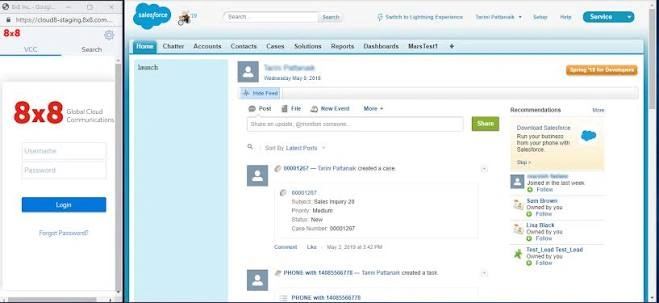
Rather than acting as standalone contact center applications, both platforms can become part of a wider customer engagement ecosystem, reducing manual data entry and helping agents access the information they need during every interaction.
The primary difference is not the breadth of CRM integration but where those integrations are surfaced.
- Landis presents customer information directly inside Microsoft Teams, allowing agents to stay within a single workspace.
- With 8×8, CRM integrations are accessed through the 8×8 Agent Workspace alongside Microsoft Teams.
Workforce Management
Landis supports workforce management through a documented integration with Peopleware. This allows you to combine the Microsoft Teams-native contact center experience with an established workforce management solution while keeping your contact center inside Teams.
8×8 includes Workforce Engagement Management as part of its broader contact center platform. Alongside quality management, it provides tools to help you forecast staffing requirements, schedule agents, evaluate interactions, and support ongoing performance improvement from within the 8×8 platform.
| Workforce capability | Landis | 8×8 |
|---|---|---|
| Workforce management | Peopleware integration | Native Workforce Engagement Management |
| Quality management | ✓ | ✓ |
| Agent evaluations | ✓ | ✓ |
| Coaching | ✓ | ✓ |
| Scheduling | Via Peopleware | ✓ |
| Forecasting | Via Peopleware | ✓ |
If workforce management is a core requirement, both platforms provide a path forward. The difference is how those capabilities are delivered.
- Landis integrates with Peopleware to provide workforce management alongside its Teams-native contact center.
- 8×8 includes Workforce Engagement Management within its own platform.
Landis Contact Center vs 8×8 Pricing
Pricing is one of the biggest differences between Landis Contact Center and 8×8.
Landis publishes transparent pricing from $75 per user per month, giving you a clear understanding of your entry point. You can also see clear pricing for standalone attendant console and call recording licenses where needed.
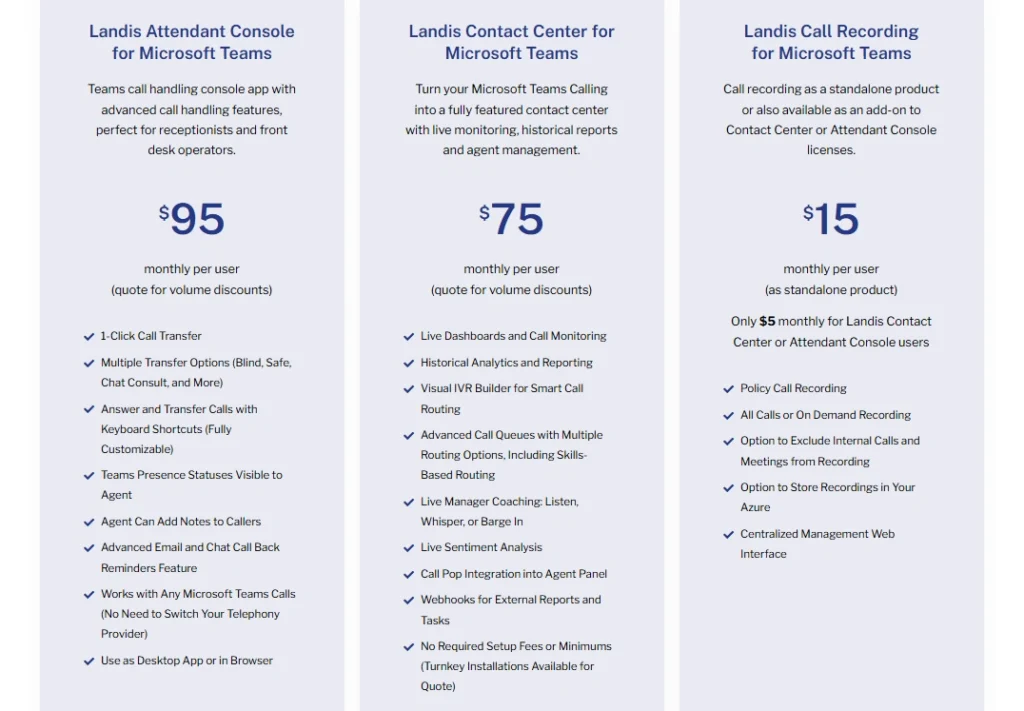
At the time of writing, 8×8 does not publish pricing for its contact center platform. If you’re evaluating 8×8, you’ll need to request a tailored quotation based on your requirements.
| Pricing | Landis | 8×8 |
|---|---|---|
| Entry price | From $75 per user/month | Unpublished |
| Enterprise pricing | Custom pricing available | Unpublished |
Because 8×8 doesn’t publish pricing, it’s not possible to make a direct like-for-like comparison using publicly available information. Your final costs will depend on factors like the number of users, AI capabilities, implementation requirements, integrations, and any additional workforce engagement features you require.
If pricing transparency is important during your evaluation, Landis gives you a published starting point before you engage with sales, while 8×8 requires booking a call with a sales agent.
Customer Reviews
Both Landis Contact Center and 8×8 receive positive feedback from customers, although reviewers tend to highlight different strengths.
Landis Contact Center
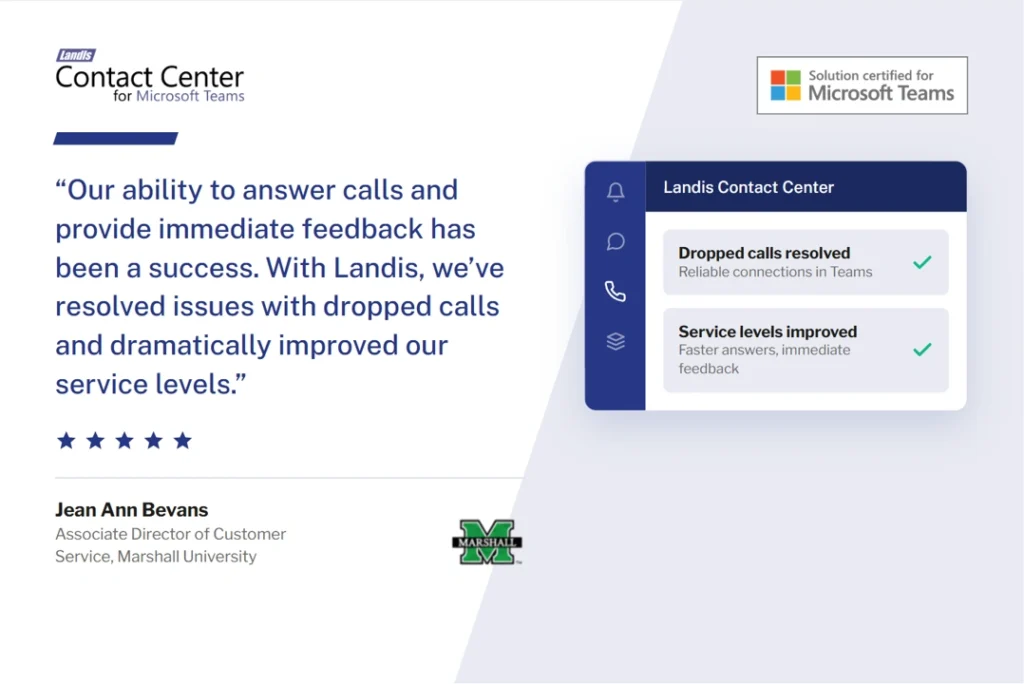
Customers consistently praise Landis for its Microsoft Teams-native experience, straightforward deployment, responsive support, and ease of use.
Rather than introducing another application for agents to learn, reviewers frequently highlight how naturally the platform fits into existing Teams environments.
Common themes include:
- Native Microsoft Teams experience
- Fast implementation
- Responsive customer support
- Intuitive user experience
- Reduced desktop switching for agents
8×8 Contact Center
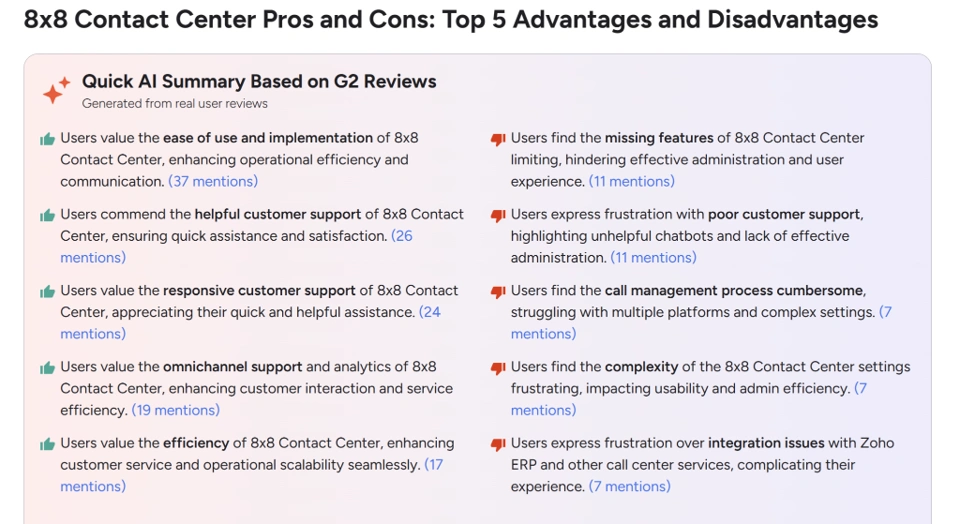
Customers frequently describe 8×8 as a mature and feature-rich contact center platform. Reviews often highlight its omnichannel capabilities, reporting, workforce management, AI features, and ability to support large contact center environments.
Some reviewers, however, note that the breadth of functionality comes with additional complexity, particularly during deployment and configuration.
Common themes include:
- Comprehensive omnichannel capabilities
- Strong reporting and analytics
- Workforce engagement tools
- AI-assisted customer service
- Enterprise scalability
Others highlight that agents work in the 8×8 Agent Workspace alongside Microsoft Teams rather than directly within it.
Pros and Cons
Landis Contact Center Pros and Cons
| Pros | Cons |
|---|---|
| Built natively inside Microsoft Teams | Best suited to businesses using Microsoft Teams |
| Microsoft Extend and Unify certified | Email channel is coming soon |
| Agents stay in a single application | Workforce management requires a Peopleware integration |
| Transparent pricing from £75 per user/month | |
| Broad CRM integrations and open API |
8×8 Contact Center Pros and Cons
| Pros | Cons |
|---|---|
| Omnichannel contact center | Agents work in a separate 8×8 Agent Workspace |
| Comprehensive AI capabilities | Pricing isn’t publicly available |
| Built-in Workforce Engagement Management | Administration and configuration can have a learning curve |
Which platform has the advantage?
Neither platform is objectively better. The right choice depends on how you want your contact center to work with Microsoft Teams.
- Choose Landis Contact Center if you want your agents to work entirely inside Microsoft Teams and build your contact center around Microsoft’s Extend and Unify architecture.
- Choose 8×8 Contact Center if you want a standalone contact center platform and you’re comfortable with agents working in a dedicated contact center application alongside Microsoft Teams.
Should You Choose Landis Contact Center or 8×8?
Both Landis Contact Center and 8×8 are capable contact center platforms with strong omnichannel, AI, reporting, and CRM capabilities. The biggest difference isn’t the feature set. It’s how each platform works with Microsoft Teams.
- Choose Landis Contact Center if you want your contact center to become part of Microsoft Teams. Agents can handle customer interactions, collaborate with colleagues, and access CRM data without leaving the Teams interface. For businesses that have standardized on Microsoft Teams, this can simplify the agent experience, reduce context switching, and help improve adoption.
- Choose 8×8 if you want a standalone contact center platform that integrates with Microsoft Teams. Agents work in the 8×8 Agent Workspace while continuing to use Teams for collaboration. If you’re looking for a contact center platform with built-in Workforce Engagement Management and you’re comfortable with a separate agent desktop, 8×8 is an option.
Ultimately, the decision comes down to whether you want your contact center inside Microsoft Teams or connected to it. Landis achieves this through Microsoft’s Extend and Unify certifications, while 8×8 uses the Connect integration model.
If Microsoft Teams is at the center of how your business communicates, Landis delivers the more tightly integrated experience. If you prefer a dedicated contact center application that works alongside Teams, 8×8 remains a compelling choice.
Build Your Contact Center Inside Microsoft Teams
Your contact center doesn’t have to sit alongside Microsoft Teams. With Landis Contact Center, it becomes part of the platform your people already use every day.
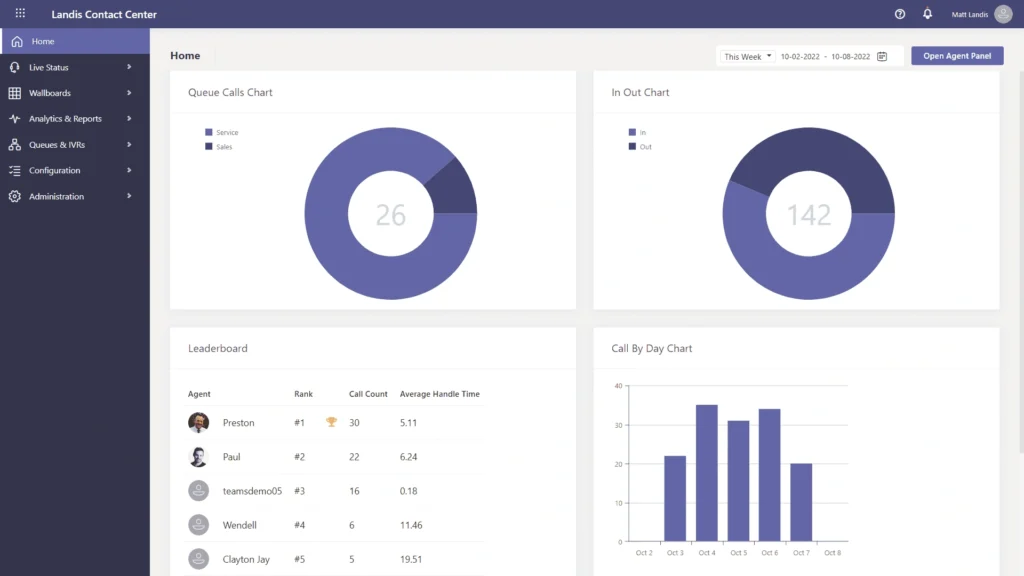
Built on Microsoft’s Extend and Unify architecture, Landis enables your agents to handle customer conversations, collaborate with colleagues, access CRM data, and use AI without leaving Teams. The result is a more connected experience that reduces context switching and helps you get more from your Microsoft investment.
Learn more about Landis Contact Center and discover how a Teams-native contact center can transform your customer experience.