When moving the phone system to Microsoft Teams voice, the steps that are usually well covered are things like call quality, routing, compliance, and device provisioning. But sometimes a few seemingly small details get overlooked.
As the contact center manager, bring the following checklist to the migration lead before cutover and ask for confirmation that each item be tested.
Table of contents
- 1. Queue Metrics
- 2. Missed Call Handling
- 3. After-Call Work
- 4. Agent Status and Coverage
- 5. Overflow and Business Hours Routing
- 6. The Live Supervisor Dashboard
- Why Would These Items be Overlooked?
- What Happens When the Checklist Isn’t Run?
- What Does a Successful Migration Look Like?
- Make It a Shared Checklist
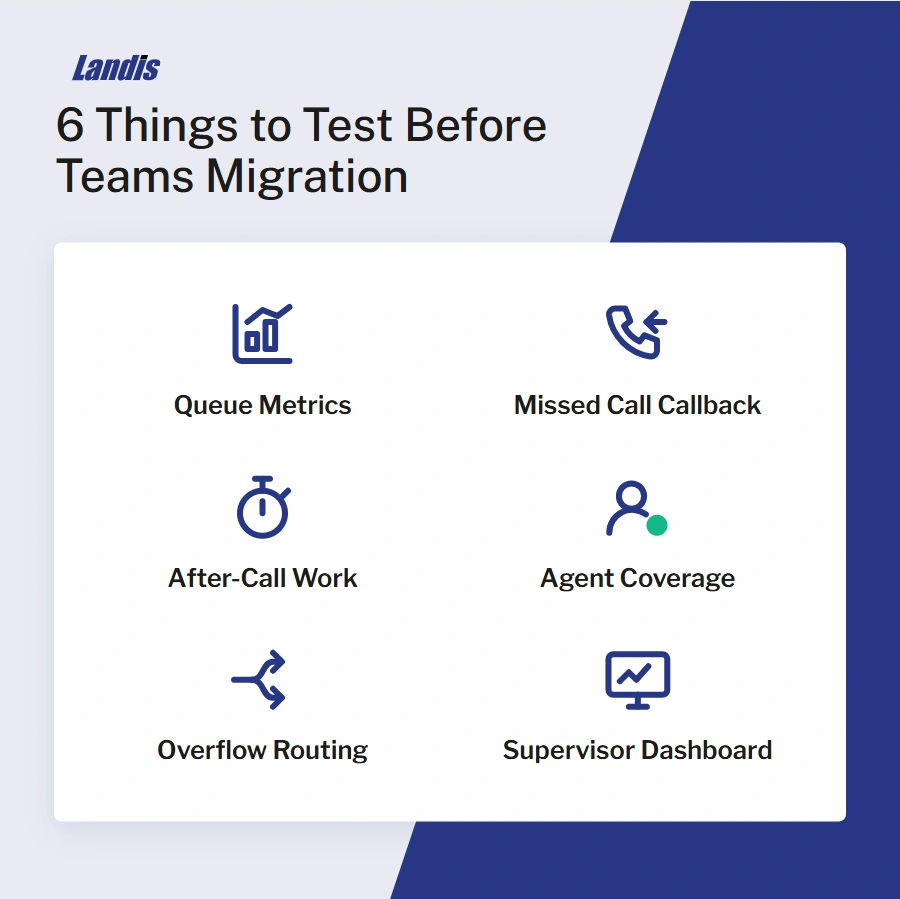
1. Queue Metrics
Can supervisors see real-time abandon rate, average handle time, agent status, and calls waiting? The data must show up on a live dashboard during a shift and not need to be pulled later through a manual export or an IT ticket.
2. Missed Call Handling
When a caller hangs up before an agent answers, can anyone see who called? Can an agent call that person back from the same interface used to answer calls?
3. After-Call Work
Do agents get wrap-up time after a call before the next one routes to them? Standalone contact center platforms build this in by default. Native Microsoft Teams call queues do not.
4. Agent Status and Coverage
Can supervisors see who is logged into the queue and who isn’t, and change agent status directly? If an agent forgets to log in, does the call route to someone else, or does it go unanswered with no one aware?
5. Overflow and Business Hours Routing
What happens to a call after hours or when every agent is busy? Confirm who controls those rules and how quickly they can be changed when something in the queue needs to shift on short notice.
6. The Live Supervisor Dashboard
Ask to see a supervisor dashboard built on your queue data, not a demo environment with clean numbers. Supervisors will be looking at this screen every day and will know within the first hour whether it shows what they are used to.
Why Would These Items be Overlooked?
IT and operations measure a phone migration by different standards.
IT’s job is making sure calls connect: audio quality, routing rules, compliance, uptime. Your job is making sure the queue performs the way it did before the migration.
The gap opens when operational requirements never make it into the migration plan, and it’s the contact center manager’s responsibility to let the person scoping the project know what the queue needs.
For a broader look at where this kind of gap tends to show up before a project even starts, see 6 Challenges to Consider Before Implementing a Microsoft Teams Contact Center.
What Happens When the Checklist Isn’t Run?
Skip this checklist, and a familiar pattern tends to follow.
The technical migration goes as planned. Then a Monday morning call volume spike hits, something in the queue behaves differently than expected, and calls go unanswered. By the time anyone investigates, service levels have already dropped, even though the migration has already been marked complete on the IT side.
The migration can be technically complete and still miss what the queue needs. Running the checklist above before the cutover date is how success criteria get defined while there is still time to test for them.
For more on what is typically missing from native Teams call queues, see Why Microsoft Teams Call Queues Stop Working for Growing Organizations.
What Does a Successful Migration Look Like?
When every item on the checklist is tested and confirmed, day one after cutover is close to invisible. Supervisors see what they always saw, agents are logged in and accounted for, queue metrics are live, and missed calls are trackable.
DERTOUR, a Swiss travel company, went through this exact transition and kept handling more than 400 daily calls across 170 users without losing the reporting and visibility their team relied on. Read the full story in Transforming Telephony in a Pandemic: A Journey from Avaya to Teams with Landis.
Make It a Shared Checklist
IT owns the technical migration, and the contact center manager owns whether the queue still works when it is done. The most useful thing you can do with this list is hand it to your migration lead early, before the cutover date is locked, and ask for it to be treated as shared acceptance criteria rather than a set of concerns raised after the fact.
For a fuller planning framework that covers both sides of the project, see Planning Your Effective Microsoft Contact Center Journey.
If your team is weighing whether native Teams call queues can cover these six items or whether a dedicated contact center layer is worth adding, Landis Contact Center closes that gap without asking agents to leave Microsoft Teams.