The October 2026 release brings AI call summaries, queue overflow actions for calls and chats, and improvements to wrap-up questions, reporting, and recording playback.
Set Queue Overflow Actions
Admins can set a queue overflow threshold which dictates the maximum number of calls allowed to wait in a queue.
Once that threshold is exceeded, new calls go to the specified overflow action such as another queue or IVR, a user, voicemail, or an external PSTN number.
Monitor Chats with Additional Admin Actions
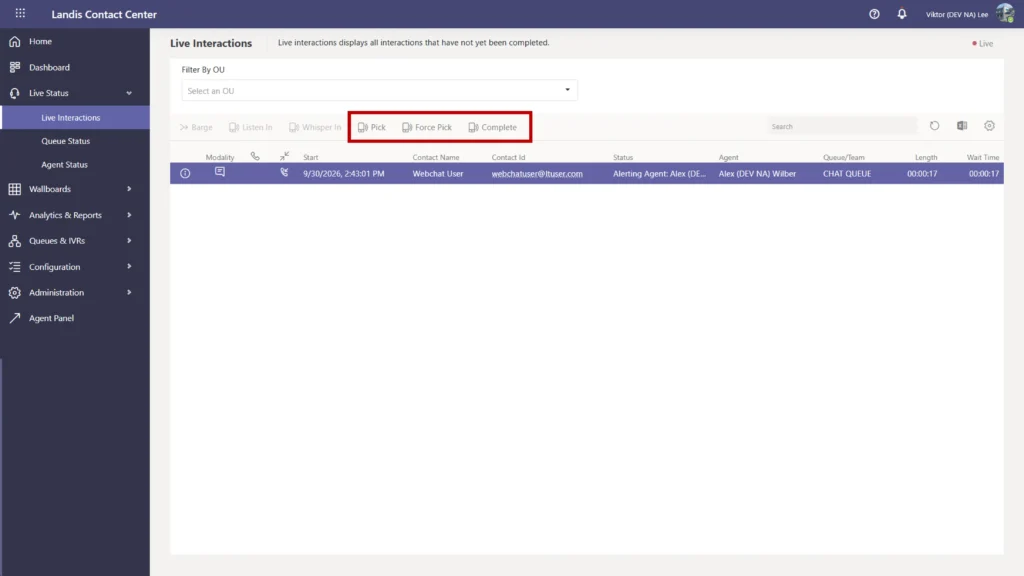
Three new chat actions for admins are available on the Live Interactions page.
- Pick
- Force pick
- Complete
Find out more about chat in Landis Contact Center
Handle Long Chat Queues Smoothly
Chat queues now support queue timeout and queue overflow. When chats reach the specified threshold, they will continue to the next configured action such as an IVR or custom message.
See Context for Automatic Callbacks
Call pops that are a result of an automatic callback, can now include information about the call which was the source of the callback.
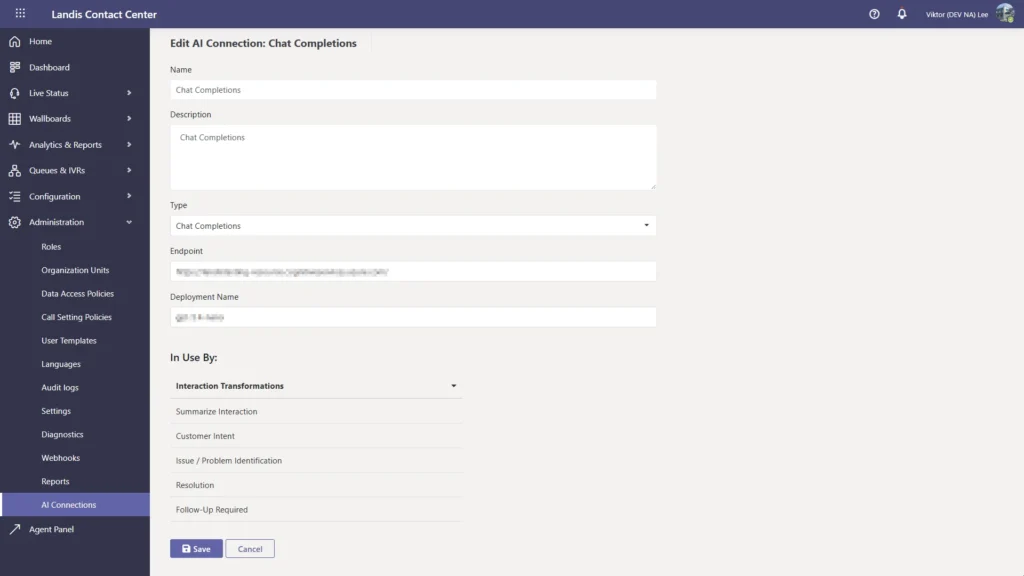
Connect Your Own AI Resource Directly to Contact Center
Admins can connect Azure AI Foundry agents or a standard chat completion model to Contact Center for work in call summaries and other conversation analytics.
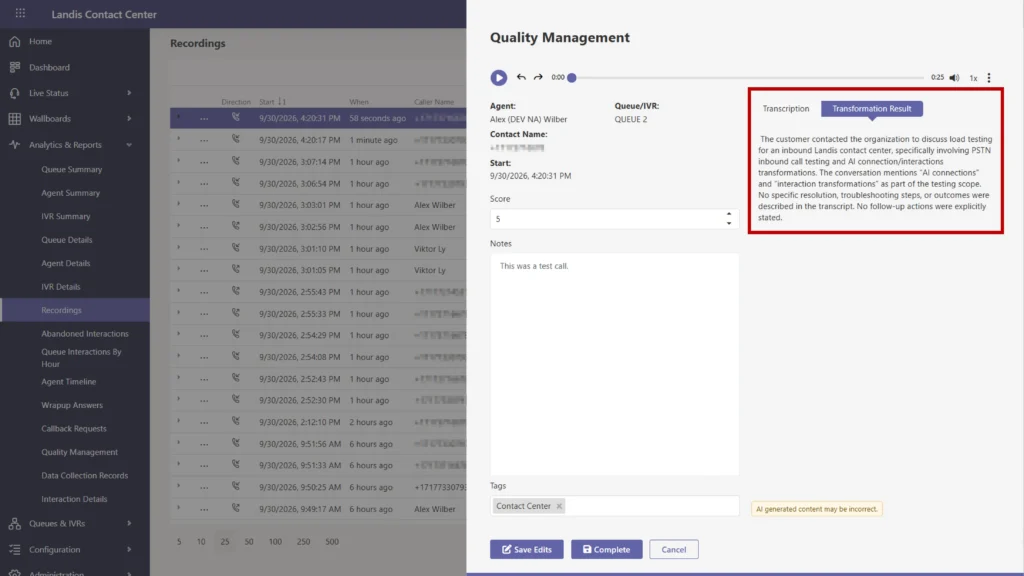
Call summaries created this way now show wherever a call transcription is already shown, including quality management and Call Details report.
Manage and Read Wrap-Up Date More Easily
Set Up Wrap-Up Questions Faster
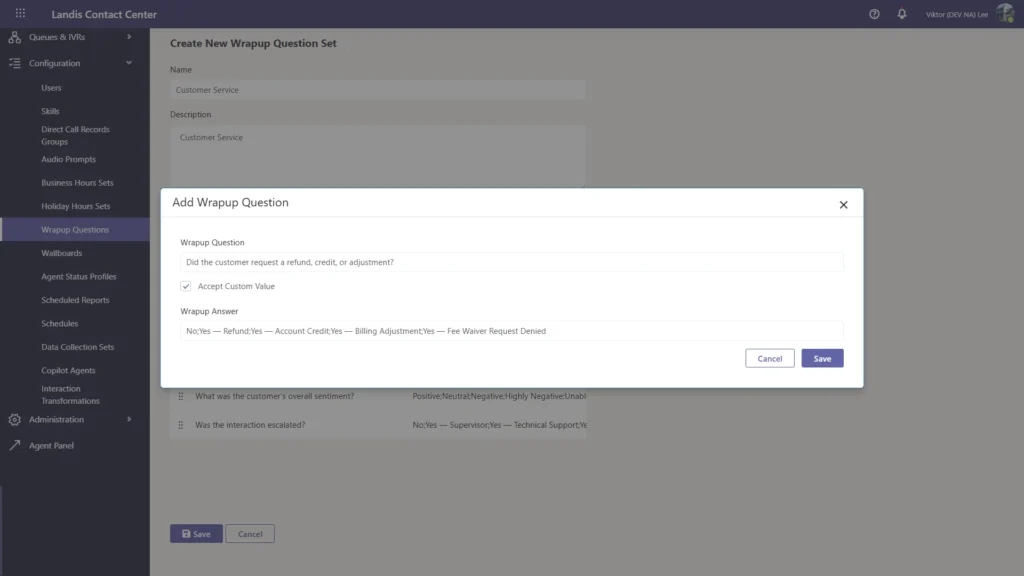
The wrap-up question configuration page has a new grid layout. Each question is edited from its row in the grid.
Put Questions in a Custom Order
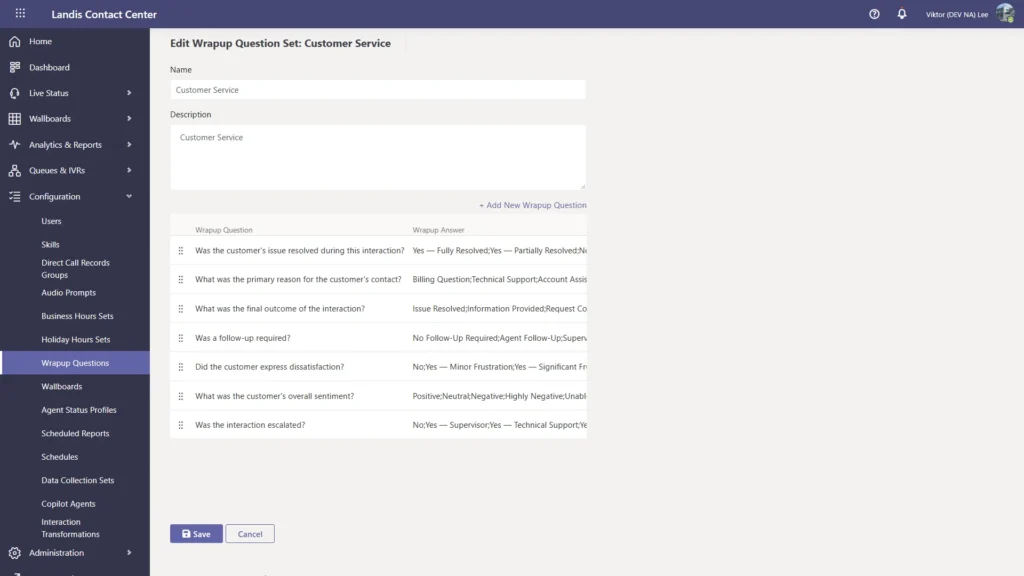
Questions can be dragged into a new order. The order syncs with the agent’s wrap-up panel and the Wrap-Up Questions report.
Retire Outdated Questions
Questions can now be deleted from a question set.
Report on Current Questions by Default
The Wrap-Up Questions report hides deleted questions by default. A toggle shows them again, limited to deleted questions that have answers in the selected date range.
Read Wrap-Up Reports at a Glance
Column headers now display the full question text in place of “Question 1,” “Question 2,” and so on. The headers carry over to Excel exports.
Review Dropped/Ended Call Reasons
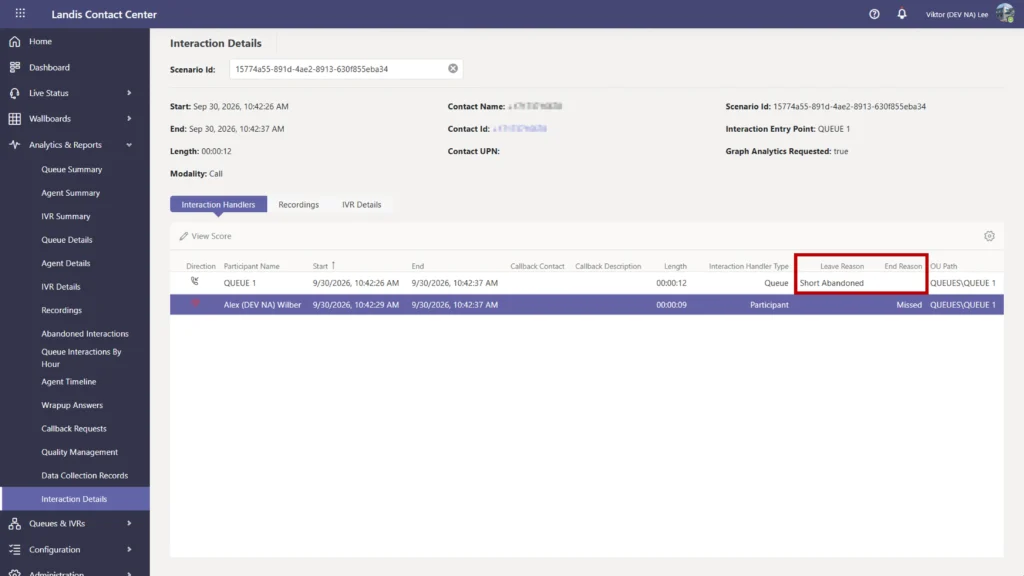
For queue calls, the Interaction Details report now shows whether the agent or the contact disconnected first. When a call is dropped, a new Error Details field displays the error returned by Microsoft.
Listen to Recordings More Efficiently
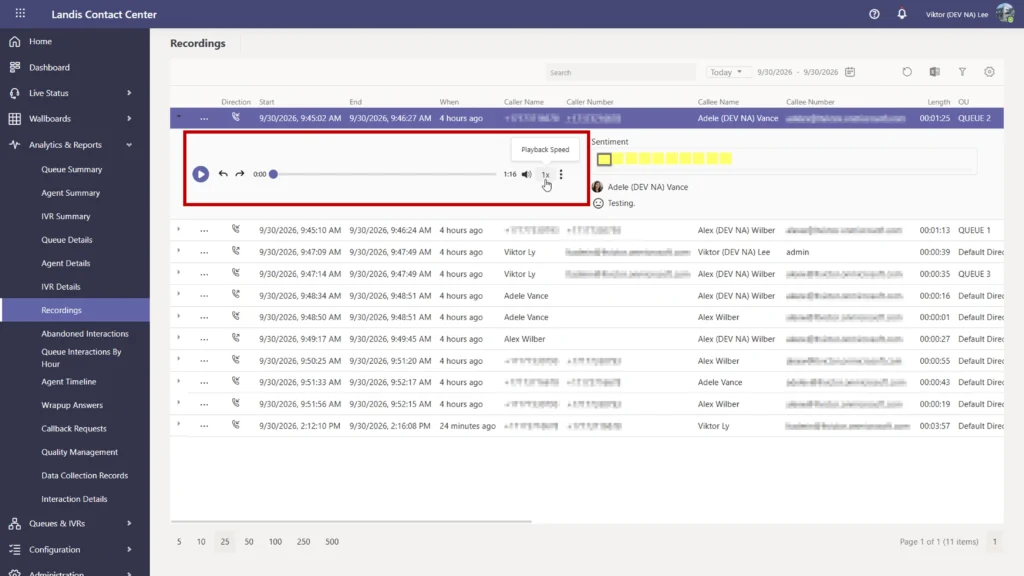
Recording players now include better controls.
- Skip backward 10 seconds
- Skip forward 10 seconds
- Playback speed control (this setting syncs to all a user’s recordings)
Read about more Call Recording features.
See Whether an Interaction is Chat or Voice
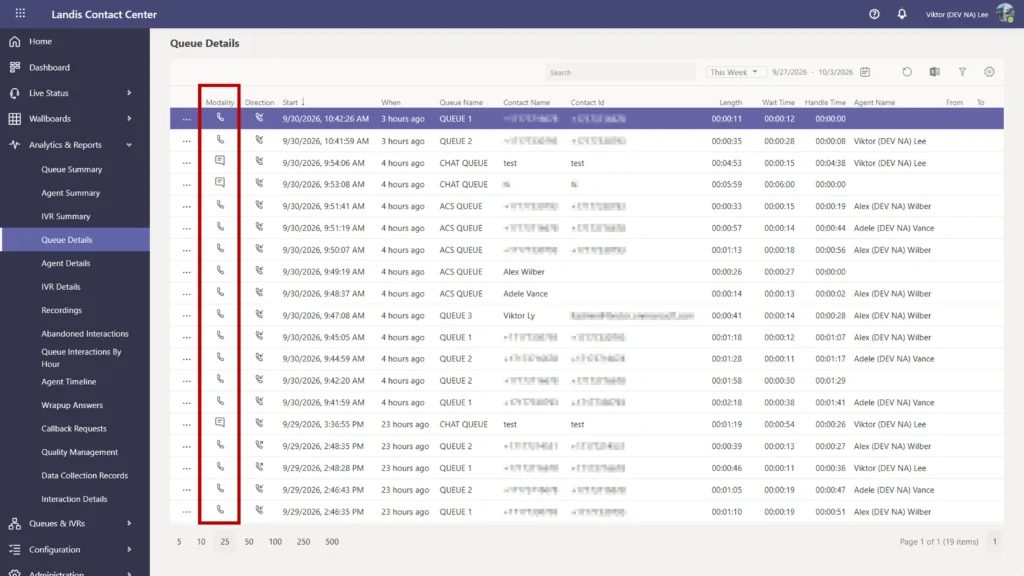
Various detail reports now contain a Modality column, marking whether an interaction was chat or voice.
For the complete list of changes and fixes, see the Contact Center release notes.