The November 2026 release of Landis Attendant Console for Microsoft Teams brings benefits in three main areas:
- Easy and timely access to the right information. Details panels can be placed where each user prefers, call pop appears on the right when a call arrives, and daily call stats show in the footer.
- Communication with clients on their preferred channel. Receptionists can now chat or speak with customers from Attendant Console.
- Instant productivity. New users start with the most commonly used settings and can also bring the headset they’re already used to.
Table of contents
Watch the overview video covering the new features.
Chat in Attendant Console
If you’re using Attendant Console connected to Landis Contact Center, receptionists can now handle chats as well as voice. A count on the Chats tab shows unread threads, and you can end a chat from its window when the conversation is done.
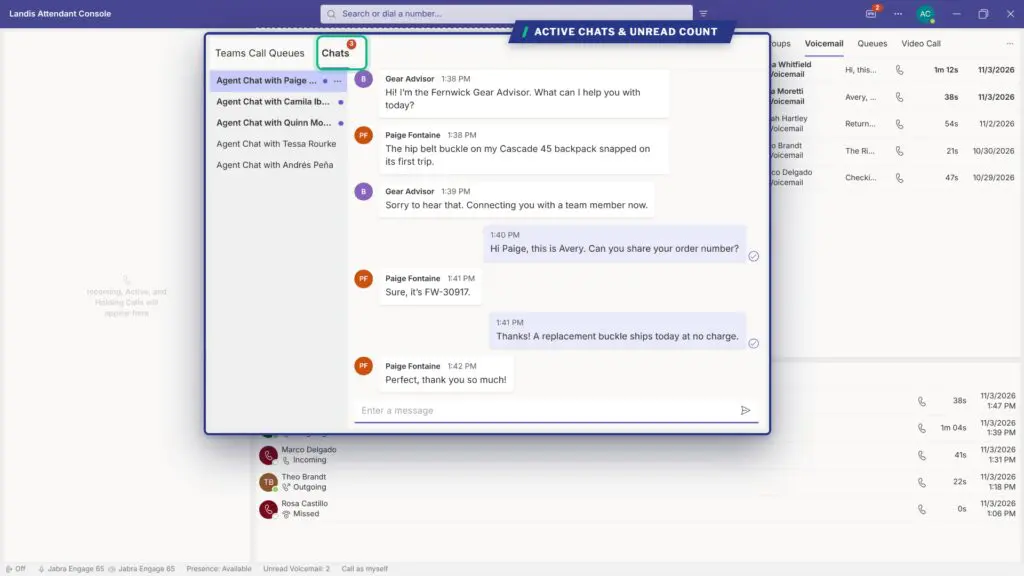
If you’re currently using only voice, but needing to upgrade, Landis Contact Center brings Omnichannel functionality with web chat, Facebook, WhatsApp, SMS, and RCS into one routing engine.
Call stats in the footer
The footer now shows three stats for the day: total calls, average time to answer, and average handle time.
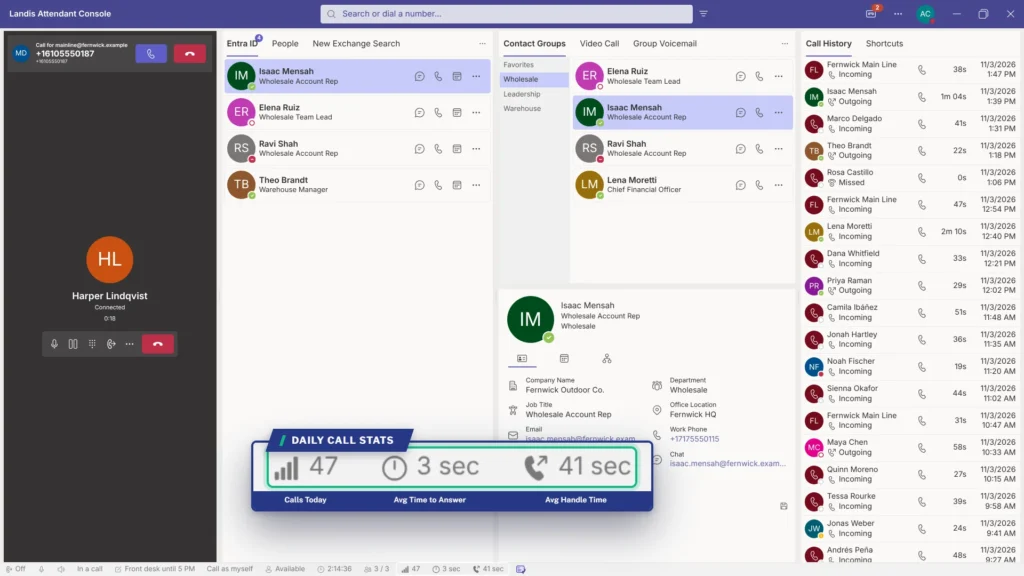
Select any of them to open the Call History panel, where each call links to its details and voicemail.
If you need in depth historical and live reporting, Contact Center provides a comprehensive set of out-of-the-box and custom reports.
Place details for easy access
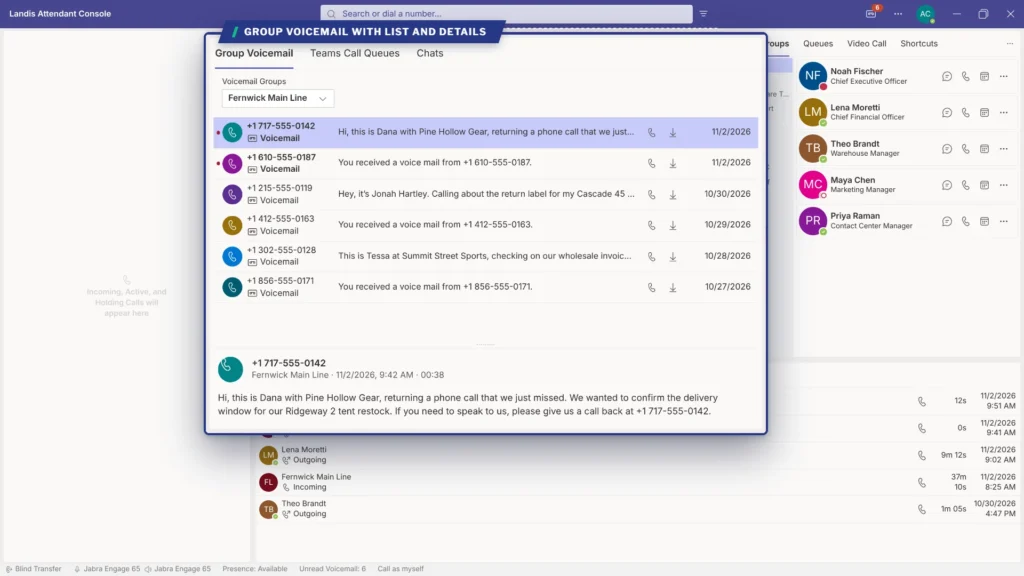
In the Call History, Voicemail, and Group Voicemail panels, the details section can now be at the top, bottom, left, or right of the list. The position and size you choose carry over between those panels, so details show up in the same place whichever list you open.
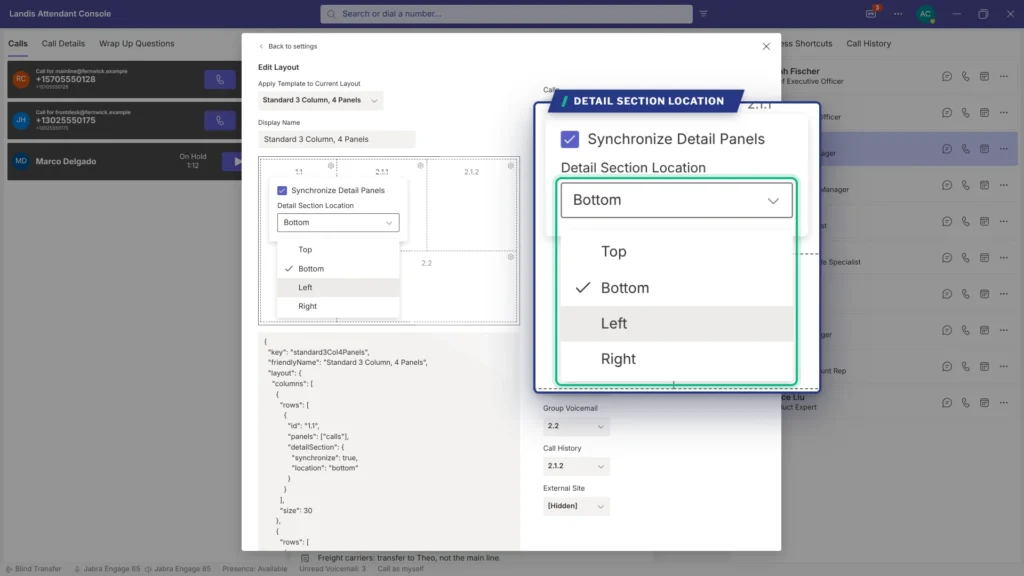
A receptionist on a wide monitor might put details on the right, and one on a laptop might stack them below. Paired with a custom layout and one-click transfers, the information she checks most and the transfer she makes most stay in the same spot all day.
Call pop as flyout panel
If the Call Pop panel isn’t in your layout, Attendant Console now opens call pop as a flyout on the right when a call comes in. It stays open until you close it. If you need it again, selecting the call pop icon in the footer brings it back.
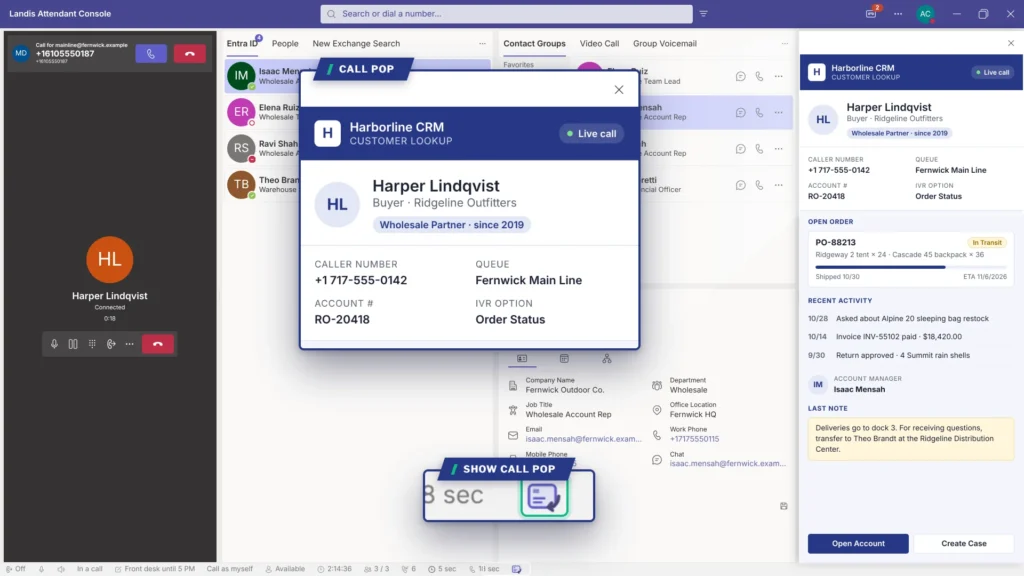
When call pop uses an adaptive card or URL, it can show the caller’s record from your CRM, so the receptionist knows who’s calling before they say hello.
Any call, live or on hold, can be selected to see the relevant call pop.
Not connecting call pop to your CRM yet? Learn how screen pop improves customer service confidence and why Teams-native CRM integration skips the middleware.
Best default settings for new users
New users are now automatically set up for productivity with the most common settings. The new defaults include:
- Teams Call Queues and Quick Access Shortcuts panels in the standard layout
- Teams notifications suppressed, with focus moving to the incoming call
- Contact buttons for call, voicemail, chat, and email callback reminder
- Contact notes shown in search results
- Blind transfer on answer, with hold and failed transfer alerts turned on
Rolling out to a whole team? Settings policies keep these defaults consistent, and the familiar Microsoft Teams look keeps training short.
Additional headset support
Headset button controls now work with a wider range of devices. Select your device in Settings > Devices under Utilize headset buttons.
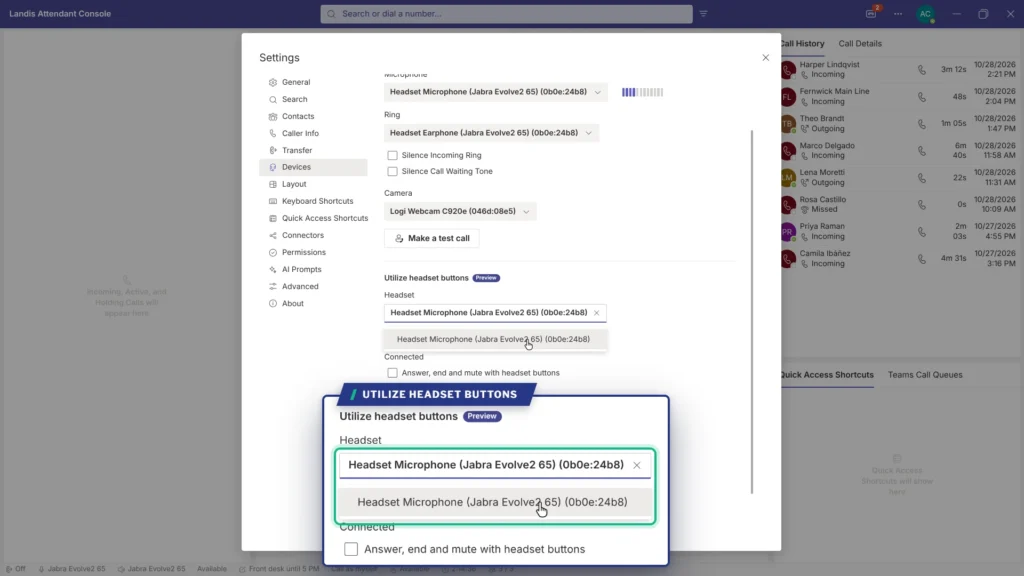
Receptionists can continue using the headset they’re used to, and the buttons sync with Attendant Console’s call controls, so they can answer, hang up, and mute as before.
See the updates in Attendant Console
These features are available now for all Landis Attendant Console users. Existing customers can contact Landis support with setup questions. If you’re evaluating an operator console for Microsoft Teams, book a demo and we’ll walk you through a layout built around your front desk.