Many organizations run on Microsoft 365 but keep their phones on RingCentral. Others are pricing RingCentral against Teams Phone for the first time. In both cases the question is: keep calling on a separate platform, or move it into Microsoft Teams?
This guide compares both platforms on pricing, features, and integration.
Tl;dr
- Microsoft Teams Phone fits best when most of the organization already works in Microsoft Teams and Microsoft 365 licensing is in place. Calling becomes part of the platform people already use.
- RingCentral fits best when the organization wants a standalone phone system that doesn’t depend on Microsoft 365, runs on Google Workspace, or wants unlimited domestic calling bundled into every seat.
- For contact centers, neither phone system covers the need alone. Both require a contact center layer as well.
Table of contents
- Tl;dr
- What Is Microsoft Teams Phone?
- What Is RingCentral?
- Microsoft Teams Phone vs RingCentral: Pricing
- Feature Comparison
- Does RingCentral Integrate with Microsoft Teams?
- Contact Center Needs
- Pros and Cons
- Which Is the Better Fit?
- Can an Organization Move from RingCentral to Microsoft Teams Phone?
- Frequently Asked Questions
- A Third Option: Microsoft Teams Phone with Landis Contact Center
- See Landis Contact Center with Teams Phone
What Is Microsoft Teams Phone?
Teams Phone is Microsoft’s cloud phone system. It adds PBX features to Microsoft Teams: phone numbers for users, call queues, auto attendants, call forwarding, and voicemail. Without Teams Phone, Teams users can only call each other inside the organization.
Teams Phone is an add-on. Every user also needs a Microsoft Teams or Microsoft 365 license as well.
External calling requires PSTN connectivity through one of three paths:
- Microsoft Calling Plans: Microsoft acts as the carrier.
- Operator Connect: a certified carrier provides numbers and calling, managed from the Teams admin center.
- Direct Routing: the organization connects its own carrier through a Session Border Controller.
For more on how calling works, see What Is Teams Calling?
What Is RingCentral?
RingCentral is a UCaaS provider, combining calling, SMS, video meetings, and team messaging in one app.
Their business phone platform, RingEX doesn’t require Microsoft 365 or Google Workspace, and includes unlimited domestic calling in the US and Canada. RingCentral sells contact center capability separately, through the Customer Engagement Bundle and the RingCX contact center product.
Microsoft Teams Phone vs RingCentral: Pricing
Teams Phone pricing (annual commitment)
| Plan | Price | What’s included |
|---|---|---|
| Teams Phone Standard | $10/user/month | PBX features only. PSTN connectivity is separate. |
| Teams Phone with Pay-As-You-Go | $13/user/month | Teams Phone plus per-minute calling |
| Teams Phone with Calling Plan | $17/user/month | Teams Phone plus 3,000 pooled domestic minutes (US) |
| Teams Phone with Domestic & International | $34/user/month | Adds international minutes |
| Microsoft 365 E5 | Included | Teams Phone Standard is bundled into E5 |
RingCentral RingEX pricing
| Plan | Annual | Monthly | Notable limits |
|---|---|---|---|
| Core | $20/user/month | $30/user/month | 25 SMS per user, 100 toll-free minutes, on-demand recording, no CRM integrations |
| Advanced | $25/user/month | $35/user/month | Adds automatic call recording, CRM integrations, 1,000 toll-free minutes |
| Ultra | $35/user/month | $45/user/month | Adds 200 SMS per user, 10,000 toll-free minutes, advanced analytics |
| Customer Engagement Bundle | Quote only | Quote only | RingEX Ultra plus SMS and Call Queues Boosters |
| RingCX (contact center) | From $65/user/month | Separate contact center product |
Implications
For an organization already paying for Microsoft 365, Teams Phone with a Calling Plan ($17) costs less per user than any RingEX plan.
For an organization without Microsoft 365, RingEX Core ($20) is a complete phone system at one price, with calling included.
Feature Comparison
| Feature | Microsoft Teams Phone | RingCentral RingEX |
|---|---|---|
| Business phone numbers | Yes | Yes |
| Auto attendant / IVR | Yes (auto attendants) | Yes |
| Call queues | Yes (basic) | Yes; queue callbacks via Call Queues Booster |
| Domestic calling | Depends on plan or carrier | Unlimited US and Canada on all plans |
| Business SMS | Not included | 25 to 200 messages per user, by plan |
| Video meetings | Microsoft Teams meetings | RingCentral Video |
| Team chat | Microsoft Teams chat | RingCentral app messaging |
| Call recording | Requires a recording solution | On-demand (Core), automatic (Advanced and up) |
| CRM integrations | Via Microsoft and third-party apps | Advanced and Ultra plans |
| Carrier choice | Calling Plans, Operator Connect, Direct Routing | RingCentral is the carrier |
| Requires Microsoft 365 | Yes | No |
| Published uptime SLA | Microsoft’s Teams SLA | 99.999% |
Does RingCentral Integrate with Microsoft Teams?
Yes. RingCentral offers several ways to use its phone system from inside Microsoft Teams:
- RingCentral Direct Routing for Microsoft Teams: RingCentral provides and manages the Direct Routing connection. Users dial from the Microsoft Teams interface, and RingCentral handles the phone network behind it. The customer doesn’t buy or manage an SBC.
- The RingCentral app for Microsoft Teams: an embedded dialer and bot inside Microsoft Teams for calls, call history, and RingCentral Video meetings.
- Customer Engagement Bundle: RingCentral markets this as a way to build an informal contact center in Microsoft Teams, with routing, queues, SMS, and AI features.
What the integration looks like
Calls ring and connect in Microsoft Teams. Call routing, IVR flows, queues, and phone reporting are configured in RingCentral’s admin portal, and RingCentral is the carrier.
While that setup can work, it also means two platforms, two vendors, and two contracts.
Contact Center Needs
A phone system can make and receive calls, but a contact center can route, measure, and improve customer interaction handling.
On Teams Phone, native call queues handle basic routing. Organizations with contact center needs tend to outgrow them on reporting, routing options, and supervisor tools.
On RingCentral, the next step is the Customer Engagement Bundle or RingCX, a separate contact center product starting at $65 per user per month.
On Teams Phone with Landis Contact Center, the contact center runs directly on the existing Teams Phone setup.
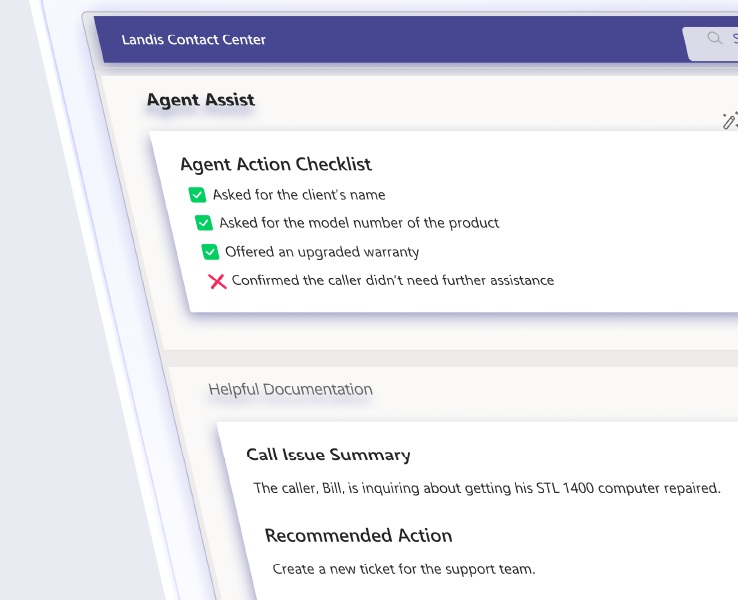
Landis Contact Center is Microsoft Teams Certified and built on Microsoft’s Extend model, so agents take interactions in the Microsoft Teams client they already use. It adds:
- Routing: five routing types including skills-based routing with proficiency levels. See Skills-Based Routing for Microsoft Teams.
- IVR: a visual, no-code IVR designer shared across voice and chat.
- Omnichannel: voice, web chat, Facebook, WhatsApp, SMS, and RCS through one routing engine, agent panel, and reporting layer. Facebook, WhatsApp, SMS, and RCS run through the customer’s own Twilio account.
- Visibility: real-time and historical reports, quality management scoring, and supervisor listen, whisper, and barge.
- CRM connections: direct Dynamics 365 integration, plus call pop, webhooks, and Power Automate for other CRMs. More in how CRM integration works in a Teams contact center.
- Business continuity: documented failover to the native Microsoft Teams queues and auto attendants the organization already owns.
Landis works with any Teams Phone PSTN option and requires Teams Phone Standard, not E5. It costs $75 per user per month, and most organizations go from signup to a live queue in one to two hours. See pricing for details.
Pros and Cons
Microsoft Teams Phone
Pros
- One platform for chat, meetings, and calling for Microsoft 365 organizations
- Included in Microsoft 365 E5
- Carrier flexibility through Calling Plans, Operator Connect, or Direct Routing
- Works on any Microsoft Teams client or certified device
Cons
- Layered licensing: base Microsoft 365 license, Teams Phone, and PSTN are separate pieces
- Native call queues and reporting are quite basic for contact center work
- No built-in business SMS
RingCentral
Pros
- Complete phone system at one per-user price, with unlimited US and Canada calling
- 99.999% uptime SLA
- Large integration library on Advanced and Ultra plans
Cons
- A second platform to administer for Microsoft 365 organizations
- SMS and toll-free limits on lower plans
- Contact center features cost extra through bundles or RingCX
- Annual terms auto-renew
Which Is the Better Fit?
Teams Phone is the better fit when:
- Microsoft 365 is the organization’s core platform and the goal is fewer vendors
- The organization already owns E5 or plans to
- The contact center should run inside Microsoft Teams too
RingCentral is the better fit when:
- The organization isn’t standardized on Microsoft 365
- The priority is calling, SMS, and meetings from one vendor at one price
- The organization relies on RingCentral-specific integrations that Microsoft Teams doesn’t match
Can an Organization Move from RingCentral to Microsoft Teams Phone?
Yes. The main steps are choosing a PSTN path, porting numbers, and rebuilding auto attendants and call queues in Microsoft Teams.
Frequently Asked Questions
For organizations already on Microsoft 365, usually not. Teams Phone with a Calling Plan lists at $17 per user per month, and RingEX starts at $20 with annual billing. For organizations without Microsoft 365, RingEX Core can cost less than building a Microsoft license stack for calling alone.
Only with Direct Routing. Microsoft Calling Plans and Operator Connect don’t require one. Most Direct Routing providers, RingCentral included, host the SBC.
RingEX publishes pricing up to 100 users and quotes above that. RingCentral also sells enterprise contact center through RingCX. Teams Phone scales with Microsoft 365 licensing, and E5 includes it.
No. Teams Phone includes basic call queues and auto attendants. Skills-based routing, detailed reporting, quality management, and digital channels require a certified contact center such as Landis Contact Center.
A Third Option: Microsoft Teams Phone with Landis Contact Center
For organizations that need a contact center, there is a third option: Microsoft Teams Phone with Landis Contact Center. Calling, the contact center, chat, and meetings all run in Microsoft Teams.
This option fits best when:
- Microsoft 365 is already in place and the goal is fewer vendors and contracts
- Native Teams call queues fall short on reporting, routing, or supervisor tools
- Customers reach the organization through more than voice, including web chat, Facebook, WhatsApp, SMS, and RCS
- Agents should handle every interaction in Microsoft Teams
It also closes two gaps between Teams Phone and RingCentral.
- Teams Phone has no built-in business SMS, but Landis adds SMS through the customer’s own Twilio account.
- Teams Phone has only basic call queues and reporting, and Landis adds skills-based routing, a visual IVR designer, real-time and historical reports, and quality management, and more.
Agents need Teams Phone Standard and a Landis Contact Center license.
See Landis Contact Center with Teams Phone
If you’re planning to move calling to Microsoft Teams, book a demo or start a 30-day free trial.