Quality assurance in the contact center depends on the metrics used. Track too many and QA reviews are too tedious to sustain. Track too few and scores no longer reflect customer experience.
This guide starts with the right call center quality assurance metrics to track, then covers how to score interactions, schedule reviews, and turn scores into coaching. Examples throughout use Landis Contact Center, a contact center built for Microsoft Teams.
Table of contents
- Why Call Center Quality Assurance Feels Complicated (And How to Fix it)
- How to Quickly Set Up Effective Call Center Quality Assurance Metrics
- Implementing QA Without Disrupting Your Team
- How to Improve Call Center Performance with QA Data
- Keeping QA Secure Without Adding Complexity
- How to Keep QA Working Through a Teams Migration
Why Call Center Quality Assurance Feels Complicated (And How to Fix it)
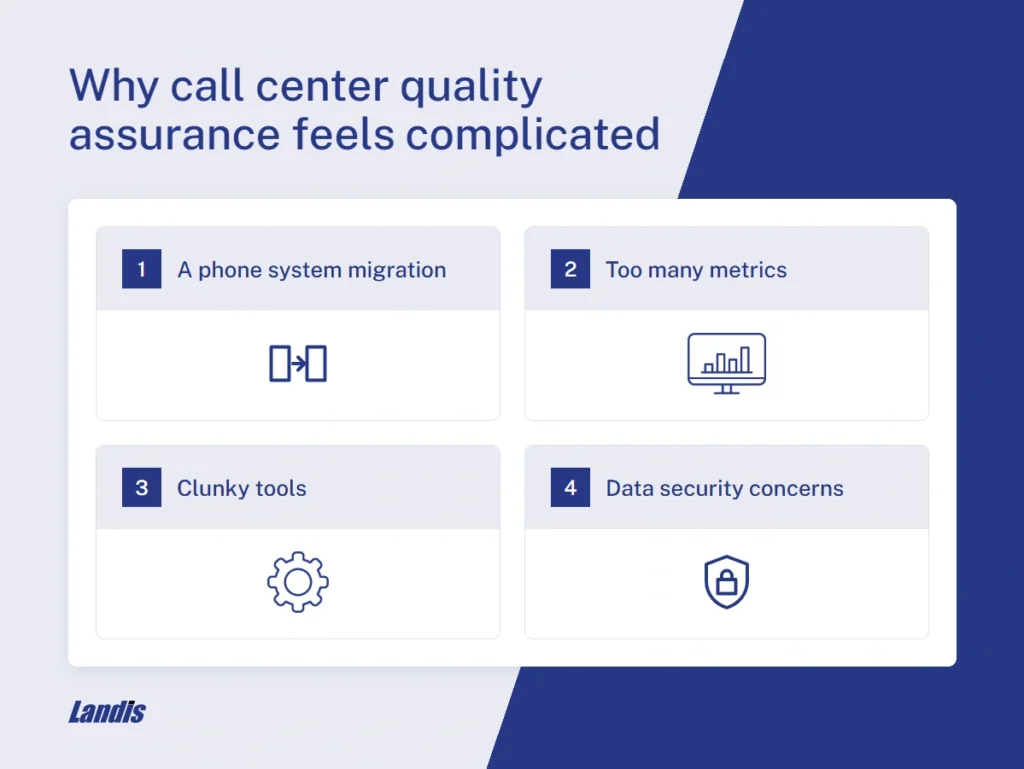
It’s easy to see why QA can become a headache.
- A phone system migration
- Too many metrics
- Clunky tools
- Data security concerns
Let’s break down each of these, and figure out how to simplify them.
QA Left Out of Phone System Migration
When moving phones to Microsoft Teams, the project plan usually centers on call routing, phone numbers, and a cutover date, while the QA process gets less attention. How calls are recorded, where supervisors find them, how they’re scored, and which reports track the results are often an afterthought.
Some QA capabilities are built into Teams, some come with add-ons like Teams Premium or the Queues app, and some need a dedicated QA tool. Check which reporting metrics Microsoft Teams tracks before assuming a report will remain.
The fix, of course, is to treat QA as a migration requirement. List what supervisors use regularly (call monitoring, recording, scoring, QA reports, etc.) and confirm access to each. The QA parity checklist later in this guide covers what to validate.
For an example of a full move off a legacy system, see how ABRSM moved from Mitel to a modern contact center.
Too Many Metrics, Not Enough Focus
It might feel like you’re tracking everything but not getting clarity. And because of so many quality assurance metrics (call lengths, hold times, agent script adherence, customer sentiment, and more) it’s hard to identify what’s the most important.
But you don’t need to track everything to make an improvement. A few call center metrics can provide the clarity without complexity. By narrowing the focus to the most meaningful data, QA becomes simpler and more effective in improving call center performance.
Manual Reviews Draining Time and Resources
Listening to calls one by one is incredibly time-consuming. Supervisors, who should be focused on coaching and supporting agents, get bogged down in hours of manual call reviews. And even after all that effort, different supervisors scoring the same call differently may lead to inconsistent evaluations.
Complex Tools That Disrupt Workflow
New QA tools are supposed to make life easier, but often they come with steep learning curves and unfamiliar interfaces. Switching between platforms, learning new systems, and finding your way around unfamiliar dashboards can disrupt the team’s daily flow.
Can agents stay in the app they use all day? Can supervisors score a call from the reports they already review? When QA exists in a separate system, reviews are the first thing to get skipped on a busy week.
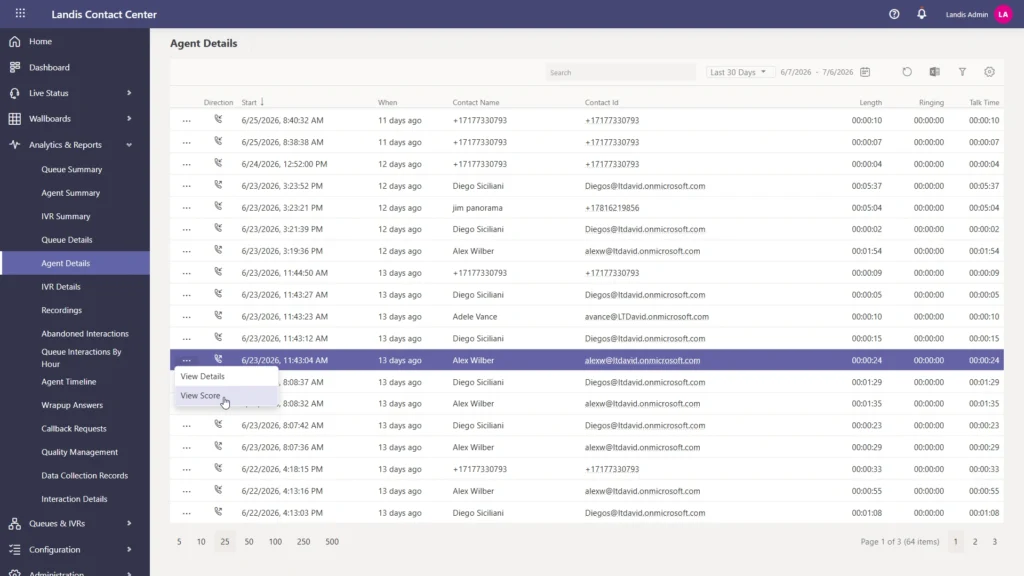
In Landis Contact Center, agents handle calls in Microsoft Teams, and supervisors open a scoring panel with the recording, transcript, score, and notes directly from the Recordings, Agent Details, and IVR Details reports.
New QA tools are supposed to make life easier, but often they come with steep learning curves and unfamiliar interfaces. Switching between platforms, learning new systems, and navigating unfamiliar dashboards can disrupt the team’s daily flow. Instead of saving time, these tools can end up creating more work than they eliminate.
That’s where Teams call center solutions like Landis Contact Center come in. Landis operates entirely within Microsoft Teams, blending seamlessly into your existing workflow. With single sign-on (SSO) and a familiar interface, QA becomes a natural part of your process—not an extra chore. No need to juggle multiple systems or disrupt your team’s rhythm; everything you need is right where you already work.
Fear of Negative Feedback from Agents
QA can sometimes feel like micromanagement to agents because feedback can come off as critical rather than constructive, especially if the process feels overly focused on mistakes.
But when handled the right way, QA can become a tool for growth. Something agents even welcome. By framing feedback as an opportunity for improvement and development, and involving agents in the QA process, you can shift the narrative from “you’re doing it wrong” to “here’s how we can do better together.”
Data Security Feels Like an Added Burden
Handling call recordings and customer data poses security concerns, and industry-specific regulations add more to manage. For supervisors, though, the main question is “who can see which recordings and scores?” A supervisor should see their own team’s interactions, and scores should only be edited by the people responsible for them.
In Landis Contact Center, Data Access Policies control who can view, edit, and complete quality scores. Roles control who can open the Quality Management report, and Organization Units scope supervisors to their own teams. Audit logs track configuration changes. The technical side of recording security is covered in the “For your IT team” section later in this guide.
How to Quickly Set Up Effective Call Center Quality Assurance Metrics
The simpler the call scoring process, the more likely your team is to embrace it. By focusing on the right call center quality assurance metrics, involving your agents, and using tools that integrate with your existing workflow, you can create a scoring process that drives improvement without overwhelming your team. Following are some quality assurance best practices.
1. Start with a Simple Scorecard Focused on Core Metrics
The easiest way to get started is with a simple scorecard. Pick 3 to 5 criteria that matter most to your call center, such as accurate resolution, following required steps, and tone, and decide what a high score and a low score look like for each.
Then decide where scores will live. In Landis Contact Center, scoring happens in Quality Management. A supervisor opens an interaction from the Recordings, Agent Details, or IVR Details report and selects View Score. A side panel shows the recording and transcript next to fields for a score (on whatever scale you choose), notes, and tags. When the review is finished, Complete locks the record so the score can’t be changed later.
Quality Management scores interactions that have a recording or transcript, so policy call recording needs to be in place first.
2. Limit Scoring Categories to Avoid Overcomplication
It’s easy to fall into the trap of tracking too many categories. But the more you add, the more confusing and inconsistent the process becomes. When evaluators have to juggle dozens of criteria, the focus shifts from meaningful feedback to just checking boxes.
By narrowing your scoring to a few core metrics, like customer satisfaction, compliance, and first-call resolution, you’ll get a clearer picture of how to improve call center performance without bogging down the process.
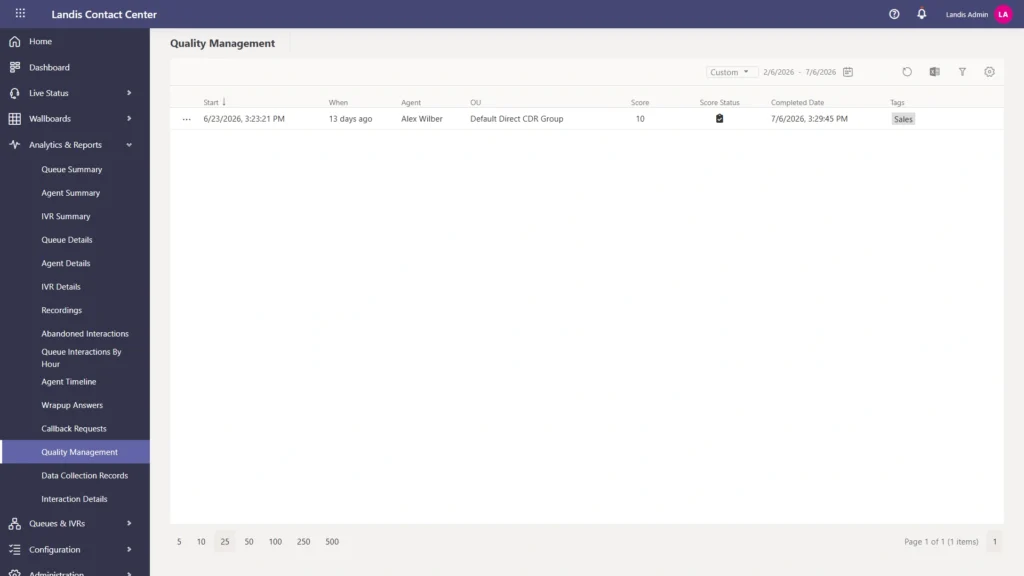
In Landis Contact Center, each interaction gets one overall score, and tags cover the categories. Create tags like “compliance miss” or “resolved on first call,” then filter the Quality Management report by tag to see patterns across a team.
3. Involve Agents
When agents feel like QA is something being done to them rather than with them, it’s no surprise they push back. A top-down approach often feels like criticism, and that can lead to frustration and disengagement.
By involving agents in the QA process, whether it’s helping set scoring criteria or reviewing scorecards, you reduce that resistance and create buy-in. Agents often provide valuable insights that make scoring fairer and more practical. When they feel part of the process, QA becomes a collaborative effort aimed at growth, not just a performance review.
4. Make Call Center Quality Assurance Metrics Clear and Easy to Understand
When evaluators aren’t sure what they’re looking for, or when criteria are open to interpretation, the result is inconsistent scoring and confusion for everyone.
Clear, straightforward criteria keep everyone on the same page. Evaluators can score calls more consistently, and agents will know exactly what’s expected of them.
5. Use Real Call Examples to Define Scoring Benchmarks
It’s one thing to talk about what good performance looks like and another to hear it in action. Without real call examples, it’s hard for agents and evaluators to know what to aim for.
In Landis Contact Center, you can tag standout interactions (for example, “benchmark: billing question”) so evaluators and new agents can find them by filtering the Quality Management report on that tag. These examples set clear expectations for agents and provide practical benchmarks for evaluators.
Implementing QA Without Disrupting Your Team
By finding the right balance between automation and human input, catching problems during live interactions, scheduling reviews thoughtfully, and positioning QA as a tool for growth, you can create a process that works with your team, not against them.
6. Decide Between AI Automation and Human Evaluation
One of the first decisions in call center QA is whether to rely on AI-powered tools or humans for evaluations. AI can handle routine tasks like scoring calls and analyzing patterns quickly and consistently, but human evaluators bring context and nuance, especially for complex or sensitive calls where emotional intelligence is more important.
A hybrid approach can also be helpful. Automate the tedious parts like call transcription and sentiment analysis with tools like Landis Contact Center, and let your team focus on the calls that require a human touch.
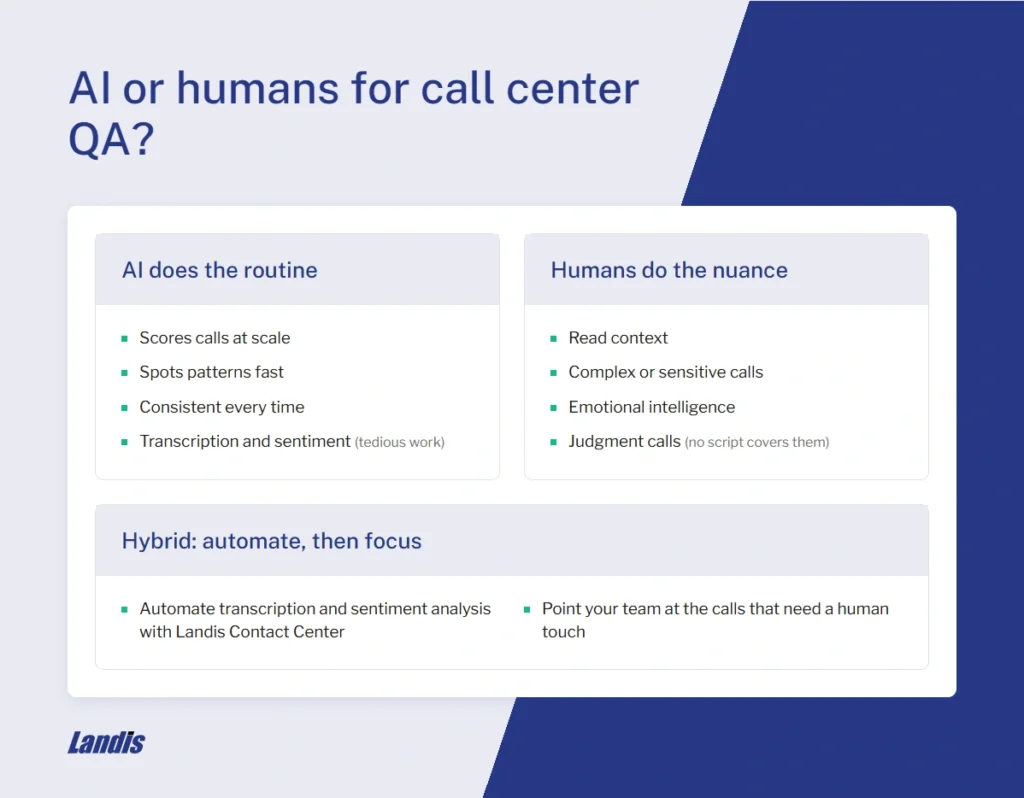
Landis Contact Center follows this hybrid model. Transcription, sentiment analysis, and AI-generated summaries run automatically and help supervisors decide which interactions to review. The scoring itself stays with supervisors. Sentiment is scored phrase by phrase, which helps show where in a call the conversation turned.
7. Catch Difficult Calls in Real Time
QA that happens after the call is over works for coaching, but doesn’t help the customer on a call that’s going badly right now. Real-time monitoring gives supervisors a chance to step in before the call ends.
In Landis Contact Center, Supervisor Alerts flag live interactions whose average sentiment score drops below 0.5. A red triangle appears on the live interaction, the wallboard, and the Queue Status page. From there, a supervisor can listen in silently, whisper to the agent without the caller hearing, or join the call.
8. Schedule Regular Review Times to Maintain Workflow
Without a set schedule, QA could become a last-minute task that disrupts daily operations. Reviews get pushed to the side, rushed, or forgotten altogether.
Try integrating QA into your team’s regular workflow. Short, consistent review sessions help maintain performance without overwhelming your team. This approach keeps QA from feeling like an interruption and makes it a routine part of your team’s success.
In Landis Contact Center, the Quality Management report shows each scored interaction’s status as Editing or Completed, along with who completed it and when. Filtering by status shows the review backlog at a glance. Scheduled reports can deliver your regular reporting on an hourly, daily, weekly, or monthly cadence, which gives review sessions a consistent starting point.
9. Position QA as a Growth Tool, Not a Surveillance Method
QA often gets a bad rap as a form of micromanagement, which can lead to resistance from agents. If it feels like the goal is to catch mistakes, agents are more likely to disengage.
The key is to shift the perspective. Make QA about coaching, development, and recognizing success. When feedback is constructive and supportive, agents see QA as a tool for growth and understand how to improve the call center performance through their individual contributions.
How to Improve Call Center Performance with QA Data
While QA scores focus on contact center health inside interactions, operational metrics cover a wider range of data. Look at the two together to further improve call center performance.
10. Tie Call Center Quality Assurance Metrics to Operational Goals
An example of the correlation between QA metrics and operational goals: If abandoned calls climb and QA scores hold steady, the issue is likely staffing or routing, not how agents handle calls. If QA scores drop and wrap-up time rises for the same agents, a new process or system may be slowing them down.
Pick one QA goal and one operational goal each quarter and review them side by side. A few pairings to start with:
- Abandoned rate and QA scores. Shows whether service problems come from call handling or from callers never reaching an agent.
- Missed-call callbacks and QA scores on callbacks. Shows whether missed callers get called back, and how those conversations go.
- Agent login compliance and missed interactions. Agents who aren’t logged in to their queues can’t answer, no matter how well they score.
11. Use One QA Workflow for Voice and Chat
When a contact center adds chat and other channels, QA can get split. A customer who starts in chat and follows up by phone should get the same standard of service on both.
Keep one scoring process and one report across channels, and adjust the criteria where the channel requires it. Response time and written tone matter more in chat. Hold time and verbal tone matter more on calls.
In Landis Contact Center, chat interactions are scored in the same Quality Management workflow and report as voice calls, using the same score, notes, tags, and Complete steps. Chat transcripts appear in live views and in Interaction Details, so supervisors review chats the same way they review call transcripts. The July 2026 update covers the chat scoring additions.
Keeping QA Secure Without Adding Complexity
For many call centers, data security is one of the most challenging aspects of quality assurance. Deciding who can see and change QA data before reviews start, and giving IT the technical details it needs up front, keeps the process both secure and simple.
12. Decide Who Can See and Change QA Data
Access decisions are easier to make before the first review than after. A few questions to settle early:
- Who scores interactions? Usually supervisors or QA leads. These are the people who need to edit scores and notes.
- Who completes scores? Completing a score locks it, so limit this to the people accountable for the final result.
- Who views without editing? Team leads or trainers may need to listen to recordings and read notes without changing them.
- How do agents see their feedback? Decide whether agents will review scores directly or go over them in coaching sessions (see #3).
- Which teams does each supervisor cover? A supervisor should see their own team’s interactions, not the whole contact center’s.
In Landis Contact Center, Data Access Policies control who can view, edit, and complete quality scores. Roles control who can open the Quality Management report, and Organization Units group users by team so each supervisor’s access matches the people they manage. Audit logs track configuration changes.
For the IT team
These are the details IT will want before QA goes live on Landis Contact Center.
- Recording setup. Landis uses policy call recording. Agents are assigned a Teams recording policy in PowerShell (individually or by group). The policy can take up to 24 hours to apply, and calls aren’t recorded during that window.
- Recording announcement. Callers hear a recording notification by default. It can be turned off in PowerShell, but responsibility for notifying participants then moves to your organization. See our state-by-state guide to call recording laws.
- Storage and retention. Recordings are kept for 90 days in Landis’s default storage. For longer or custom retention, connect your own Azure Blob storage (by role assignment or connection string), with Azure private endpoints available through support. A storage change applies only to new recordings. Recordings can also be deleted directly from the portal.
- Transcription and sentiment. These run on Azure Cognitive Services. A trial of 1,000 API calls is included, after which your organization pays Azure directly. Speech recognition language is set per Call Setting Policy.
- Sign-in and access. Users sign in with Microsoft 365 and Entra ID. Access is managed through Roles, Data Access Policies, and Organization Units, with audit logs for configuration changes.
- Certifications. Landis runs on ISO 27001 certified infrastructure. Data handling, security, and privacy attestations are published through the Microsoft 365 App Compliance Program.
How to Keep QA Working Through a Teams Migration
If your phone system is moving to Microsoft Teams, the time to check QA is before the cutover date is locked.
13. Validate QA Parity Before Cutover
Parity means supervisors can do everything on the new system that they did on the old one, on day one.
Start with the list of what your supervisors commonly use. Then test each item on the new system with real queue traffic. A pilot shift, where supervisors manage the queue as they normally would, catches problems a demo won’t.
| Capability | What to test | In Landis Contact Center |
|---|---|---|
| Recording coverage | Are all the agents and call types you need recorded? Test after the recording policy has had 24 hours to apply. | Policy call recording for agents assigned the Teams recording policy, including outbound calls and automatic callbacks |
| Recording retrieval | Can a supervisor quickly find a specific interaction by date, agent, or queue? | Recordings report with search, date range, and agent, queue, and team filters, plus shareable links to each interaction |
| Transcripts and sentiment | Are transcripts available in your languages? Is sentiment scored for them? | Transcription and sentiment through Azure Cognitive Services, with language set per Call Setting Policy |
| Scoring | Can supervisors score, add notes, tag, and lock the final score? | Quality Management, launched from the Recordings, Agent Details, and IVR Details reports |
| QA reporting | Can you see the review backlog, completed scores, and tags by team? | Quality Management report with score status, completed by, completed date, tags, and notes |
| Retention | Does recording retention match your policy? | 90 days in default storage, or your own Azure storage for longer retention |
| Live monitoring and coaching | Can supervisors listen in, speak to the agent privately, and join a call? | Listen In, Whisper In, and Call Barge from live views |
| Live queue visibility | Do supervisors see queue status, agent status, and at-risk calls in real time? | Queue Status, Agent Status, wallboards, and Supervisor Alerts for low-sentiment interactions |
| Wrap-up and missed calls | Are wrap-up time, missed alerts, and callback requests tracked? | Wrap-up time in summary and agent reports, Short Missed and Short Abandoned metrics, and a Callback Requests report |
| Access | Does each supervisor see their own team’s interactions and scores? | Data Access Policies, Roles, and Organization Units |
14. Streamline Your QA Process with Landis
With Landis Contact Center, you can simplify every aspect of your call center’s QA process. From real-time monitoring and automated evaluations to tracking valuable call center quality assurance metrics, Landis makes QA simple, effective, and affordable—all within Microsoft Teams. Ready to make QA easier for your team? Talk to a Landis Contact Center professional to request a demo and get your QA questions answered.